
Customers who purchase licenses through a Microsoft Partner should be aware that new Microsoft 365 Copilot Business purchases will come with usage-based PAYG billing preconfigured starting on 1 December 2026.
*************
Updated 3 October 2026:
Microsoft postponed it to 1 December 2026 (previously 2 November).
*************
In a normal case, a usage-based billing configuration includes three parts:
- An AI administrator has to enable the usage-based billing configuration in the Microsoft 365 admin center.
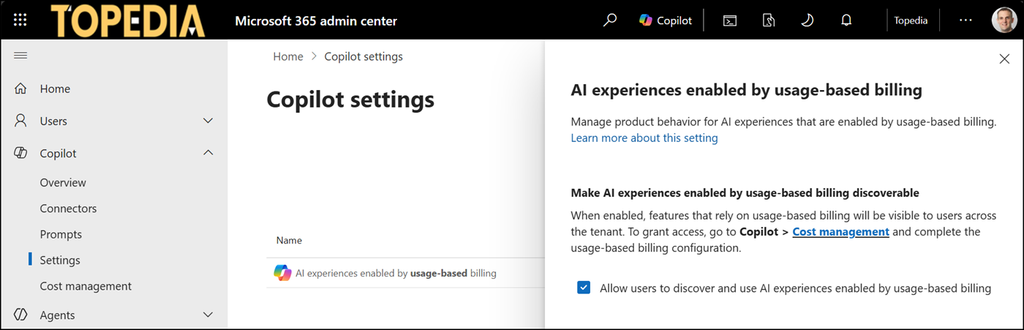
- An AI Administrator or license administrator must configure the cost management controls. At least one cost management policy is required.
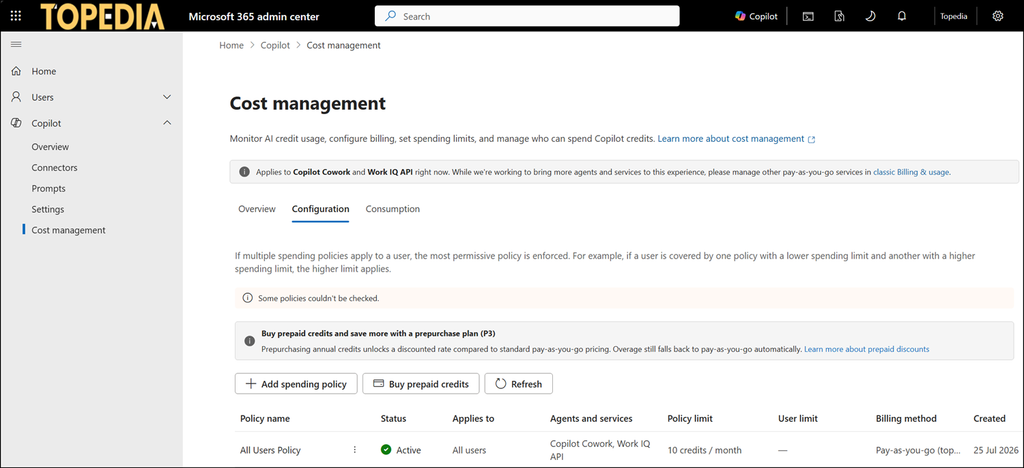
- An Azure administrator must provide an Azure subscription, and a cost management policy must be connected to it.
Starting on 1 December 2026, if a customer orders a new Microsoft 365 Copilot Business subscription (standalone and bundles) via a CSP Partner, Microsoft will preconfigure all three steps.
New Microsoft 365 Copilot Business licenses that you purchase through Cloud Solution Provider (CSP) include usage-based billing by default. Pay-as-you-go is the default billing configuration to help customers access eligible usage-based experiences, including Copilot Cowork, Work IQ APIs, and GitHub Copilot Harness, with less billing setup. This configuration also provides flexibility to expand usage over time, based on business needs.
This allows licensed users to freely use PAYG services such as Copilot Cowork or Work IQ API, and any other future PAYG services. As recently published, Microsoft also updated the cost management policies with a new setting that allows all new PAYG agents and services by default.
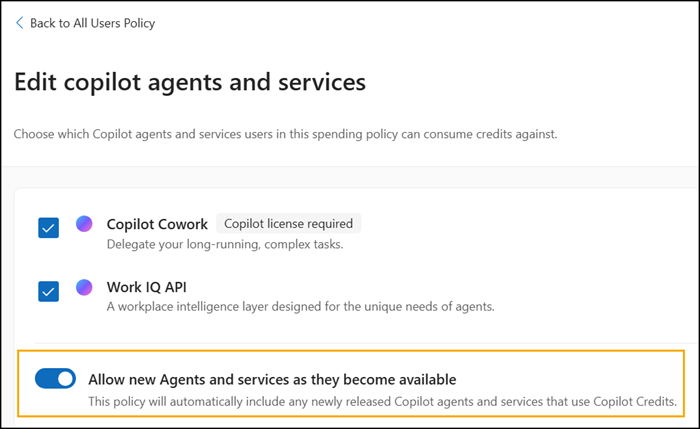
This may be a practical “buy and start” setup for Microsoft 365 Copilot Business customers, but CSP customers should be aware of the change. An administrator should review it and adapt the settings to their requirements.
