
Microsoft 365 Copilot now supports Domain Exclusion, a feature that lets administrators exclude specific domains from web grounding. This keeps Copilot responses aligned with organizational policies and trusted sources across Copilot and Copilot Chat.
- Domain exclusions apply to Microsoft 365 Copilot and Copilot Chat for both Basic and Premium users, and any scenario that relies on web grounding.
- The feature is not enabled by default and requires administrator action to configure.
- There is no change to the end user experience unless an administrator has configured domain exclusions.
Timeline
The feature is generally available, and the required PowerShell script has been published.
Updated 12 August 2026:
Microsoft has rolled this feature back for now.
How does this affect your organization?
This update affects accounts with the Search Administrator or Global Administrator role. Domain exclusions cannot be uploaded without one of these administrator roles.
Administrators can define up to 1,000 domains to exclude from Copilot web grounding. Once configured, excluded domains will not be used in Copilot responses that rely on web grounding.
Microsoft has now published the required PowerShell script at aka.ms/Copilot/DomainExclusionScript, including a guide on how to use and prepare the script. It is also worth reading the script itself.
Note:
Your tenant needs at least one Azure subscription, as the script connects to the subscription to get the access token. Read all prerequisites.
As described in the guide:
- Prepare a CSV file with the domain exclusions; up to 1,000 domains are supported.
In my sample, I exclude two unnecessary domains, including all subpages.
Domain,IncludeSubPages
trump.com,true
truthsocial.com,true
2. Before uploading, I test a prompt to simulate the case. The unnecessary domain is included as a source.
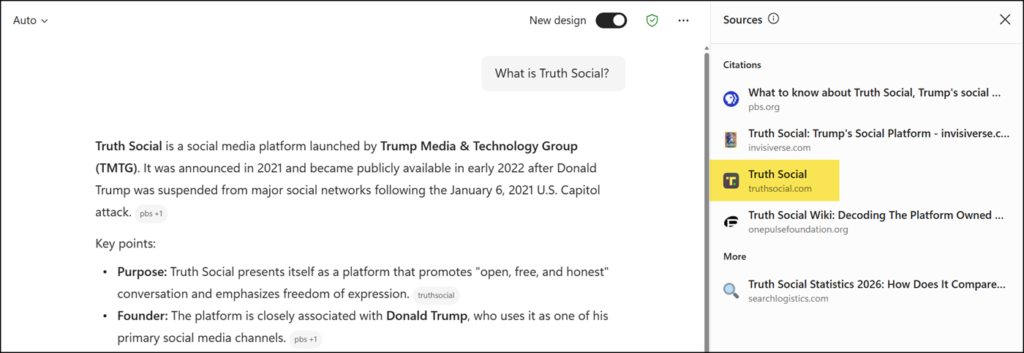
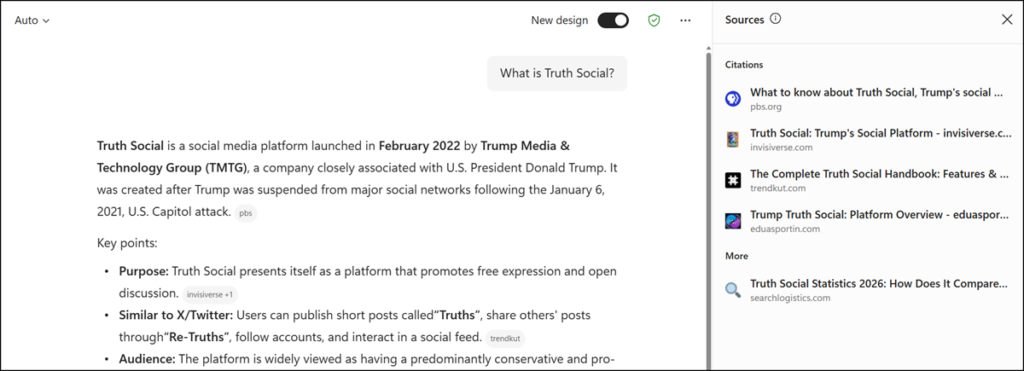
- Uploading the domain exclusions list. In Copilot Chat, the upload becomes active after just a minute.

- Simulating the same prompt again. The unnecessary source is gone, and will not be missed.
Administrators can also export the current list of domain exclusions, update the list, or delete domains, though this is not necessary in my case. Note that the script returns an error when attempting to retrieve the current configuration if no domains have been excluded yet.


I have to say i like your choice of example exclusions for web grounding in your blog 🙂