
Agent Builder in Microsoft 365 Copilot Chat now lets users submit their Copilot agents for review by IT administrators, making them available to everyone in the organization or to a specific group of people through the Agent Store.
Previously, distributing an internally built agent more broadly required workarounds or direct admin involvement from the outset. This change should introduce a straightforward submission and approval process that connects the people building agents with the people responsible for publishing them.
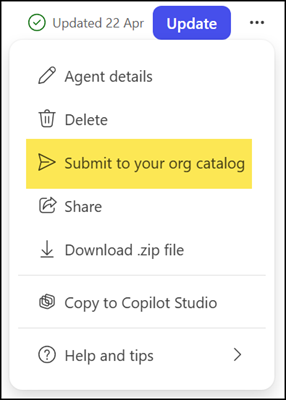
When an Agent Builder user is ready to share their agent more widely, they can request that it be considered for the organization’s catalog. Open the Copilot agent prepared in Agent Builder in edit mode, then select Submit to your org catalog.
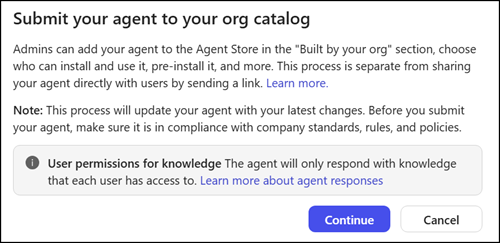
Users will be informed that an admin can manage the agent’s availability.
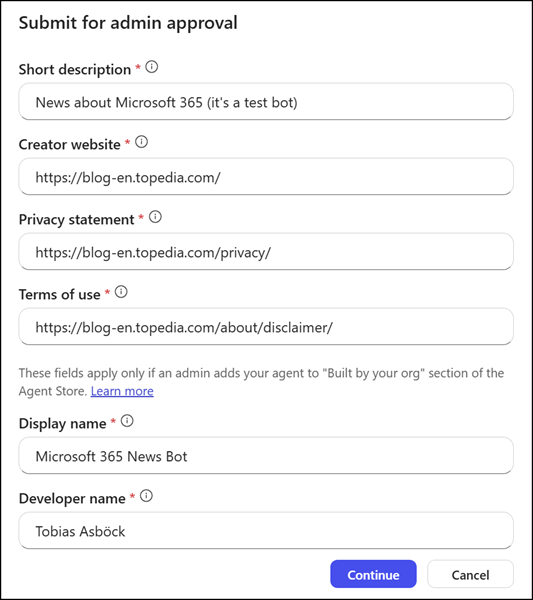
Next, users must provide mandatory information about the agent, which will be familiar to those who have worked with Copilot Studio agents.
After a user submits an agent, neither AI admins nor global admins receive a notification. Organizations need a separate channel to notify AI admins of pending submissions, such as a service management tool.
AI admins find all agent submissions in the Microsoft 365 admin center under Agent 365 at Agents > All agents > Requests.
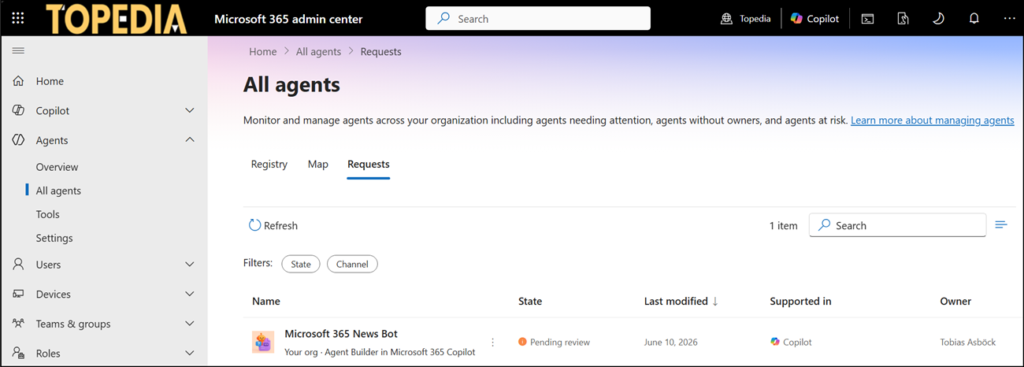
An administrator then reviews the submission and decides whether to publish it,…
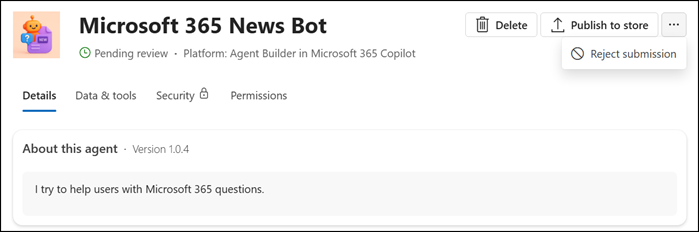
…who should have access to it,…
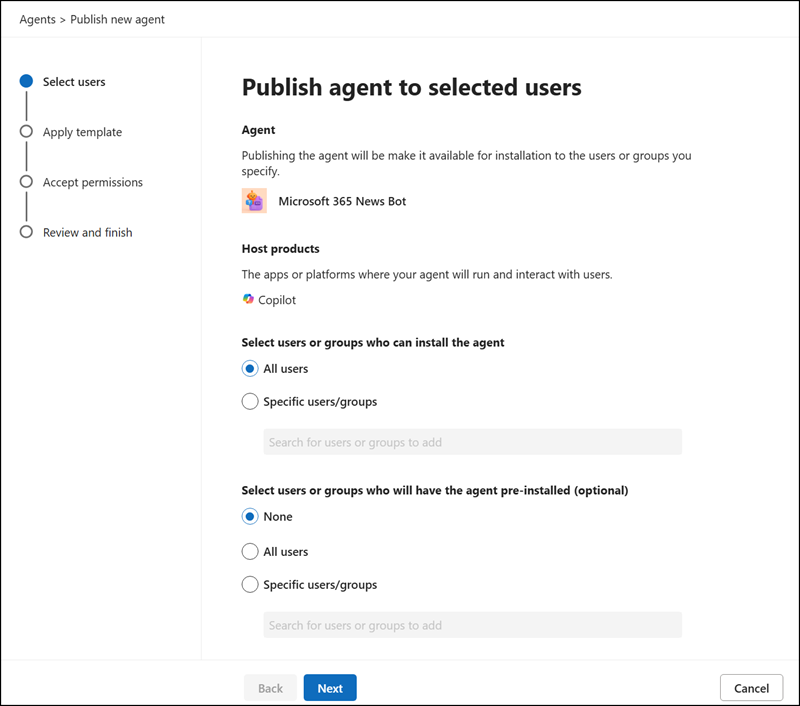
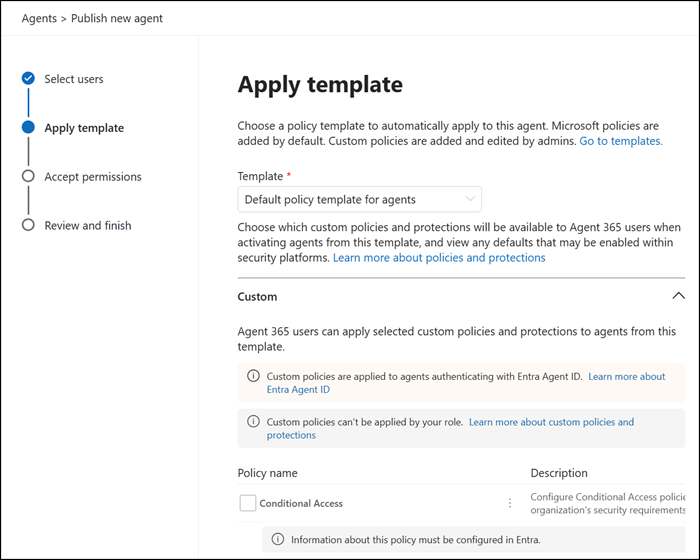
…optionally applies an agent template (part of Agent 365), reviews agent permissions if required, and deploys the agent.
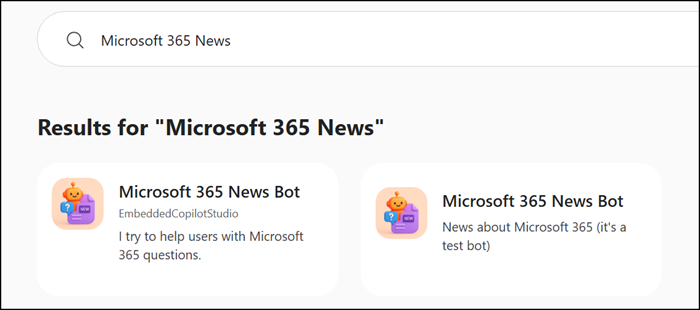
Once approved, an AI admin may find two agents with the same name in Agent 365, depending on the name proposed during submission.

One is the original user agent; the other is the approved admin-managed agent. The system creates a copy of the submitted agent.
User agents are published under “Your users”; admin-managed user agents are published under “Your org”. The publishing date also differs.
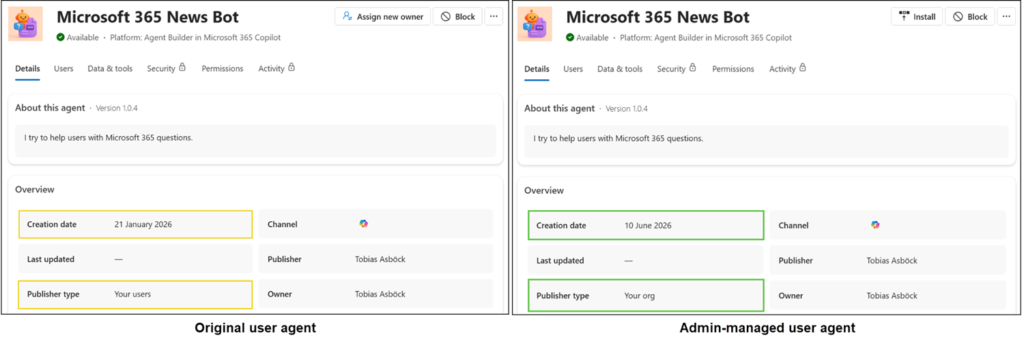
An AI admin can then control user availability, preinstallation, and agent updates for the admin-managed user agent.
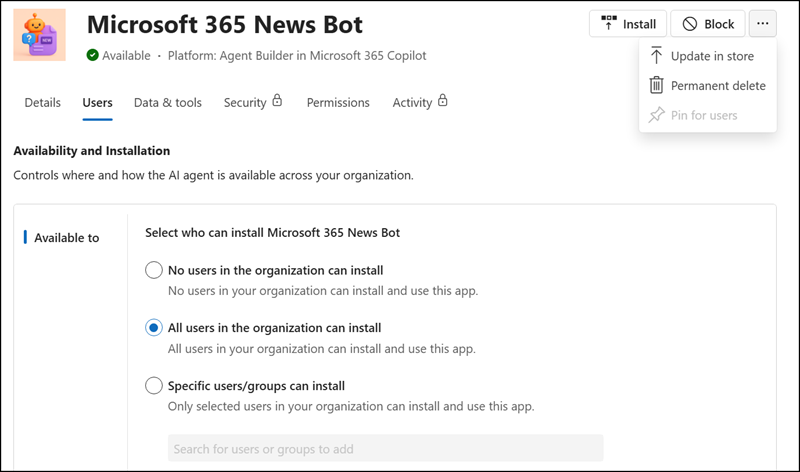
The agent is then available in the “Built by your org” section of the Agent Store, where colleagues across the organization can find and install it.
- From a user perspective, nothing changes unless an agent has been submitted, reviewed, and approved.
- The agent creator may find two agents, other users with the approved agent available in the Agent Store, ready to install and use like any other agent.
Updates to an already-published agent follow the same process. If the agent’s creator makes changes and wants those updates to reach other users, a new submission is required, and the updated version only becomes available after completing a fresh review cycle.
