
Microsoft introduced a new Authoritative property for SharePoint sites, allowing administrators to designate specific sites as trusted, internal sources of organizational information. Content from these sites is then prioritized in Copilot Chat responses and Copilot Search results.
Authoritative Sites are used in Copilot Chat and the new Copilot Search, both of which require a Microsoft 365 Copilot license. Copilot Basic users cannot benefit from trusted sources within your organization.
Timeline
- Public Preview began in May 2026.
- General availability is scheduled for June 2026.
How does this affect your organization?
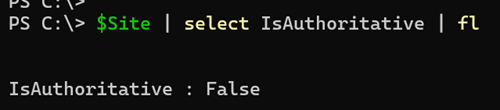
SharePoint administrators can find a new IsAuthoritative property in SharePoint site collections, which is disabled by default.
IsAuthoritative
When an admin with a Copilot license marks a site as authoritative, it signals to Microsoft Search, Microsoft 365 Copilot, and other AI agents that the content is official, trusted, and verified. This designation helps improve content discoverability and increases user confidence in AI-generated responses.PARAMVALUE: True | False
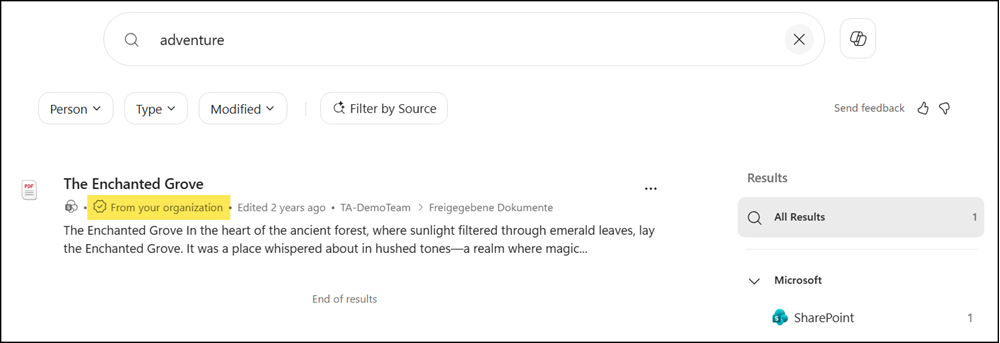
Once enabled for a site, users interacting with Copilot Chat and the new Copilot Search (currently available to Copilot Premium users) will see content from designated sites prioritized in search results, along with a clearer indicator that identifies trusted content in the user experience. In my test, I found the indicator in Copilot Search, but not in Copilot Chat.
Keep in mind, you define the authoritative configuration per site collection. All content on the site is considered a trusted source, even if someone adds fake information.
Note:
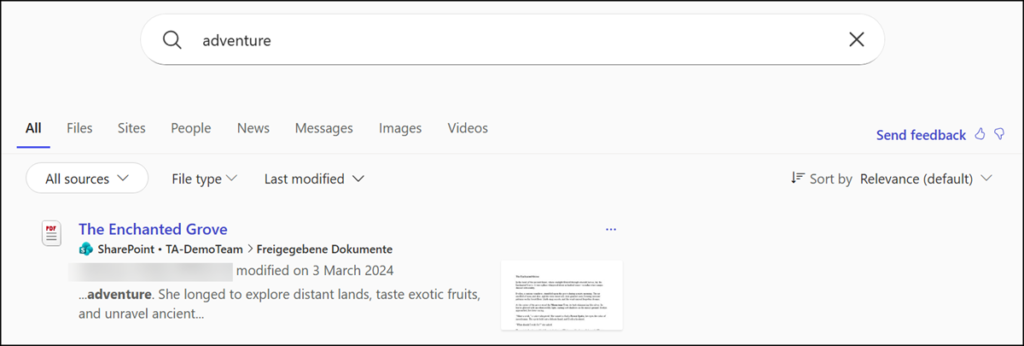
Authoritative sites are not marked in the classic Microsoft Search results, available to Copilot Basic users, meaning you clearly have two-class search results.
To configure authoritative sites, identify the relevant SharePoint sites and designate them using the SharePoint Online Management Shell. Up to 100 site collections are currently supported, no OneDrive sites.
Set-SPOSite -Identity "<SharePointSiteUrl>" -IsAuthoritative $true