
Viva Engage is receiving an update to the events capability, introducing three distinct event types alongside a new unified events landing page.
- Town Halls
- Webinars
- Async (AMA) events
These events are part of the Teams Events extension introduced in April and have the same licensing requirements (except for Async events), meaning they are officially available to organizations with a Teams Enterprise license or service plan. None of the event types requires a Viva Premium license.
The new community events also replace the previously known Live Events. Organizations still using Live Events in Engage should transition to the new community events.
Timeline
The rollout should be completed in May 2026.
How does this affect your organization?
Viva Engage users gain access to three new event types, available both in communities (for community admins) and on individual Engage Storylines.
Check the Events tab in your community or storyline to schedule an event.
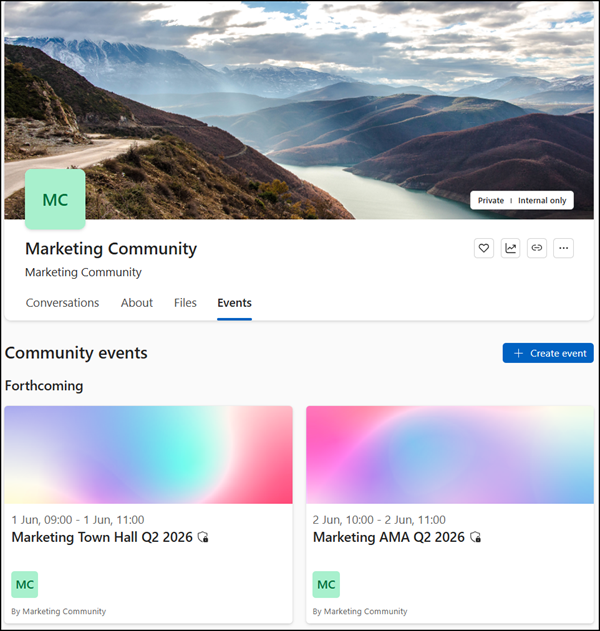
A practical example of a personal storyline event is a senior leader hosting an AMA (ask-me-anything) session directly on their own Storyline, allowing followers across the organization to submit questions without tying the event to a specific community.
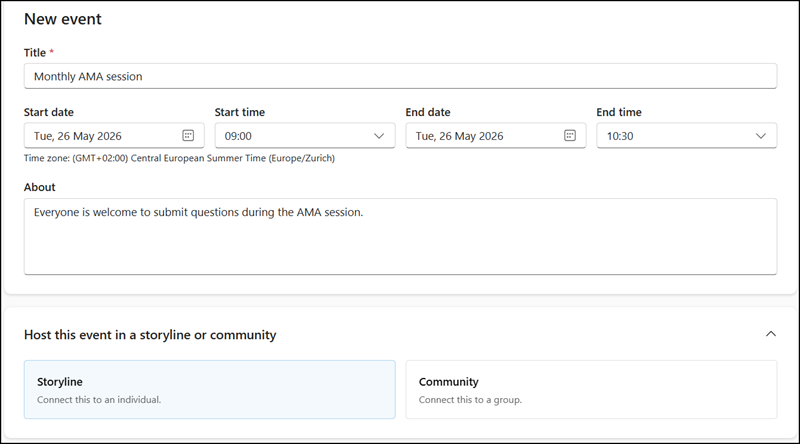
The three event types are:
- Broadcast (powered by Teams Town Hall)
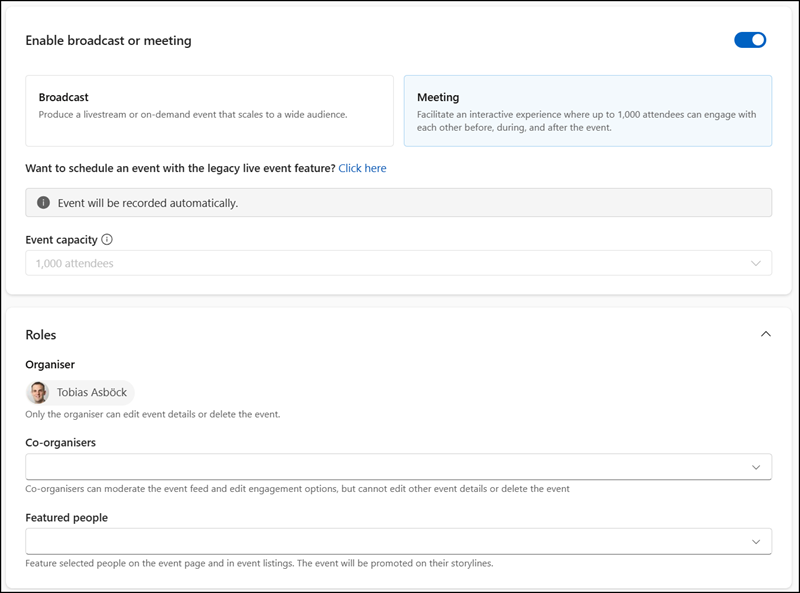
A broadcast event in Viva Engage is a one-to-many format for leadership or presenter-led communications at scale. It replaces the existing community live events experience with a richer engagement model for attendees.
Viva Engage respects existing Teams Town Hall admin policies and supports the Teams Premium Legacy benefits for organizations still holding a license under the old terms. Broadcast events use the eCDN add-on now included in Teams Enterprise licenses.
A broadcast event in Engage supports up to 10,000 internal attendees, and up to 100,000 with a Teams Premium Legacy license or an attendee capacity pack.
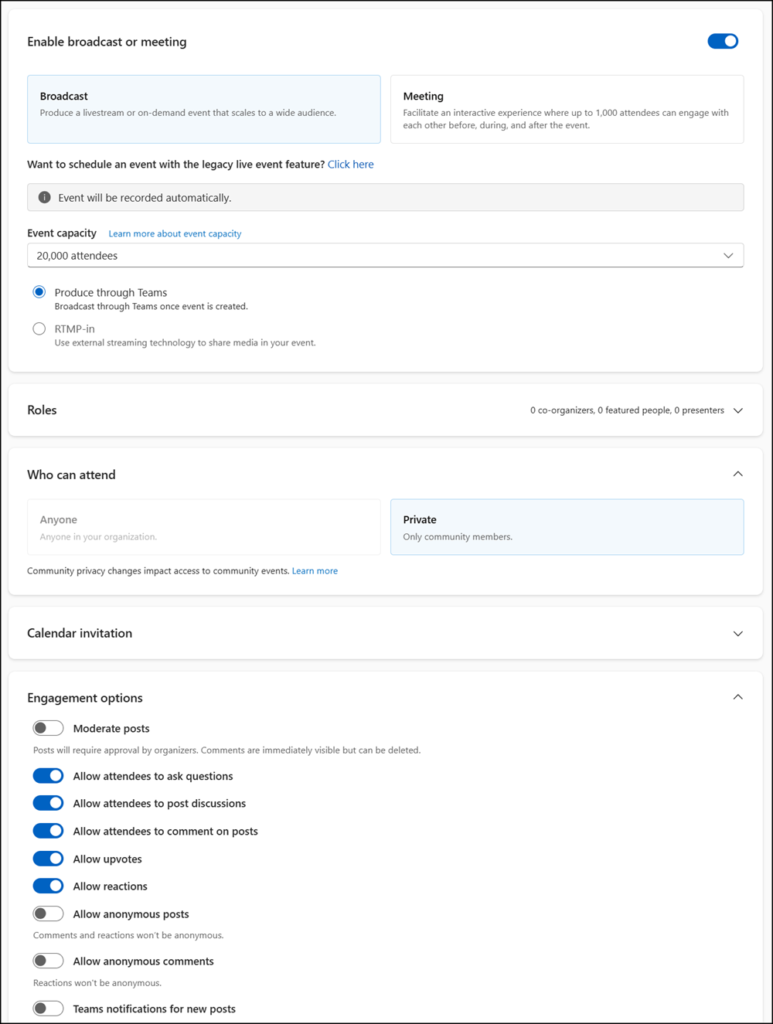
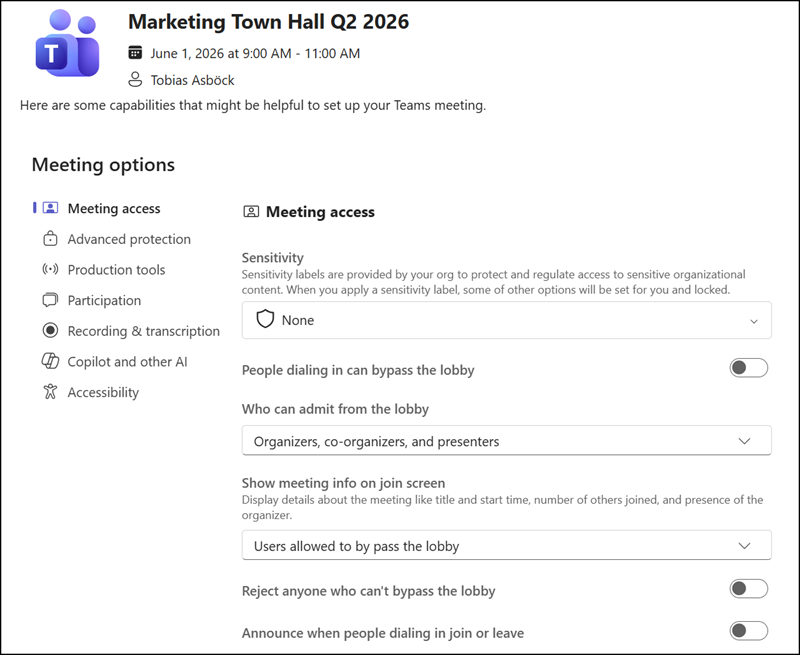
As this event is hosted by Teams Town Halls, the same Town Hall event settings are available for configuration.
- Meeting (powered by Teams Webinar)
A meeting in Viva Engage is a collaborative, live session format combining the Teams webinar experience with Engage’s event page and conversation layer. It respects existing Teams webinar admin policies. A meeting supports up to 1,000 attendees.
- Async
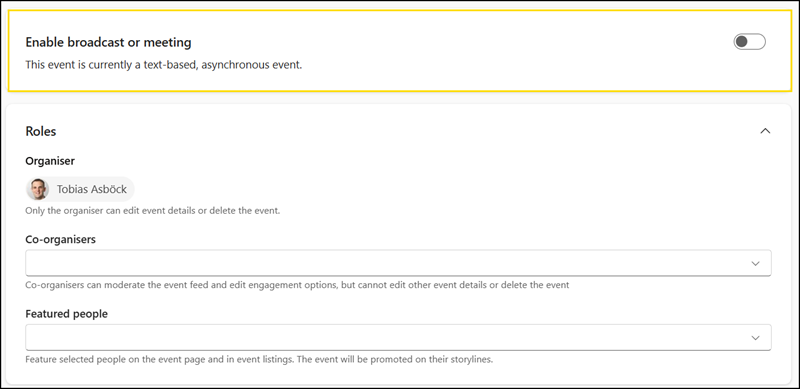
An Async event in Viva Engage (short for asynchronous) has no live, real-time component. The event type is suited for in-person gatherings or text-only discussions such as ask-me-anything (AMA) sessions.
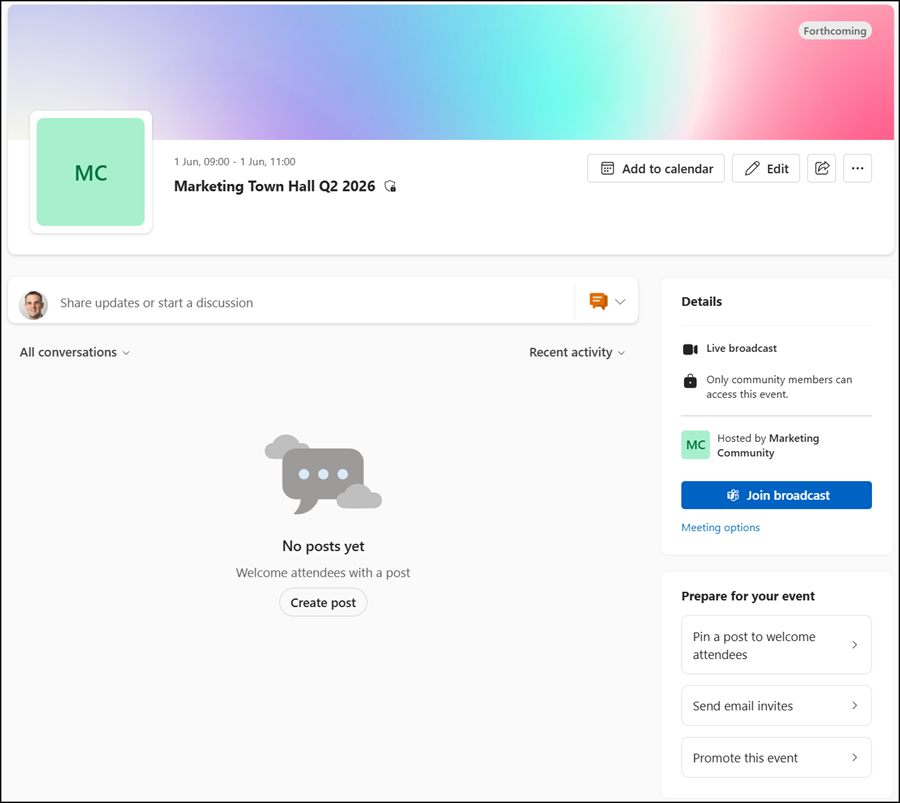
All three event types include a new landing page that consolidates engagement before, during, and after the event.
Event organizers can configure the following features on the landing page:
- Moderated posts: Posts require organizer approval before becoming visible to attendees.
- Anonymous posting: Attendees can post without their identity being shown.
- Private replies: Organizers can reply privately to attendees.
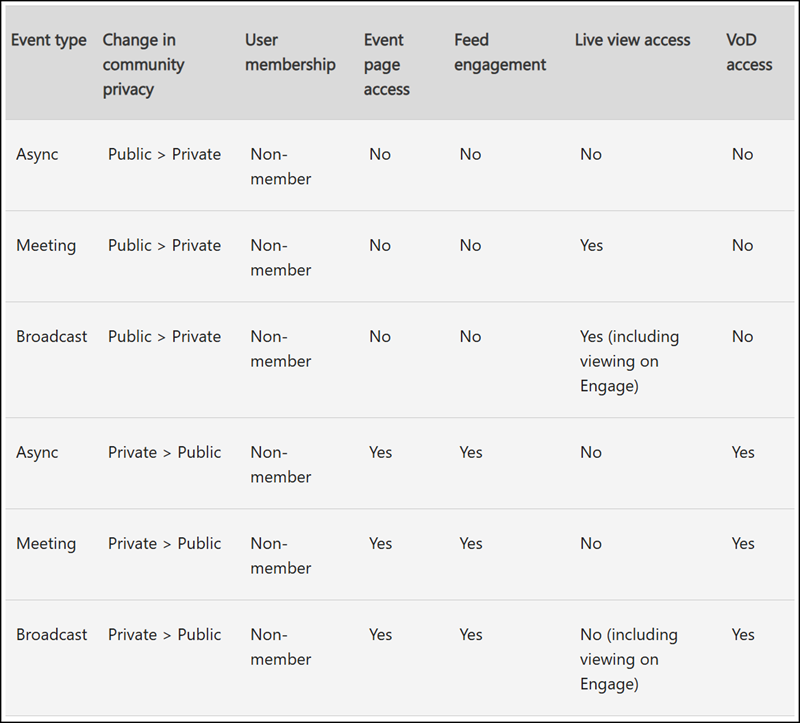
The community events table provides an overview of the differences between event types and whether events are member-only or public.
More information
- Organize an Engage event – Microsoft Support
- Broadcasts in Engage events – Microsoft Support
- Meetings in Engage events – Microsoft Support
- Async Engage events – Microsoft Support
- Storylines in Viva Engage – Microsoft Support
- Microsoft eCDN and Teams Events in Enterprise license suites | Topedia Blog
- Microsoft introduced Teams Premium and Teams Premium Legacy licensing | Topedia Blog
