
Microsoft began assigning new Purview workload admin roles to Entra ID user accounts. As a reminder, last December, Microsoft published three new Entra admin roles for Microsoft Purview.
These roles are managed through Purview role assignments. Any manual assignment in Entra is overwritten by Purview.
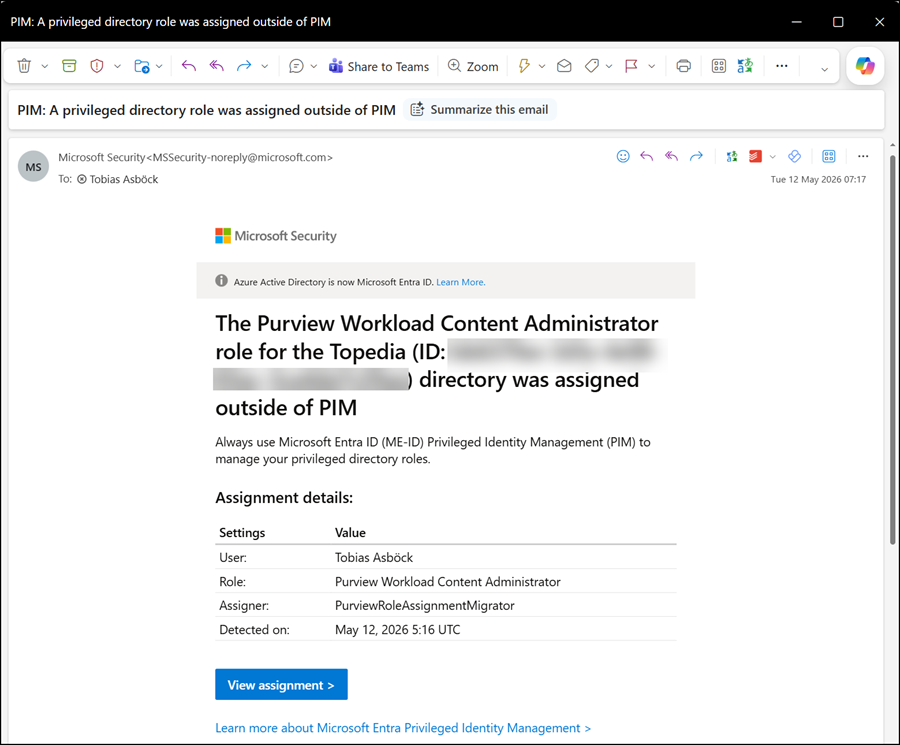
Over the past few days, some administrators may have received PIM role assignment emails like the one below. This is due to the roles published last December.
- The Purview Workload Content Reader role for the …. directory was assigned outside of PIM
- The Purview Workload Content Writer role for the …. directory was assigned outside of PIM
- The Purview Workload Content Administrator role for the …. directory was assigned outside of PIM
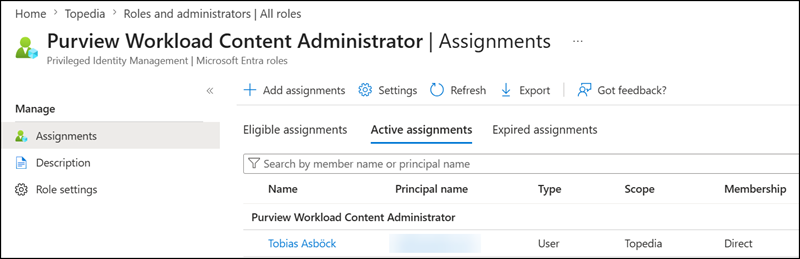
Checking the admin role confirms a direct assignment.
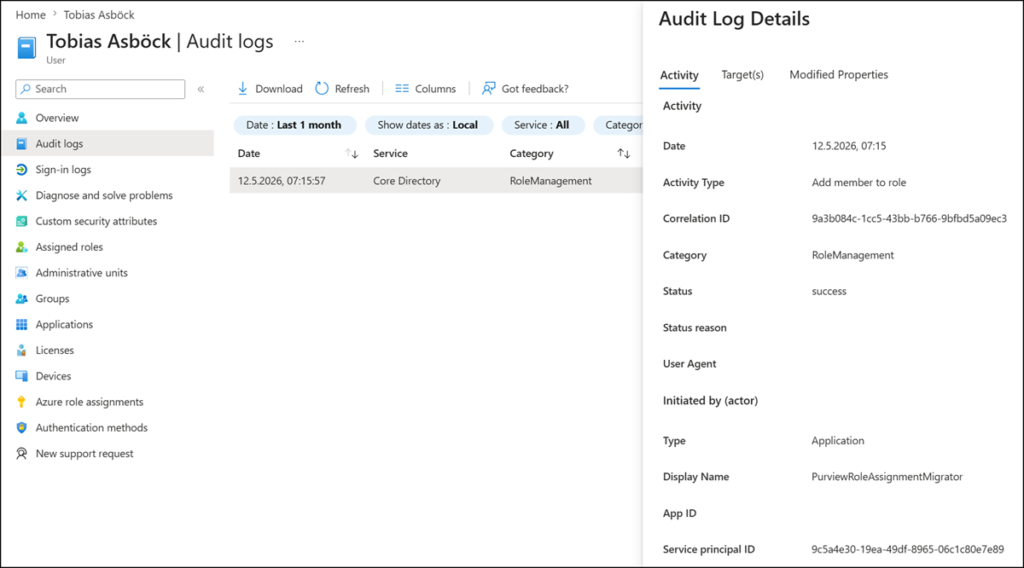
The assignment is also in the Entra audit logs, executed by the PurviewRoleAssignmentMigrator service principal (as mentioned in the notification). The principal ID is 9c5a4e30-19ea-49df-8965-06c1c80e7e89. Filter for the RoleManagement category to list these updates.
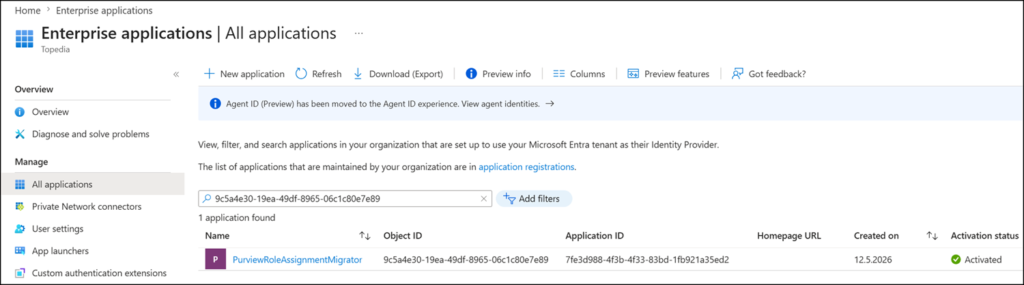
It is a first-party service principal created when the first Purview workload assignment was processed.
Below is the table from the December post, summarizing which Entra admin roles are mapped to Purview roles.
| Purview role | Mapped Entra role | Entra role description | Entra role template ID |
|---|---|---|---|
| Insider Risk Management Analysis | Purview Workload Content Reader | Members can read data from Microsoft 365 (such as SharePoint, Teams, OneDrive, or Exchange) when accessing from the Microsoft Purview portal. | e07494ad-1654-4dd2-922e-6f81a71bf00f |
| Insider Risk Management Investigation | |||
| Compliance Search | |||
| Export | |||
| Privacy Management Admin | |||
| Privacy Management Analysis | |||
| Privacy Management Investigation | |||
| Privacy Management Permanent Contribution | |||
| Privacy Management Temporary Contribution | |||
| Privacy Management Viewer | |||
| Hold | Purview Workload Content Writer | Members can read and edit Microsoft 365 data (such as SharePoint, Teams, OneDrive, or Exchange) when accessing from the Microsoft Purview portal. | 02d5655b-c1cf-4e5f-98da-5fb919085bf6 |
| Privacy Management Investigation | |||
| Search and Purge | Purview Workload Content Administrator | Members can manage or purge Microsoft 365 data (such as SharePoint, Teams, OneDrive, or Exchange) when accessing from the Microsoft Purview portal. | 3f04f91a-4ad7-4bd3-bcfa-49882ea1a88a |
| Export + Search And Purge (both roles together) |
As stated in my December post:
As an example, if your account has the Purview role “Privacy Management Investigation”, you will automatically receive the Purview Workload Content Writer role in Entra. If an account has multiple Purview roles, it will receive the highest privilege Entra role in the following order: Administrator > Writer > Reader.
That is why Purview assigned the Administrator Workload role in Microsoft Entra to my account.
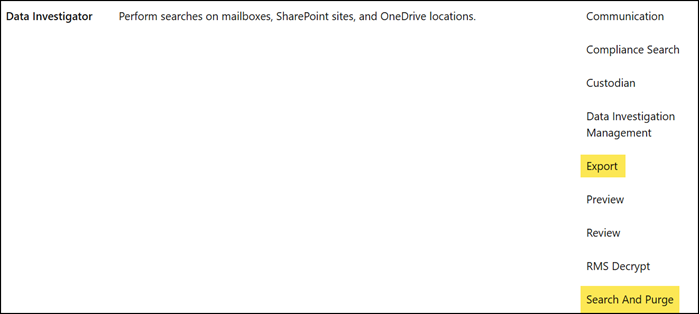
The account has the Purview roles “Search and Purge” or “Export + Search and Purge” assigned. These roles are included in two Purview role groups:
- Data Investigator
- Organization Management

Thanks for this post and gathering together the detailed explanation as to why the alerts the last couple of days. I appreciate you.
Thanks Mike for the feedback, much appreciated. The PIM updates seems to have triggered quite a lot of email notifications and SOC alerts over the past few days.
This was very helpful Tobias, thank you so much!
Thanks Scott, for the feedback. I appreciate it.