
Since 2019, Word, Excel, and PowerPoint desktop apps have offered the option to open supported file links directly in the desktop app rather than in the web app.
OneNote for Windows (version 2603 or later) and Mac (version 16.110 or later) now include the same setting.
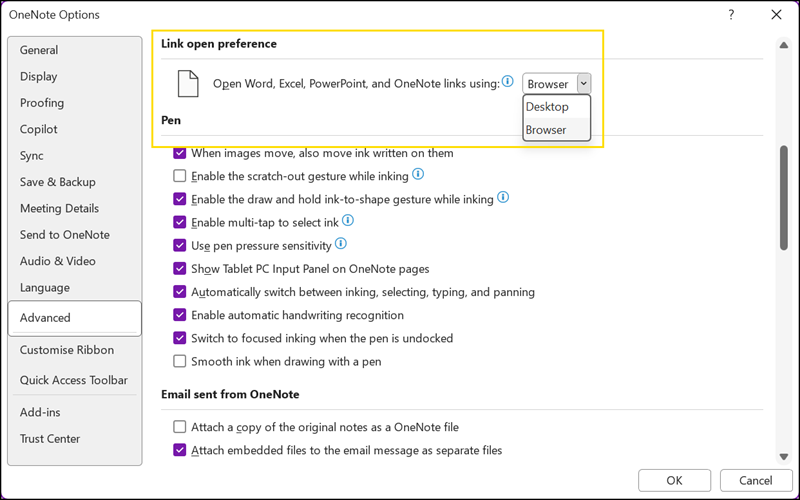
The setting lets users control how links to Word, Excel, and PowerPoint files stored in OneDrive or SharePoint open when clicked in a notebook.
Previously, these links would always open in the browser by default, which could interrupt the flow of work for users who prefer to stay in their desktop applications. With this update, users can choose their preferred behavior, which is applied consistently whenever they click a file link in OneNote.
- The default remains opening in the browser, so nothing changes for users who are satisfied with that experience.
- For those who prefer working in full desktop applications, particularly when editing documents, reviewing presentations in depth, or moving across several files at once, switching the preference means links open directly in the desktop application without the extra step of navigating through the browser.
- This setting applies to all Microsoft 365 Apps (Word, Excel, PowerPoint, OneNote, Outlook Classic) and Teams desktop. When users set their preference for how to open files in one app, it consistently applies to the rest.
