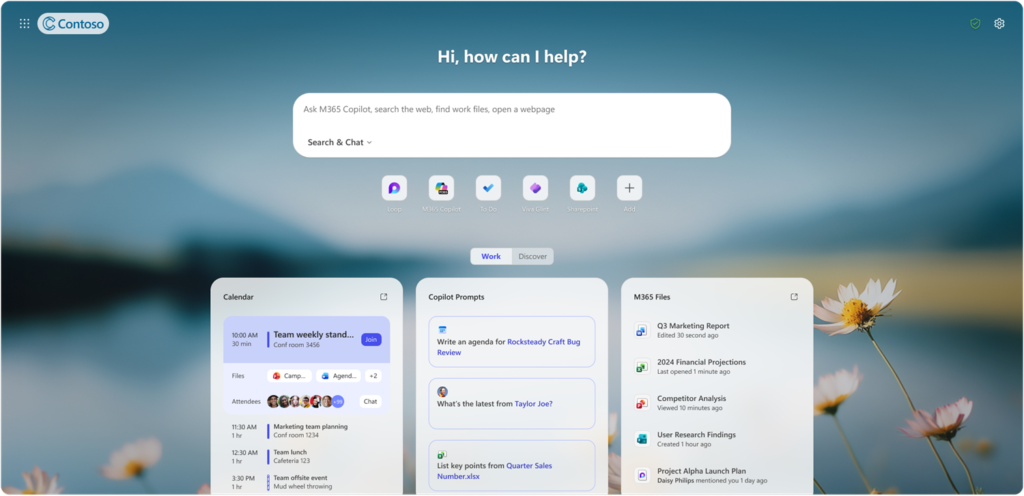
Microsoft is introducing a refreshed Copilot-inspired New Tab Page in Edge for Business. The update replaces the previous new tab page and combines search, chat, and web exploration into a single search box, alongside Copilot-suggested actions, curated work content, personalized news, and activities.
The Copilot-inspired new tab page is currently a user opt-in by default and can be disabled by administrators.
Timeline
General availability starting with Microsoft Edge 148, released on 7 May 2026.
How does this affect your Edge Administrators?
With the release of Edge 148, Microsoft provides a new Copilot-inspired new tab page.
This release affects administrators managing Edge for Business and users who choose to enable the Copilot new tab page experience.
Accounts with the Edge Administrator role can configure the Edge Management service to manage the Copilot new tab page experience in your organization. If not configured, it is currently off by default, but users can enable the new page in the Edge settings.
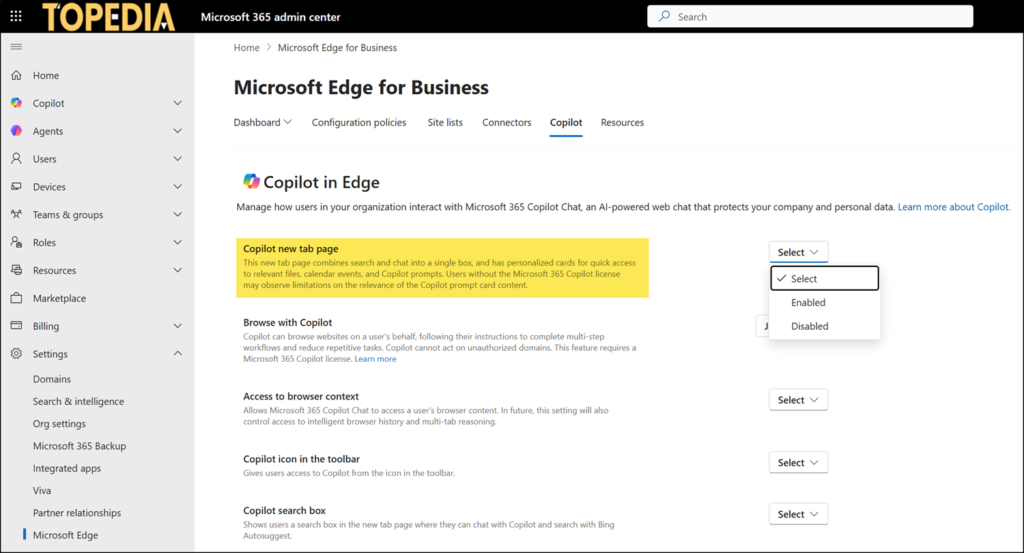
Microsoft also released a CopilotNewTabPageEnabled policy to configure the setting via Intune and ADMX in Edge 148.
CopilotNewTabPageEnabled
The Copilot new tab page combines search and chat into a single input box and includes personalized cards that provide quick access to relevant files, calendar events, and suggested Copilot prompts. Users who do not have a Microsoft 365 Copilot license might experience limited relevance in Copilot prompt card content.
…
This policy applies only to Microsoft Entra ID profiles and controls the Copilot new tab page experience in Microsoft Edge for Business. This policy does not apply to the Copilot new tab page on MSA profiles.
- If you enable this policy, the Copilot new tab page is turned on.
- If you disable or don’t configure this policy, the Copilot new tab page is turned off.
- When the policy is not configured, users can turn it on via user settings.
Administrators should also be aware of additional new tab page policies introduced in Edge 148, such as the discovery feed policies ConfigureNTPFeedTabVisibility and SetNTPDefaultFeedTab.
When the Copilot-inspired new tab page is enabled, the previous new tab page policies are no longer supported:
- NewTabPageBingChatEnabled (unsupported)
- NewTabPageContentEnabled (unsupported)
- Discover Feed settings in the Microsoft 365 admin center (unsupported)
How does this affect your users?
Users will continue to see their existing new tab page unless an Edge Administrator or the user opts in to the Copilot new tab page. No default experience changes will occur without admin or user enablement.
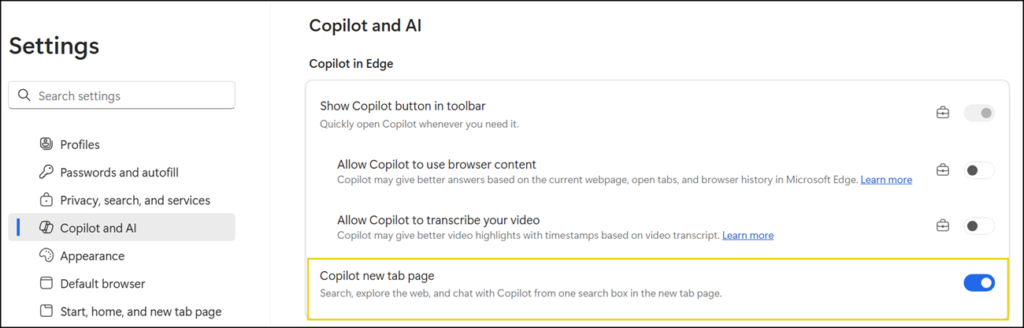
When enabled, users will see the Copilot new tab page experience with work cards enabled, alongside the app launcher for navigating to Microsoft 365 apps, pinned quick links, and a refreshed theme setting experience. Users will also see an updated search box that allows them to quickly navigate to sites, search the web, or send a query directly to Microsoft 365 Copilot. Users without a Microsoft 365 Copilot license see limited content in the Copilot Prompt Card.