
Office for the web now supports applying sensitivity labels with user-defined permissions

Office for the web now supports applying sensitivity labels with user-defined permissions in Word, Excel, and PowerPoint. This update is only available in tenants where co-authoring on files encrypted with sensitivity labels has been enabled.

Timeline

The rollout should be completed by June 2026.

How does this affect your organization?

Previously, when users applied a sensitivity label with user-defined permissions to documents in Office for the web, the browser displayed a message indicating that this was not supported. The capability was limited to the desktop clients.
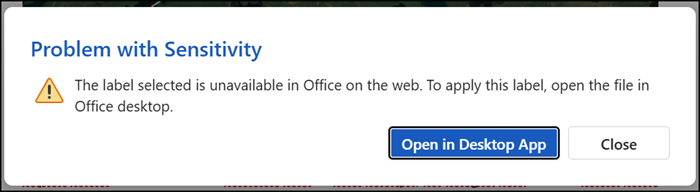
Sensitivity labels with user-defined permissions were not supported in Office for the web

Now, users can apply such sensitivity labels directly in the web editions of Word, Excel, and PowerPoint. The permissions dialog in Office for the web aligns with the modernized dialog introduced in Word, Excel, and PowerPoint for Windows in July 2024.
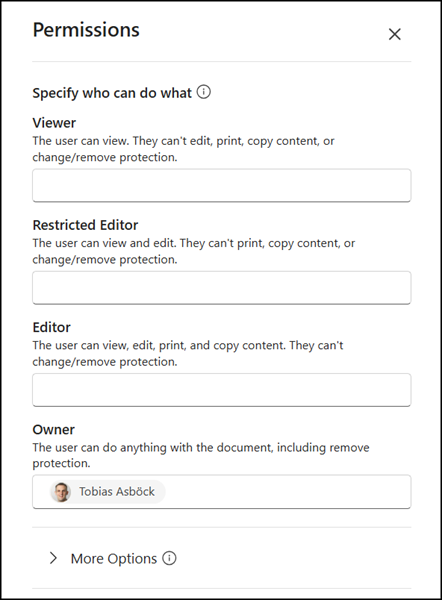
Assigning user-defined permissions in Office for the web

This update requires enabling co-authoring for files encrypted with sensitivity labels.
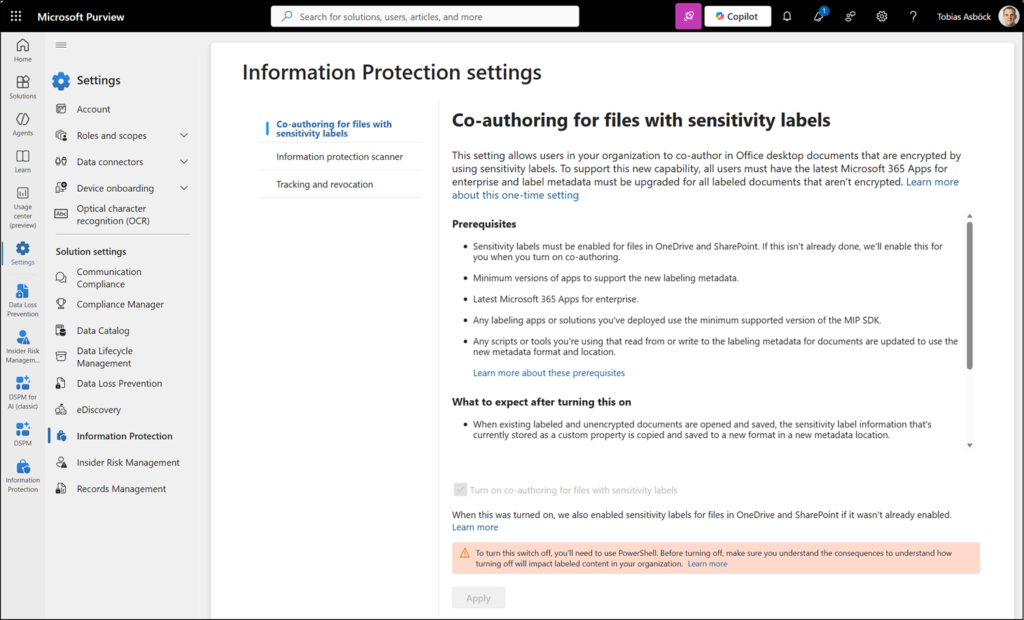
Co-authoring for files encrypted with sensitivity labels is required

The feature respects all existing label configurations and does not alter how previously labeled files behave or how existing permissions are enforced. It also has no effect on sensitivity labels that use admin-defined permissions.

More information

Share
Avatar photo

Tobias Asböck

Tobias is a Senior System Engineer with more than 10 years of professional experience with Microsoft 365 products such as SharePoint Online, SharePoint Premium, OneDrive for Business, Teams Collaboration, Entra ID, Information Protection, Universal Print, and Microsoft 365 Licensing. He also has 15+ years of experience planning, administering, and operating SharePoint Server environments. Tobias is a PowerShell Scripter with certifications for Microsoft 365 products. In his spare time, Tobias is busy with updates in the Microsoft 365 world or on the road with his road bike and other sports activities. If you have additional questions, please contact me via LinkedIn or [email protected].

Leave a Reply

Your email address will not be published. Required fields are marked *