Microsoft Teams is getting a small but useful improvement that helps users pick up where they left off. Teams will automatically restore the conversation or view state when users return to a chat, channel, or Quick View within 30 minutes of leaving it. The 30-minute window is fixed and cannot be changed by users or admins.
What is the impact on users coming back within the 30-minute window?
If a user switches to another task and returns within the 30-minute window, Teams will restore what they were looking at. Their previously selected tab will be waiting for them, any open side panels will reappear, and the layout will be just as they left it. In Quick View, the selected message will also be restored.
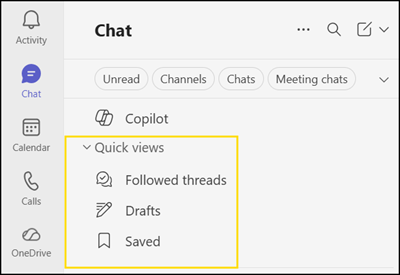
This enhancement should remove the small but repetitive friction of having to navigate back to the right place after a brief interruption or a quick context switch.
What is the impact on users coming back after the 30-minute window?
If users return after more than 30 minutes, Teams will open the conversation or view in its default layout rather than restoring the previous state. This behaviour is by design, as the feature is built for short interruptions, not long absences.
The feature will be available across Teams for Windows, Teams for Mac, and Teams for the web. The rollout should be completed by late April 2026.