
Defender for Office 365 URL click alerting is now available in Microsoft Teams, extending visibility into malicious and suspicious link activity beyond email. When users click URLs in Teams messages flagged as potentially malicious, alerts appear in the Microsoft Defender portal to support earlier detection, faster investigation, and a more effective response.
Timeline
The rollout should be completed by May 2026.
What is changing?
Microsoft Defender for Office 365 includes two threat alerts that trigger when malicious URLs are clicked, introduced in March 2023. Both are part of Safe Links and require a Defender for Office 365 Plan 2 license.
- A user clicked through to a potentially malicious URL
Generates an alert when a user protected by Safe Links in your organization clicks a malicious link. This event is triggered when user clicks on a URL (which is identified as malicious or pending validation) and overrides the Safe Links warning page (based on your organization’s Microsoft 365 for business Safe Links policy) to continue to the URL hosted page / content. This alert automatically triggers automated investigation and response in Defender for Office 365 Plan 2.- A potentially malicious URL click was detected
Generates an alert when a user protected by Safe Links in your organization clicks a malicious link. This alert is generated when a user clicks on a link and this event triggers a URL verdict change identification by Microsoft Defender for Office 365. It also checks for any clicks in the past 48 hours from the time the malicious URL verdict is identified, and generates alerts for the clicks that happened in the 48-hour timeframe for that malicious link. This alert automatically triggers automated investigation and response in Defender for Office 365 Plan 2.

Both alerts are now being extended to Microsoft Teams. Previously, they triggered on link clicks in Exchange emails.
Once the update reaches your tenant, malicious URL click alerts in Teams chats and conversations will appear on the Defender alerts page alongside existing alerts, with the associated Teams message included as evidence for additional context.
Teams signals will feed into incident correlation, connecting related activity across email and Teams, and incident pages will surface Teams message data directly. Automated investigation and response (AIR) is not supported for these alerts.
Testing the malicious URL click alert in Teams messages
Over the past few weeks, I simulated malicious URL clicks in Teams to verify when the feature becomes active in my test tenant. I configured my Safe Links policy to allow users to click through to the original URL for testing purposes.
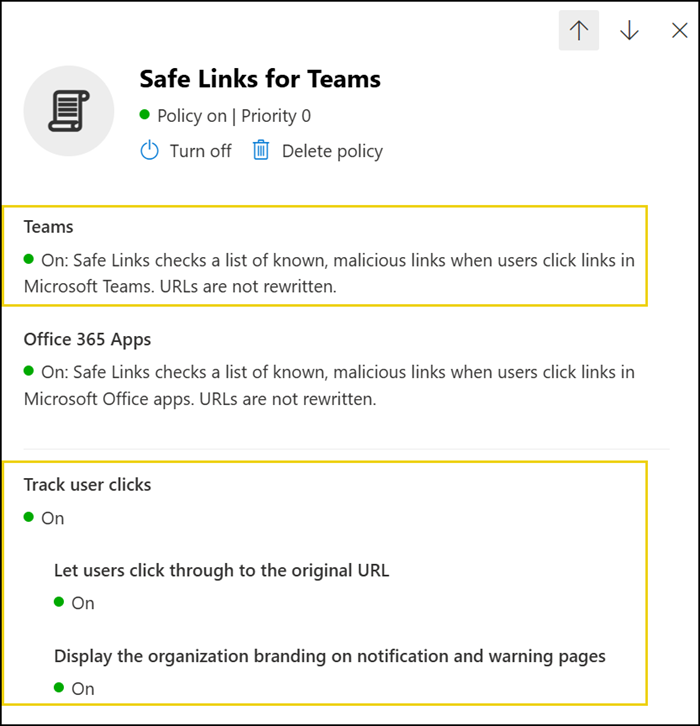
A virtual colleague sent me a malicious test URL.

I received the warning, clicked the “not recommended” action, and the Edge browser then blocked the request.
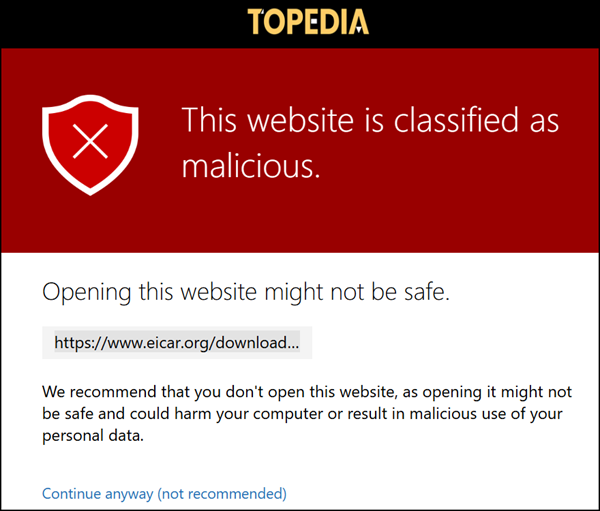
Today, two click alerts were generated for the Teams message, and an email alert was also sent.
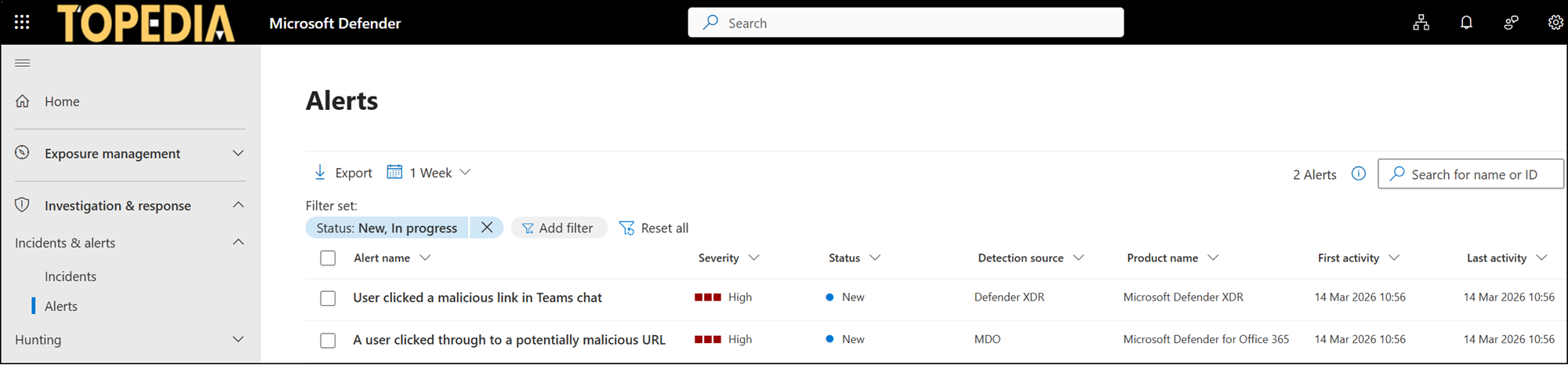
1) User clicked a malicious link in Teams chat
Triggered by clicking the malicious test URL in the Teams chat.

2) A user clicked through to a potentially malicious URL
Triggered by ignoring the warning and proceeding through the URL.

Microsoft Defender also created an incident for the case.

