
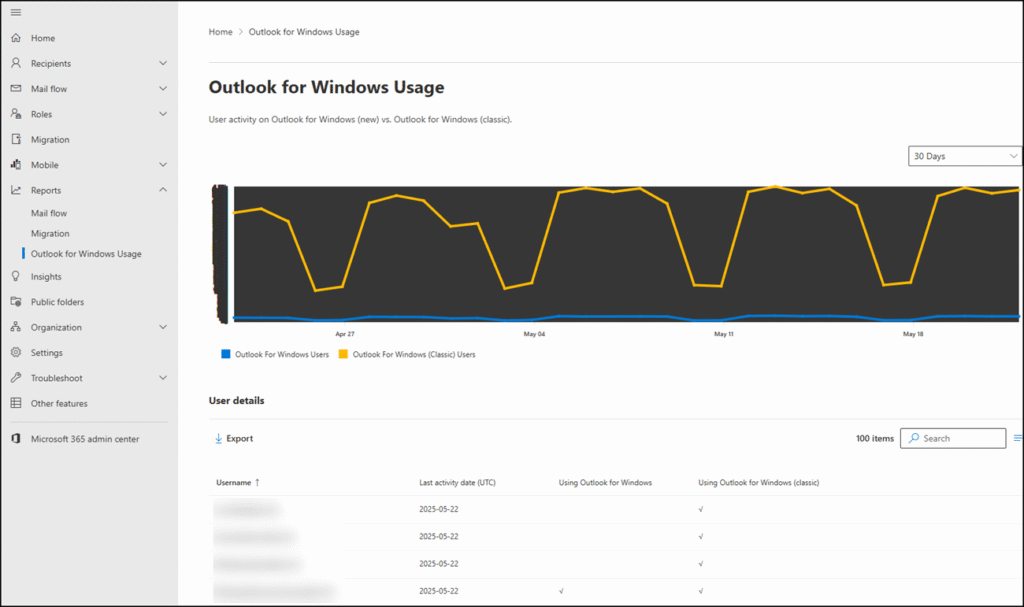
Microsoft will retire the Outlook for Windows Usage Report in the Exchange Admin Center (EAC), introduced in May 2025. This change affects administrators who currently review Outlook for Windows usage data in the EAC.
Usage insights for the new Outlook and Outlook Classic will remain available in the Microsoft 365 Admin Center. This reporting experience provides more comprehensive and up-to-date data and makes the report accessible to users assigned the Reports Reader role.
Timeline
The retirement begins in April 2026.
What is changing?
In May 2025, Microsoft introduced a usage report for both the new Outlook and Outlook Classic in the Exchange Admin Center.
This report, currently available at admin.exchange.microsoft.com/#/outlookforwindowsusage, will be removed.
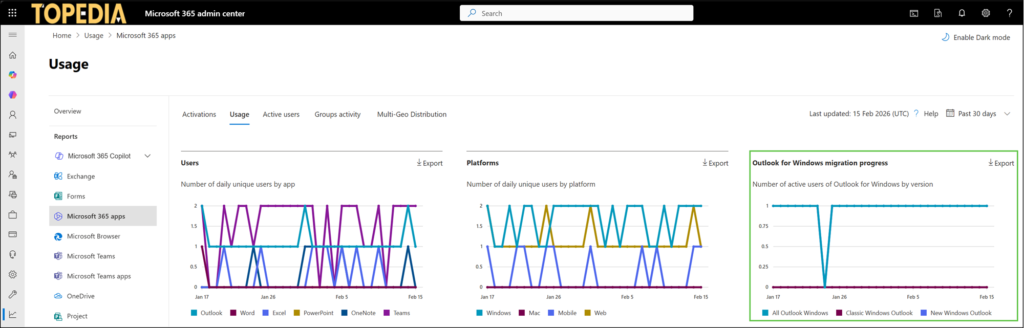
Administrators should instead use the report in the Microsoft 365 Admin Center under Reports > Microsoft 365 Apps > Usage. Review the statistic titled “Outlook for Windows migration progress“. The report is not available in the Exchange section.
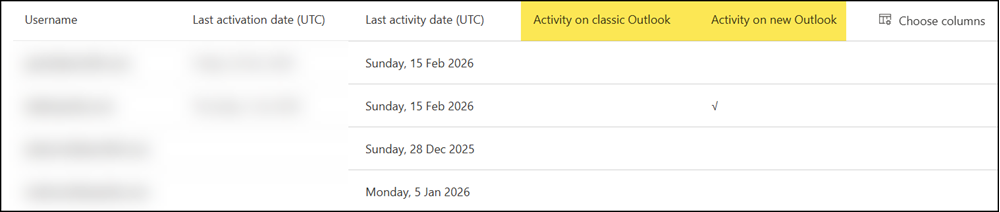
You can also use the “Activity on classic Outlook” and “Activity on new Outlook” columns to gain insight into how the transition to the new Outlook is progressing across your organization.
An additional benefit of this change is improved role-based access. Users assigned the Reports Reader role can now access the Outlook for Windows usage data in the Microsoft 365 Admin Center. Previously, such users did not have access to this report in the EAC.
