
The Power Platform Inventory in the Power Platform Admin Center and the Power Platform Inventory API are now generally available. This release introduces a unified, tenant-wide view for discovering, reviewing, and managing resources across Copilot Studio, Power Apps, and Power Automate.
With general availability, the Power Platform Inventory includes:
- Agents: Agents created in Copilot Studio and Microsoft 365 Copilot Agent Builder (Copilot Studio Lite Agents).
- Apps: Apps created in Power Apps and the Microsoft 365 Copilot App Builder.
- Flows: Agent flows from Microsoft Copilot Studio, cloud flows from Power Automate, and workflows from the Microsoft 365 Copilot Workflows agent.
- Environments: All environments in the tenant.
- Environment groups (NEW): All environment groups in the tenant.
Timeline
9 February 2026
What is changing?
Microsoft has removed the Preview labels from the Power Platform Inventory in the Power Platform admin center. The Power Platform Inventory API is now also generally available.
Last November and December, I already demonstrated how to use the Power Platform Inventory API…
…and how to collect Flows and Copilot Studio Lite Agents via the API.
Microsoft has also introduced two additional enhancements for the Power Platform Inventory:
- The Power Platform Inventory now supports filtering and organizing inventory by environment group membership. I am unable to simulate this in my tenant, as you need a managed Power Platform environment to add it to an environment group. A managed environment requires a premium license.
- The Power Platform for Admins V2 connector now supports querying inventory data directly from Power Automate flows.
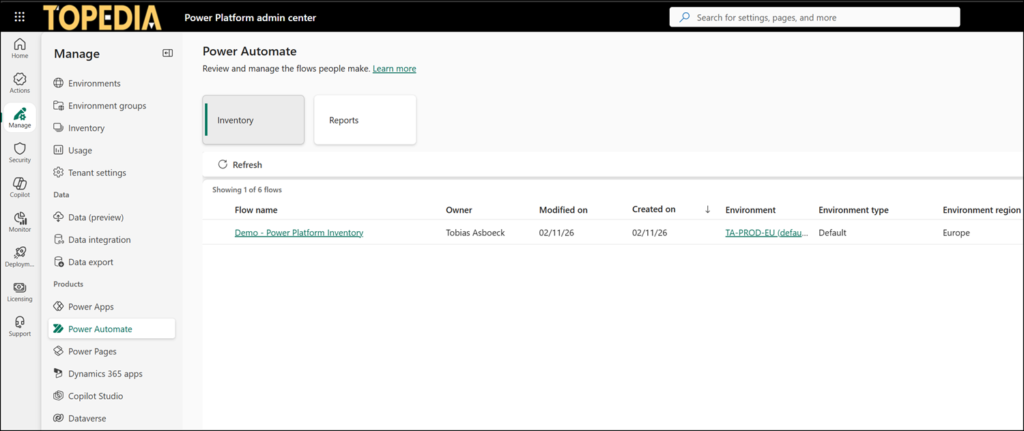
In addition to the global inventory, the Power Platform Admin Center includes a contextual inventory view for Copilot Studio (agents), Power Apps (apps), and Power Automate (flows).
Query inventory data directly from Power Automate flows
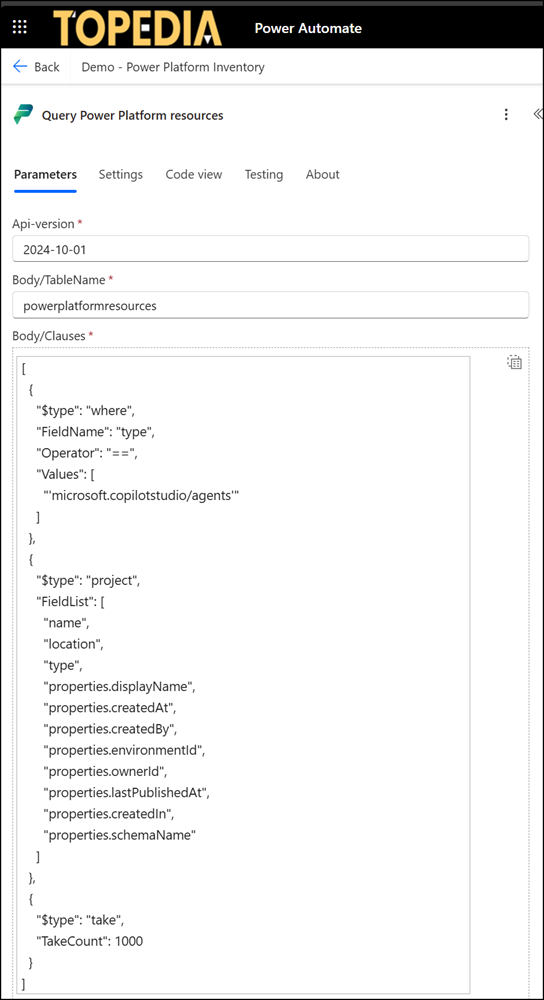
Admins can now query items in the Power Platform Inventory via Power Automate using the action “Query Power Platform resources“. I used my sample from last December to get Copilot agents
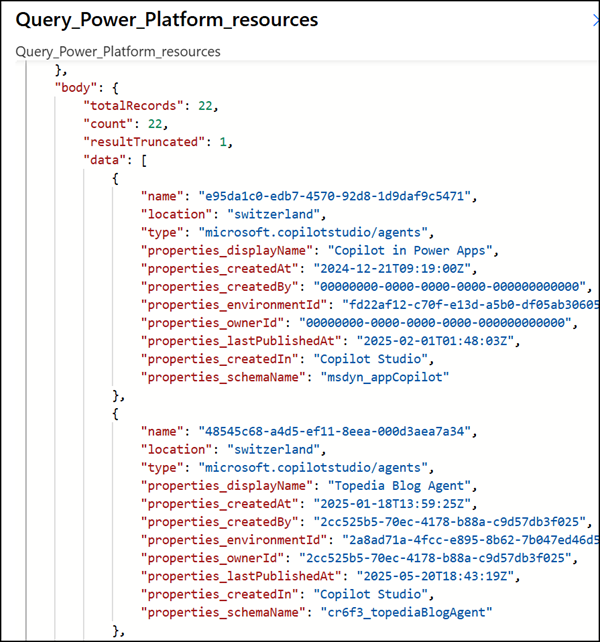
The result in your flow is what you expect, identical to what you get when calling the Inventory API directly.
If you need my code sample for your flow, below is a copy.
{
  "type": "OpenApiConnection",
  "inputs": {
    "parameters": {
      "api-version": "2024-10-01",
      "body/TableName": "powerplatformresources",
      "body/Clauses": [
        {
          "$type": "where",
          "FieldName": "type",
          "Operator": "==",
          "Values": [
            "'microsoft.copilotstudio/agents'"
          ]
        },
        {
          "$type": "project",
          "FieldList": [
            "name",
            "location",
            "type",
            "properties.displayName",
            "properties.createdAt",
            "properties.createdBy",
            "properties.environmentId",
            "properties.ownerId",
            "properties.lastPublishedAt",
            "properties.createdIn",
            "properties.schemaName"
          ]
        },
        {
          "$type": "take",
          "TakeCount": 1000
        }
      ]
    },
    "host": {
      "apiId": "/providers/Microsoft.PowerApps/apis/shared_powerplatformadminv2",
      "connection": "shared_powerplatformadminv2",
      "operationId": "QueryResources"
    }
  },
  "runAfter": {}
}