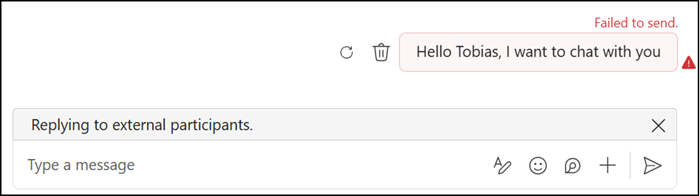
Microsoft has enhanced the integration between Teams and Defender for Office 365, allowing security admins to manage blocked external users and domains in Teams directly through the Tenant Allow/Block List (TABL) in the Microsoft Defender portal. Previously, only domain blocking was supported.
This update should centralize external access controls across Microsoft 365 services, improving consistency for security and compliance teams.
Timeline
The rollout should be completed in February 2026.
How does this affect your organization?
Microsoft has supported domain blocking in Teams via the Defender Tenant Allow/Block List since September 2025. That initial implementation was limited to domains.
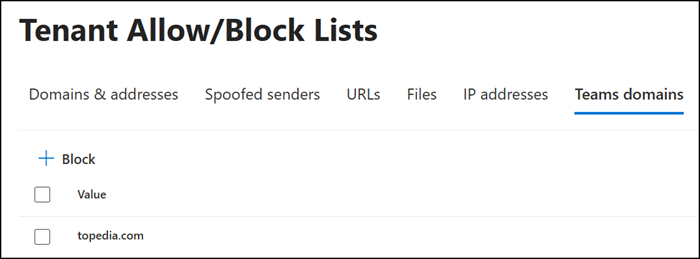
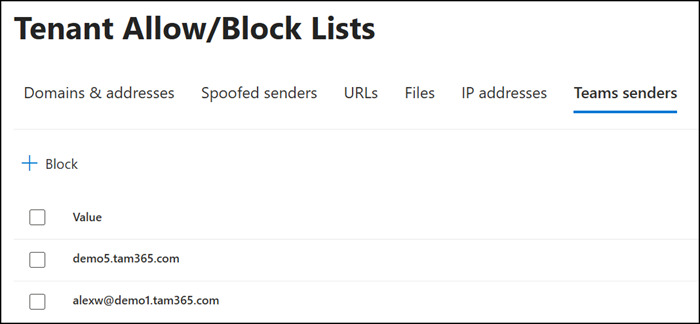
The list now supports both external domains and email addresses.
Incoming communications, including chats, channel messages, meetings, and calls, from blocked users are prevented. Any existing communications from blocked users are automatically deleted.
- Up to 4,000 blocked domains and 200 email addresses are supported.
- A Defender for Office 365 Plan 1 or Plan 2 is required.
Adding an email address may currently return an error, even though domain entries work as expected.
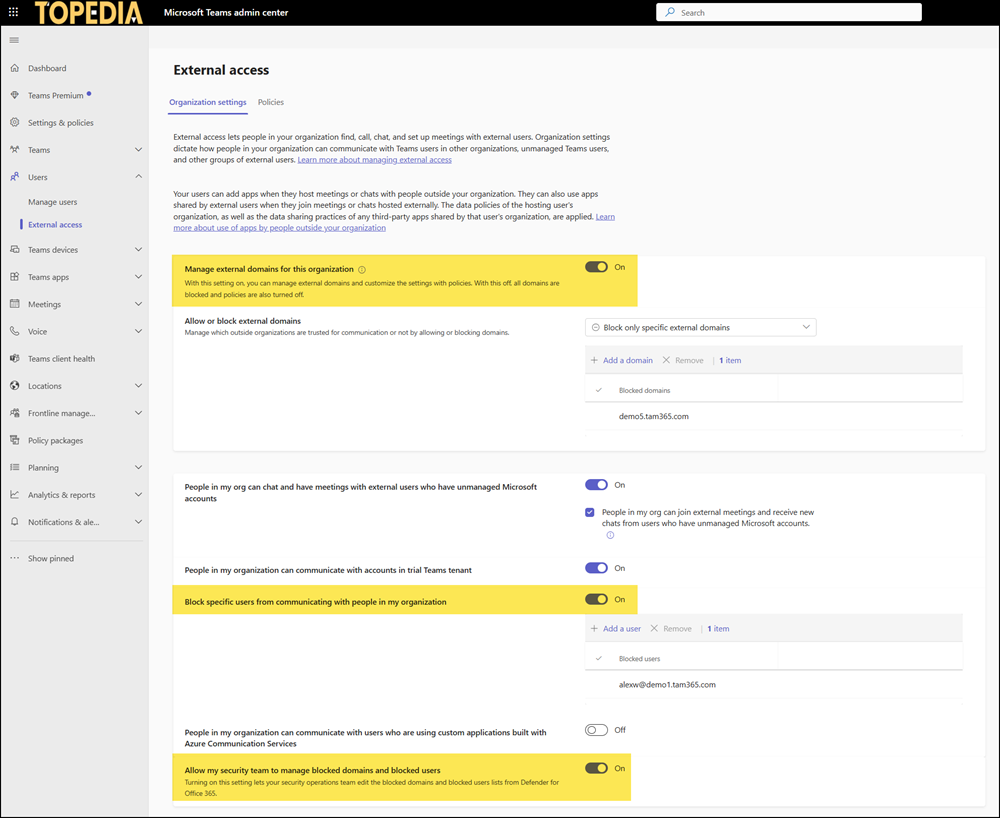
To block email addresses on Teams, contact your Teams administrator about enabling “Block specific users from communicating with people in my organization.”
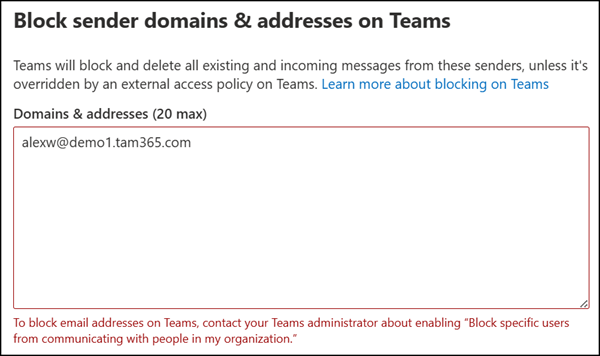
To resolve this, enable “Block specific users from communicating with people in my organization” with Teams PowerShell or via Teams Admin Center. A setting introduced in February 2025 as part of the Teams External Access configuration.
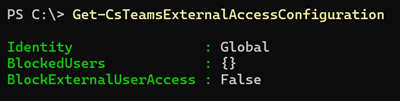
Don’t forget:
DomainBlockingForMDOAdminsInTeams must also be enabled; without it, security admins cannot manage blocked domains and email addresses through the Microsoft Defender TABL.

These settings can also be configured by a Teams administrator via Teams Admin Center > External Access.
Blocked senders receive a delivery error and are unable to communicate further with your organization.