
Microsoft is rolling out a new setting in Teams on the web that improves user presence accuracy by detecting device activity in supported browsers, even when the Teams tab is not in focus. When enabled, the status remains Available as long as the user is active on the device.
Timeline
The rollout should be completed in December 2025.
What is changing?
Users can select a new option in the Teams for the web settings that keeps their status active while using their device outside the Teams web tab. This presence behaviour has been a frequent pain point for users who rely on Teams for the web in their daily work.
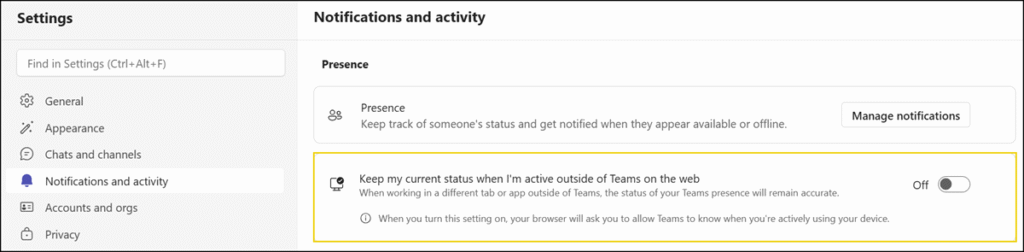
To enable this feature, Teams requests permission to detect device activity via the Idle Detection API, which was introduced in Chrome 94 and Edge 114.
The Idle Detection API notifies developers when a user is idle, indicating such things as lack of interaction with the keyboard, mouse, screen, activation of a screensaver, locking of the screen, or moving to a different screen. A developer-defined threshold triggers the notification.

Teams only detects the activity state (active or idle). No specific actions or content are tracked, for example keystrokes, screen content, or browsing details. The setting is turned off by default and must be enabled by each user.
