
Microsoft is updating the Join by code behaviour for Private Teams.
When a user enters a team code for a private team, the user now submits a request that a team owner must accept or deny.
This change aligns Join by code with the alternative Join by link behaviour for private teams. Public teams are not affected.
Timeline
The rollout should be completed in December 2025.
How does this affect your team owners?
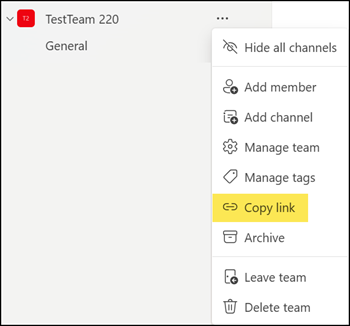
Previously, when someone used the “Join by code” method to join a private team, the user became a team member immediately (no team owner approval required). If the code was shared within the organization, any user could join the private team until a team owner reset the code. In comparison, joining via a team link always required a join request and owner approval.
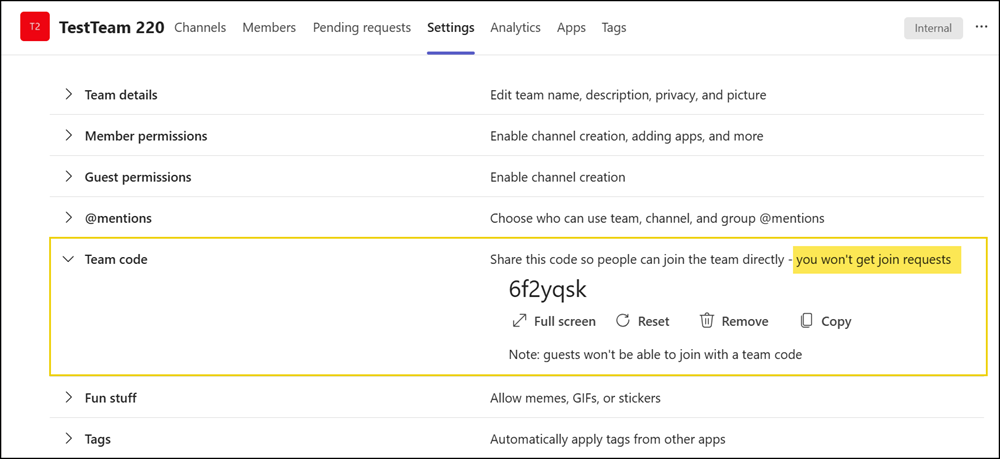
Microsoft still notes this code behaviour in the team settings: “You won’t get join requests”
Microsoft has now changed this behaviour.
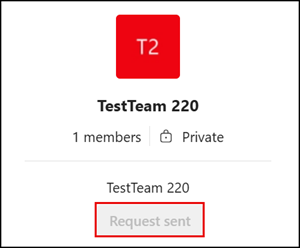
Users with the code can still join a private team using the code, but a team owner must approve the request. Instead of joining the team immediately, users now see a “Request sent” message after entering the code. It’s the same behaviour as joining via a team link.
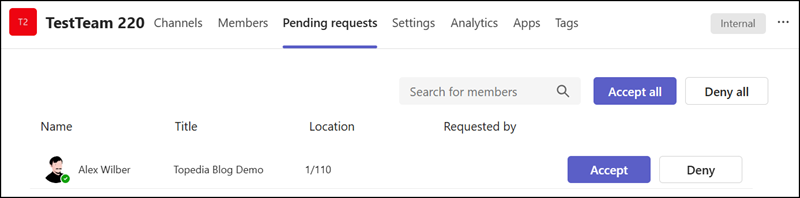
Team owners receive a notification about the join request and can accept or deny it.
Public teams are not affected. Internal users (no guests) can still join public teams automatically using a code.
