
Microsoft will retire the Add Documents feature in Whiteboard, which currently allows users to insert PDFs and PowerPoint files from OneDrive and SharePoint into boards.
Timeline
The retirement is scheduled between January and February 2026.
What is changing?
The option to add PDF and PowerPoint file images from OneDrive for Business and SharePoint into Microsoft Whiteboard will be removed. These uploads were always inserted as images rather than full documents.
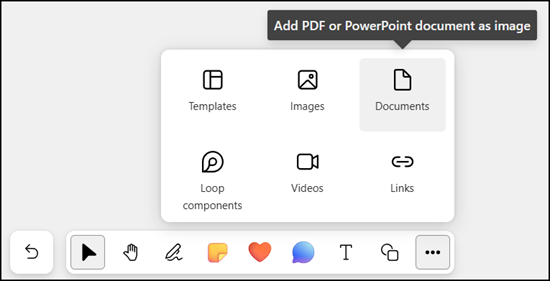
Users can continue inserting PDF files from a local Windows PC using the Whiteboard app.
The Add images feature remains, and all previously inserted PDF and PowerPoint file images will be visible and usable on existing boards. Admins cannot prevent or delay this retirement.
Note:
The feature may already be out of order. In my tenants, adding new documents in Whiteboard for the web no longer works; it only returns an error.
Microsoft recommends the following alternatives:
- Convert documents to images before adding them.
For example, use the PowerPoint Export feature (PNG/JPG) or print-to-PDF tools that save each page as an image, then insert those images into Whiteboard. - Use the Whiteboard Windows app to add local PDF file images (no other formats supported).
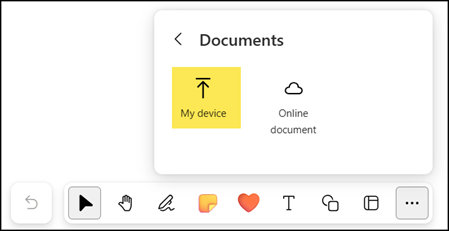
- Insert a OneDrive or SharePoint sharing link into Whiteboard notes or sticky notes to maintain a single source and avoid duplicate files.
- Use Microsoft Teams to attach documents to chats or meetings during Whiteboard collaboration, like in the previous file-sharing.
