
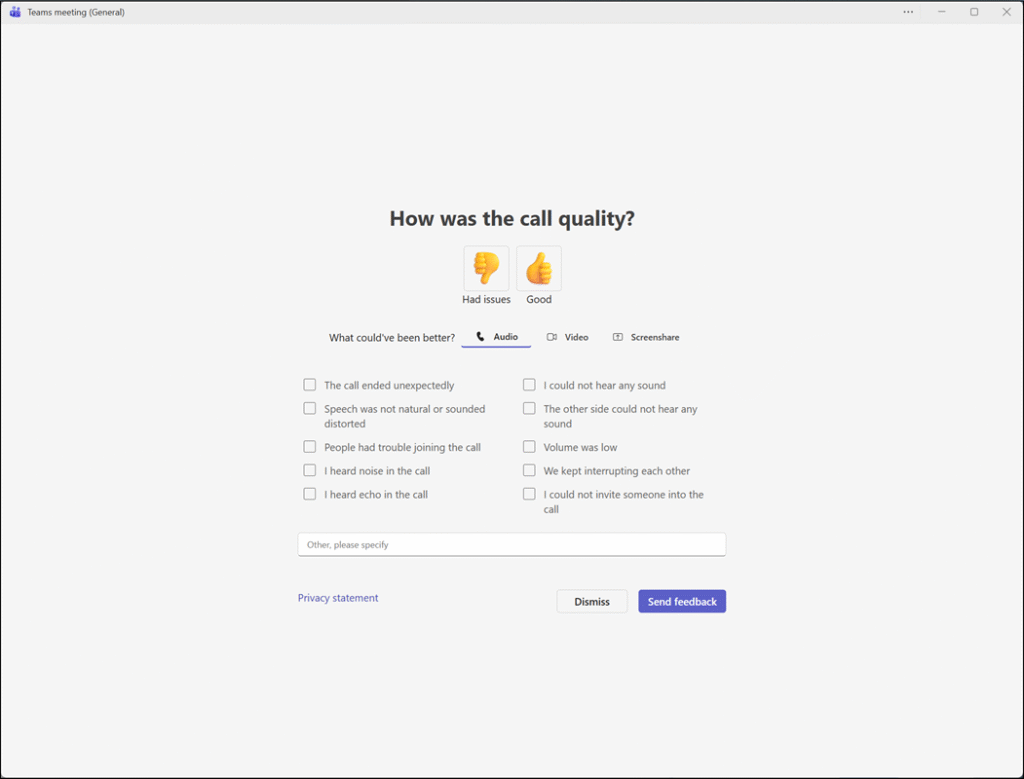
Microsoft is rolling out a new “Rate My Call” experience in Teams for Windows, Mac, and Web. The updated experience combines rating and issue selection on a single screen, using a thumbs-up/thumbs-down system, feedback checkboxes, and an optional free-text field.
Timeline
The rollout should be completed in January 2026.
Updated 31 January 2026:
The rollout should be completed in February 2026.
What is changing?
Currently, users may see a post-call rating screen with a 1–5 star scale after a meeting or call.
After the update, this rating experience becomes more detailed, allowing feedback across Audio, Video, and Screenshare. Submitting a rating remains optional, but users will notice the updated experience.
- The survey occasionally appears after calls and meetings.
- The call survey cannot be managed via Teams feedback policies. Despite frequent requests, Teams admins still cannot disable call ratings. You can vote for this request.
The new experience uses a thumbs-up/thumbs-down rating, additional feedback checkboxes for Audio, Video, and Screenshare, and an optional free-text field for further comments.
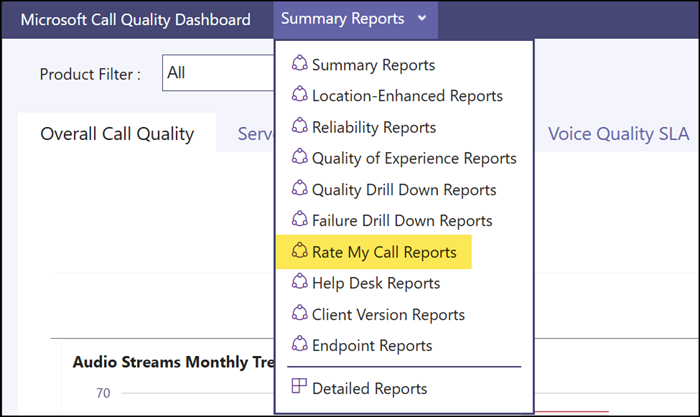
Teams admins will find the ratings in the Call Quality Dashboard (CQD), using the following mapping:
- 5: Thumbs up / Good; only if the rating was submitted
- 1: Thumbs down / Had issues; only if the rating was submitted
- 0: Survey was shown but not submitted
- Null: Survey was not shown to the user
- Checkbox feedback is always recorded, even when the overall rating is not submitted
Select the “Rate My Call Reports” report in the CQD to find the call ratings.
Microsoft explicitly warns Teams administrators:
Admins may observe an increase in poor feedback metrics due to the rating method change; this reflects improved capture of dissatisfaction, not a decline in service quality.
Note 1:
Some online posts suggest admins can control call surveys by modifying the receiveSurveysMode setting. This is incorrect if you use the default configuration. Microsoft documents that you must contact them if you want to use this setting for call quality surveys.
receiveSurveysMode doesn’t control call quality feedback by default. If an admin wants to control call quality feedback via receiveSurveysMode, they should contact the engineering team.
Note 2:
The receiveSurveysMode setting is outdated. Teams feedback policies are now managed via the Office Cloud Policy service.
