
Microsoft will enable Zero-hour auto-purge (ZAP) in Teams for Defender for Office 365 Plan 1 tenants in January 2026.
ZAP removes messages detected as phishing or malware from internal Teams chats and channels across desktop, web, and mobile clients, moving them to admin quarantine in the Microsoft Defender portal.
This change affects all organizations using Defender for Office 365 Plan 1 with Microsoft Teams.
Timeline
- Opt-in on 6 January 2026; feature rollout begins early January and should be completed in January 2026.
- Admin opt-out between December 2025 and 5 January 2026.
How does this affect your organisation?
Currently, ZAP in Microsoft Teams is a Defender for Office 365 Plan 2 feature.
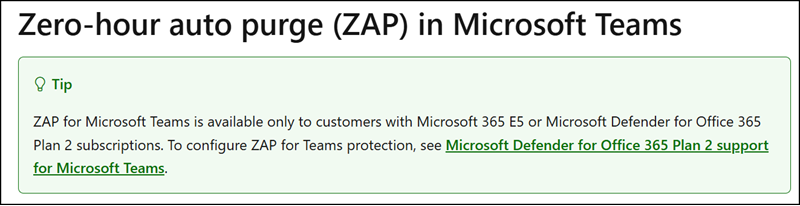
Wondering what does ZAP stand for, what does it do and why do we need one?
Zero-hour auto purge is a retrospective protection mechanism that detects and neutralizes high-confidence phishing and malware Teams messages by moving them to quarantine. By removing the malicious content automatically, it reduces the risk of users getting compromised.
Things to remember:
- ZAP only acts on messages delivered within the past 48 hours.
- ZAP only acts on chats, standard and shared channels.
- ZAP only acts when any of the recipients are not excluded.
- ZAP at the moment uses URL analysis to trigger.
- The blocked messages are kept inside quarantine for 30 days, after which they are permanently removed.
Starting 6 January 2026, Microsoft will enable ZAP in Teams for all organizations with Defender for Office 365 Plan 1. Security admins can opt-out between 6 December 2025 and 5 January 2026. Existing ZAP settings continue to apply; no policy changes are required unless opting out.
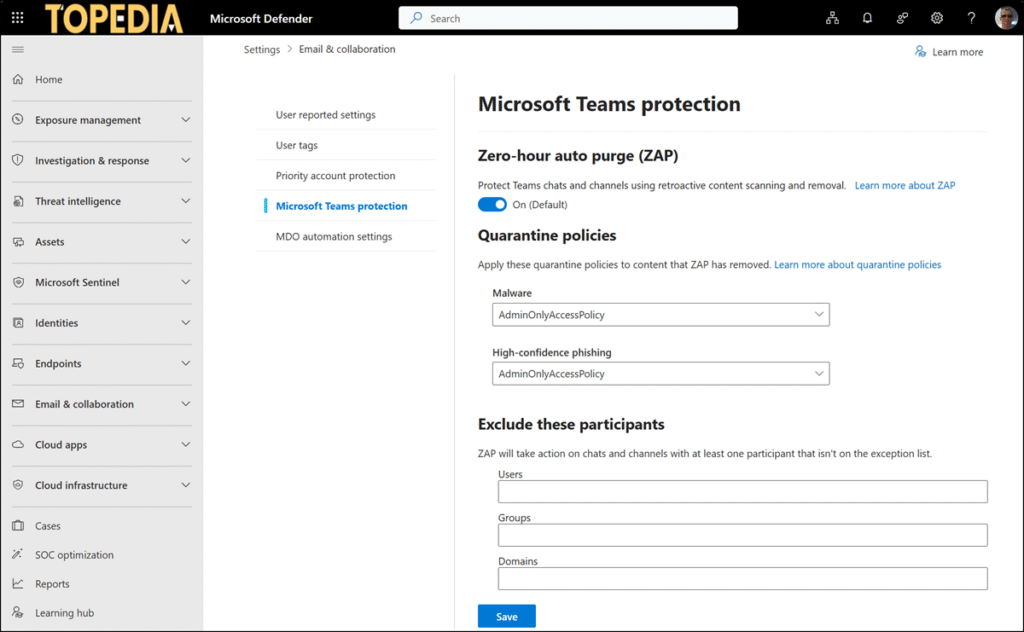
End users will not see quarantined messages in Teams.
Users with the roles Security Operator, Security Administrator, or an alternative Defender XDR RBAC role (if available) can review, release, or remove quarantined items in the Defender portal.
