
Recently, Microsoft published MC1465765 to specific tenants, stating some users in the tenant are using more OneDrive storage than their enterprise license entitlements allow.
These are the current license entitlements.
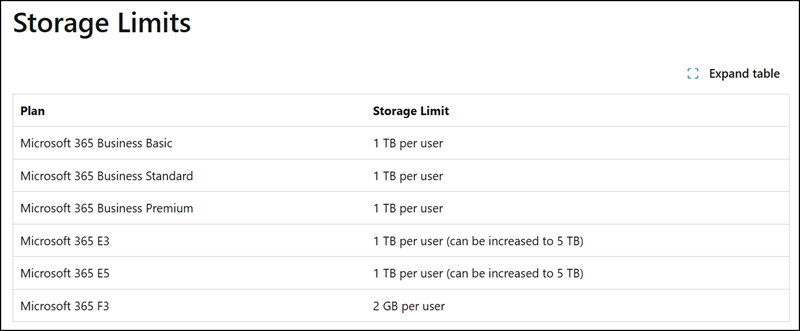
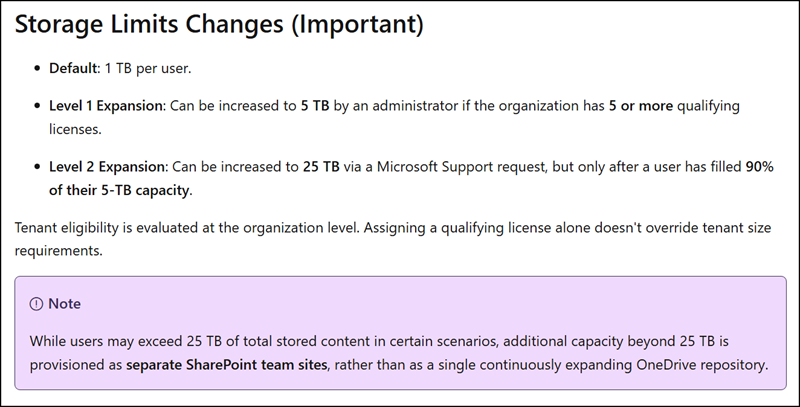
MC1465765 states that users with a legacy license entitlement with more than 5 TB of used storage will be read-only between November 2026 and February 2027. This legacy license entitlement is an old Level 2 Expansion, as shown below.
You may remember this Level 2 Expansion relates to the previous agreement under which Enterprise cloud customers with at least five qualifying licenses received “unlimited OneDrive storage”. Previously, such customers could increase the storage to 25 TB when the OneDrive site reached 90% of its 5 TB capacity.
This remark was removed from the OneDrive service description. Microsoft does not show a public change history in service descriptions (not due to misconfiguration). But there are other ways to find deleted information. Microsoft silently removed the information between February and April 2026.
Microsoft now informs in MC1465765:
Rollout schedule:
We will begin rolling out this change in November 2026 and expect to complete in February 2027.
Who is affected:
Organizations with Microsoft 365 or Office 365 E3 or E5 users whose OneDrive quota was previously increased above the 5TB license entitlement.
What will happen:
Affected users’ legacy quota increases will be removed, and their configured OneDrive quotas will be aligned with the storage provided by their current licenses.
If a user’s current storage usage exceeds the resulting quota, their OneDrive may become read-only until the overage is resolved. Users in read-only mode can access and download existing content but cannot upload, modify, or synchronize content.
Confirmed in August 2023, Microsoft removed this unlimited option for new Enterprise customers. The current message center information marks the end of this setup for existing customers.
Microsoft has prepared a reporting script that works perfectly.
Run the reporting script. Filter the results for all users with used storage beyond 5 TB (or filter the CurrentQuota column).
Organizations have three options before this change is enforced between November 2026 and February 2027:
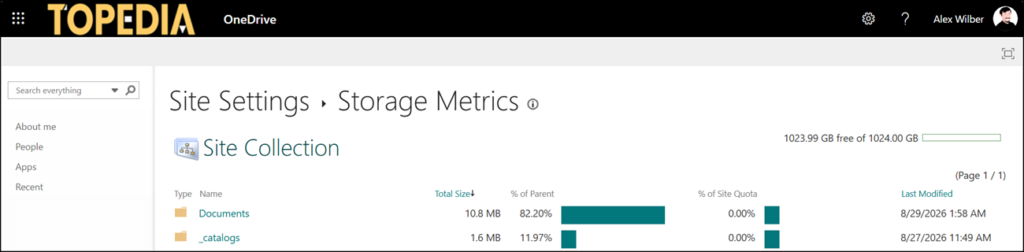
- Reduce OneDrive storage so users are not over 5 TB. Check the storage metrics in the OneDrive web settings to get an overview of the largest files.
Keep in mind: Data in the OneDrive recycle bin counts toward storage.
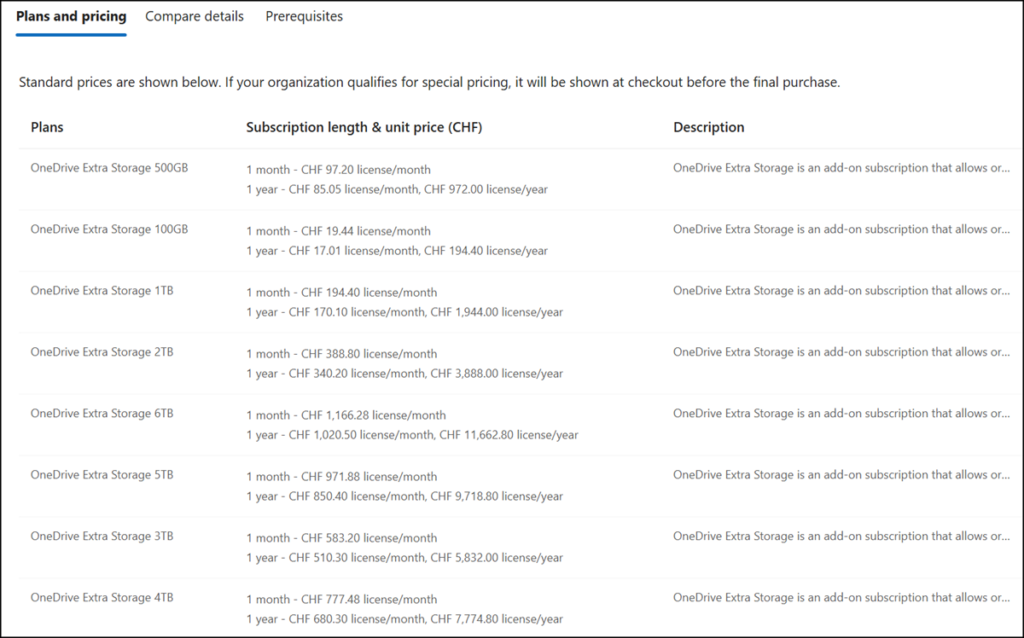
- Buy and assign one of the expensive OneDrive storage add-ons, introduced in June 2026.
- Or wait for OneDrive Storage PAYG, so you can pay by GB.
