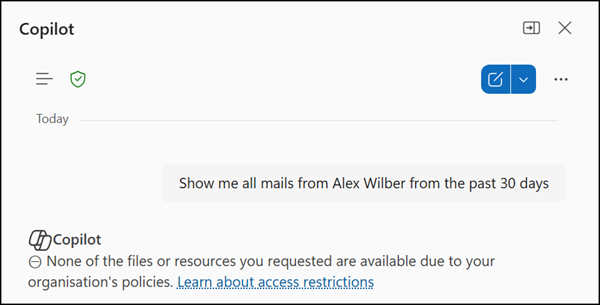
Microsoft Purview Data Loss Prevention (DLP) now lets compliance administrators control whether emails from external or untrusted domains can be used as grounding data by Microsoft 365 Copilot and Copilot Chat. This affects organizations using Microsoft 365 Copilot or Copilot Chat and is not configured by default.
Timeline
- Public Preview is available.
- General availability is scheduled for February 2027.
How does this affect your organization?
Purview compliance administrators can create a DLP policy that detects emails received from senders outside the organization’s accepted domains and prevents Copilot from processing them. The configuration is off by default. The Copilot behavior changes only when an administrator explicitly creates and enables a policy with this condition.
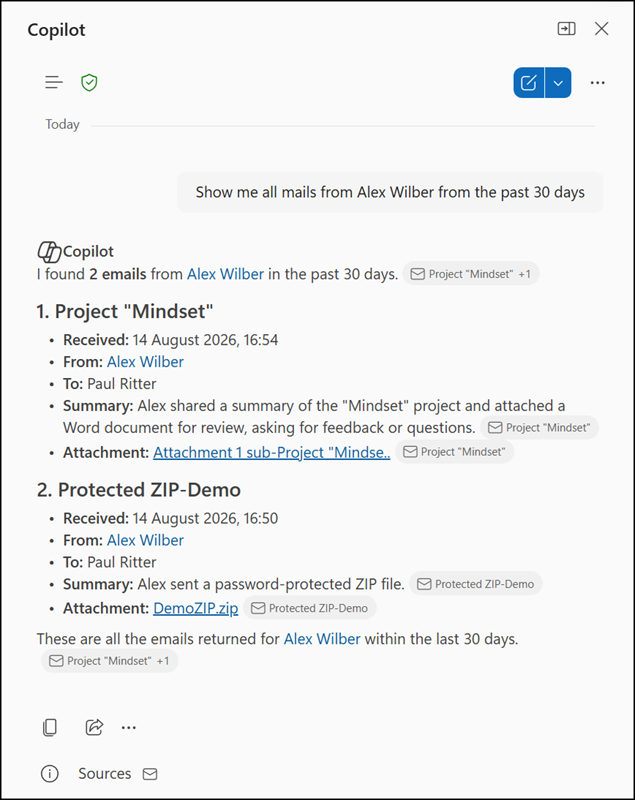
Here is a sample in the default configuration: Copilot returns emails from external senders.
When the policy is enabled and triggered, Copilot excludes the affected emails from being referenced, summarized, or used as grounding data. Copilot continues to generate responses from trusted internal Microsoft 365 sources, such as SharePoint, OneDrive, and internal Exchange content.
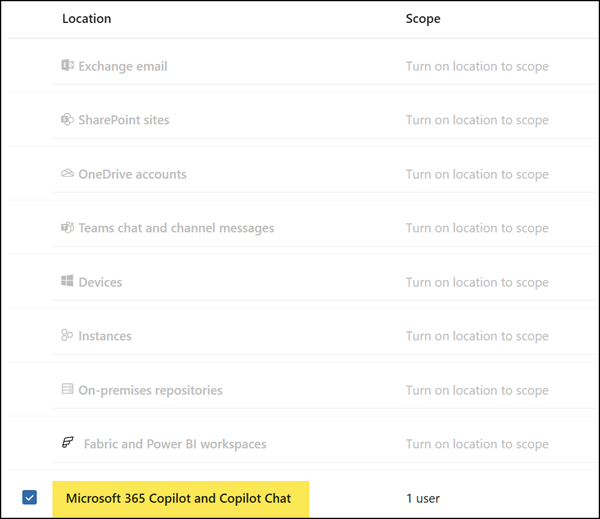
A Purview administrator can configure the new option in the Purview admin portal > Data Loss Prevention by selecting the Microsoft 365 Copilot and Copilot Chat DLP policy location. Define which internal users should be included in the policy. Copilot excludes the information for these users.
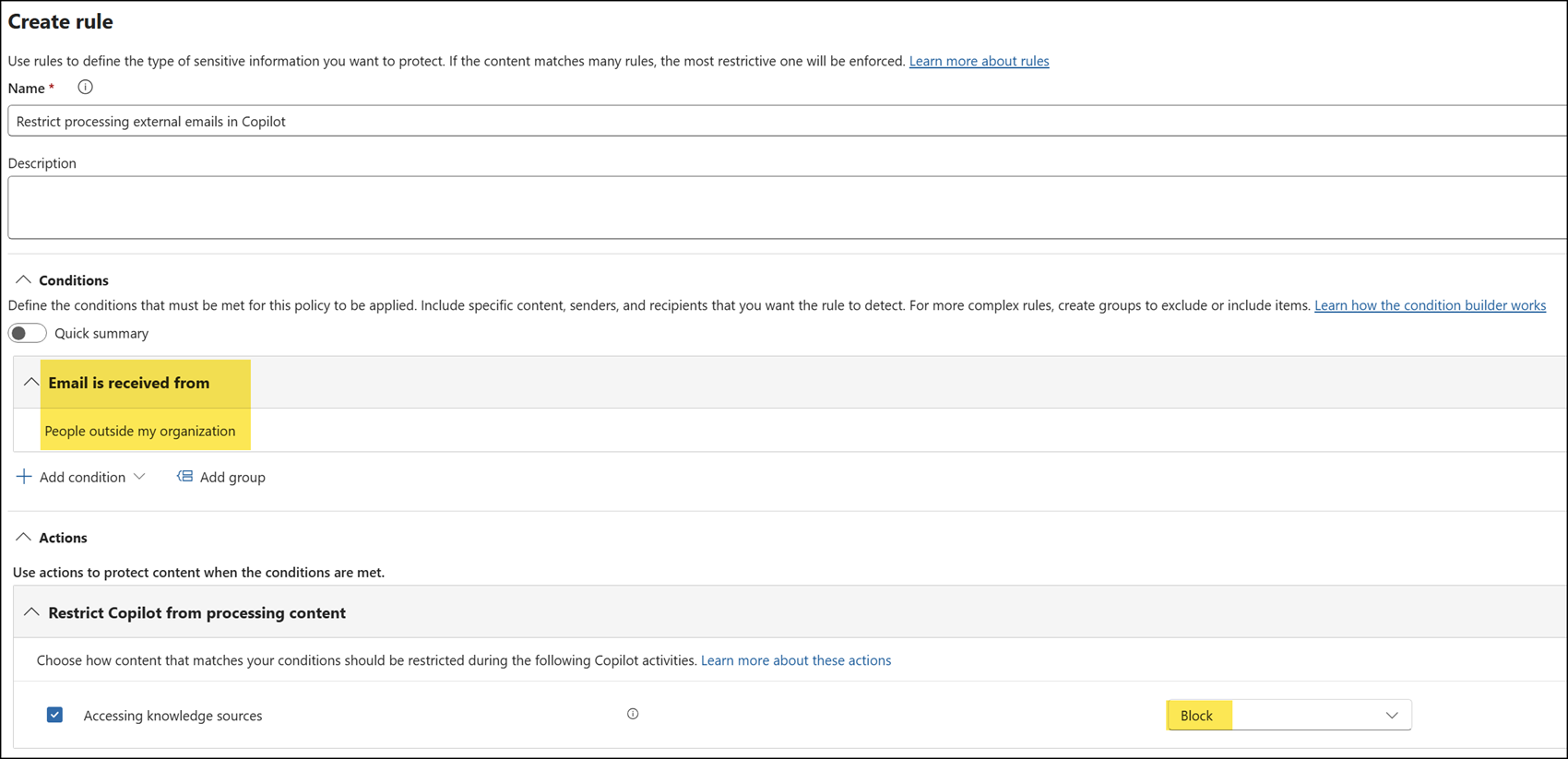
Configure the control using the Email is received from People outside the organization condition.
The policy evaluates the sender domain against the tenant’s accepted domains only. Email content is not inspected.
After the policy is active, if users try to find such information with Copilot, they are informed that the information has been restricted.