
Microsoft is introducing a new opt-in setting within Safe Attachments policies that allows administrators to automatically quarantine email messages containing password-protected attachments when Defender for Office 365 is unable to obtain the password and therefore cannot complete scanning or detonation.
Password-protected and encrypted attachments are commonly used for legitimate business purposes, but they also prevent full threat analysis, leaving a coverage gap that this enhancement is designed to close.
Block unscanned attachments is off by default and must be explicitly enabled by administrators. A Defender for Office 365 Plan 1 or Plan 2 is required.
Administrators find the new option at the end of Safe Attachments policies and can exclude selected attachment types from the setting if needed. Supported attachment types for this protection include ZIP, GZIP, 7z, RAR, PDF, and Office file formats.
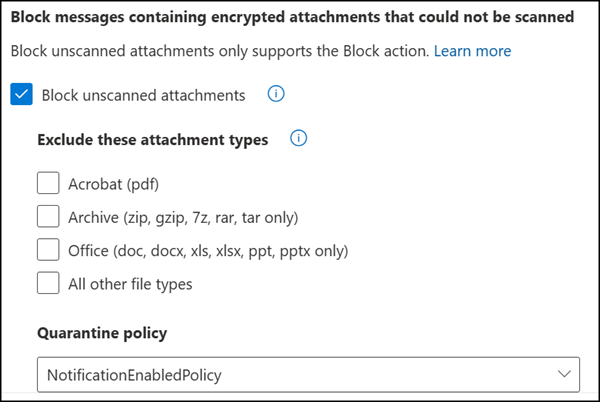
Organizations that want to test the setting before broad adoption can pilot it using a separate, scoped Safe Attachments policy rather than applying it tenant-wide immediately. Once enabled, messages containing unscannable password-protected attachments are quarantined.
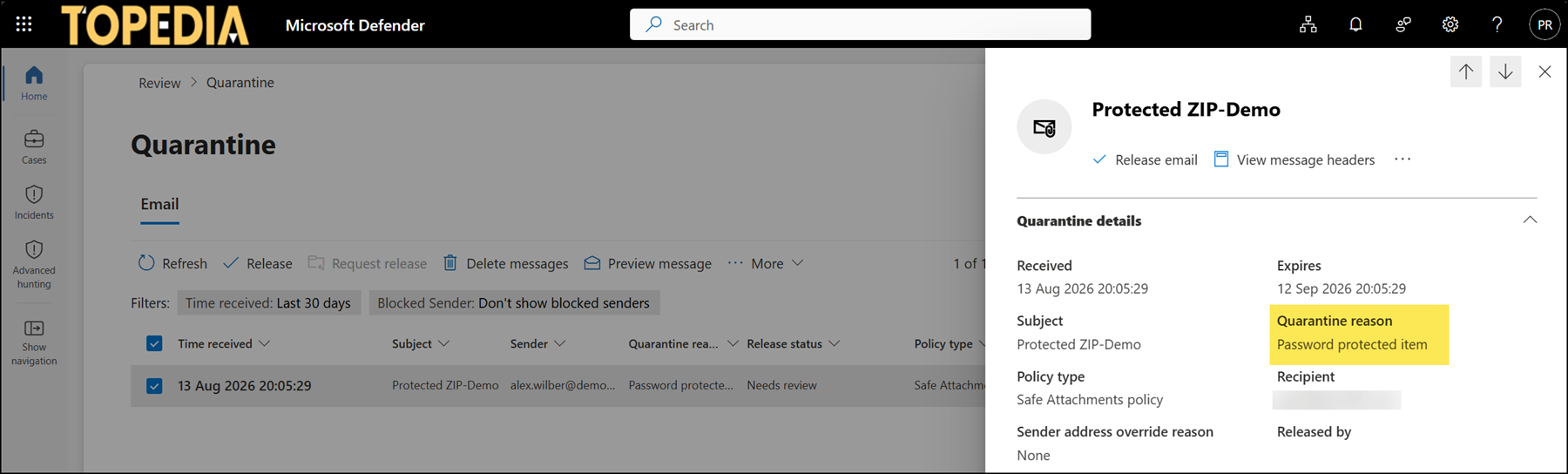
Releasing such mails from quarantine can happen in two ways:
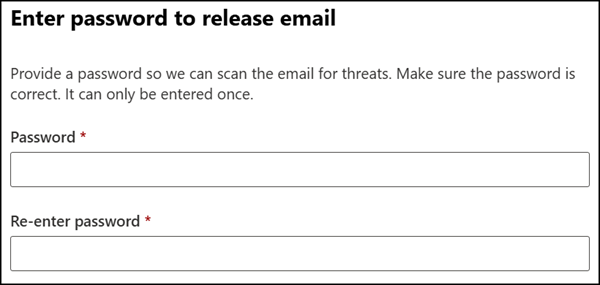
- Users can self-release eligible messages by providing the attachment password (if allowed by the quarantine policy), which triggers a just-in-time detonation before release.
- Security administrators can release quarantined messages directly, without needing the password.
The rollout for blocking unscanned attachments should be completed between August and October 2026.
