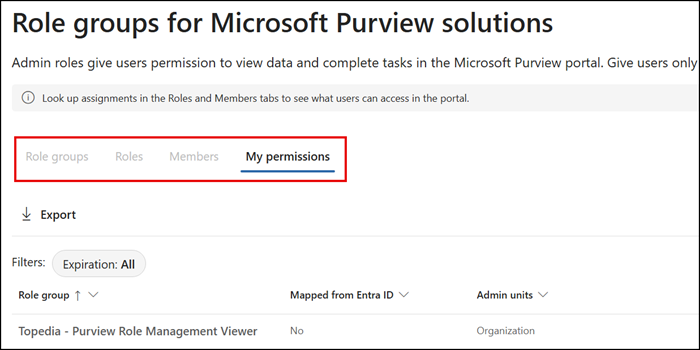
Microsoft Purview is introducing a new View-only Role Management role, letting users see role group membership and assignments in the Purview admin portal without being able to modify them. This complements the existing Role Management role, which retains create, delete, and assign control over custom role groups.
By default, the new View-only Role Management role is part of the following Purview role groups:
- Global Reader – Built-in role group in Microsoft Purview and Entra ID
- Security Reader – Built-in role group in Microsoft Purview and Entra ID
- Organization Management – Built-in role group in Microsoft Purview
- Purview Administrators – Built-in role group in Microsoft Purview
This new role gives users permissions to see all member assignments on the roles and scope pages and the permissions page in the Microsoft Purview portal.
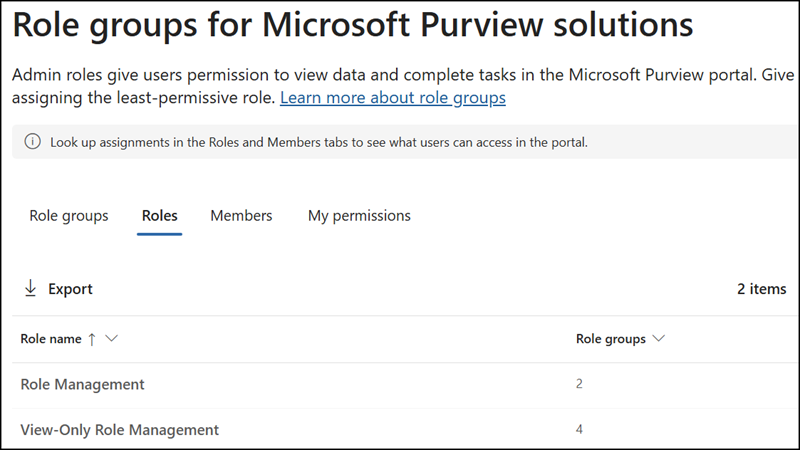
There are now two Role Management roles in Microsoft Purview:
- Role Management > Can create and delete custom role groups, and add or remove members from any role group.
- NEW: View-only Role Management > Grants read-only visibility into role group membership and assignments (who has what role), but no ability to change it.
Administrators should already find the new view-only role in the Purview admin portal for use in custom role groups.
Based on testing, the new view-only role is not yet active. The rollout should be completed by the end of September 2026. Administrators should inform accounts with the Global Reader and Security Reader roles about the new permissions in Microsoft Purview.