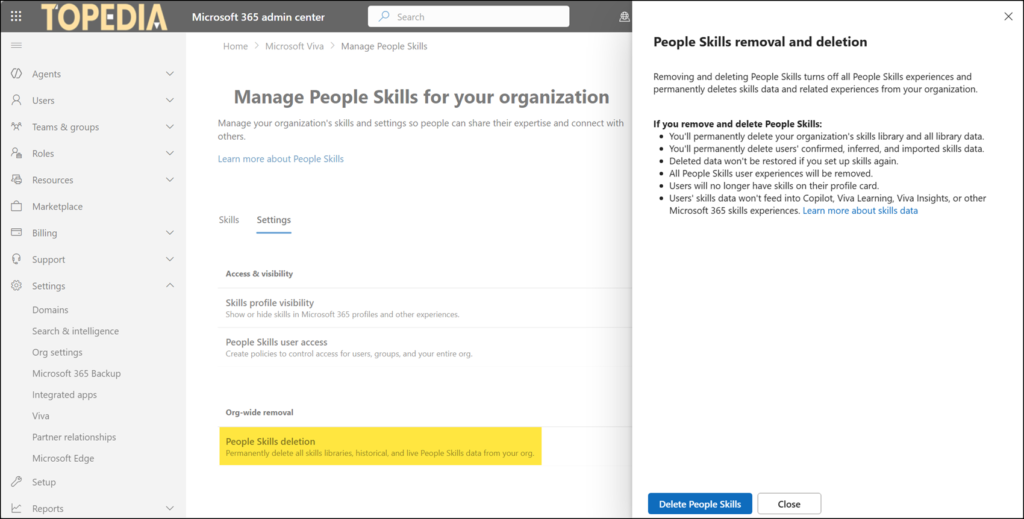
Microsoft now allows organizations to permanently remove all People Skills data from the tenant. For example, to start fresh, for governance or compliance reasons, or simply to offboard the information.
With the new control, organizations can delete their entire skills library along with all users’ confirmed, inferred, and imported skills data. Once deletion is initiated, skills no longer appear on user profile cards or get used across Microsoft 365 skills-based experiences such as in Teams, Copilot, and Viva.
To start the removal process, open the Microsoft 365 admin center and navigate to Settings > Viva > Data Management > People Skills > Settings, and select the last option to delete People Skills. If the option is missing, wait a few more weeks, since the rollout is still in progress. The documentation is also missing or not yet published.