The Microsoft Edge management service is adding an Extension monitoring page, providing administrators with a centralized view of browser extensions installed across managed Windows devices, along with a single location to review and act on extension requests raised under configuration policies.
- Edge Extension monitoring is disabled by default.
- Extension data currently covers only Windows devices. Mac devices are not yet supported.
- Extension data is reported only for users whose sign-in identity tenant matches the tenant managing the browser. If a user signs in on multiple devices, only data from their most recently signed-in device is reported.
Timeline
General availability is scheduled for June 2026.
How does this affect your organization?
This GA rollout affects administrators who manage Microsoft Edge through the Edge Management Service and organizations that already use configuration policies to manage extensions for their users.
Edge Extension Monitoring is disabled by default. An administrator has to enable the Edge monitoring dashboard and Extension monitoring in the Edge Management Service.
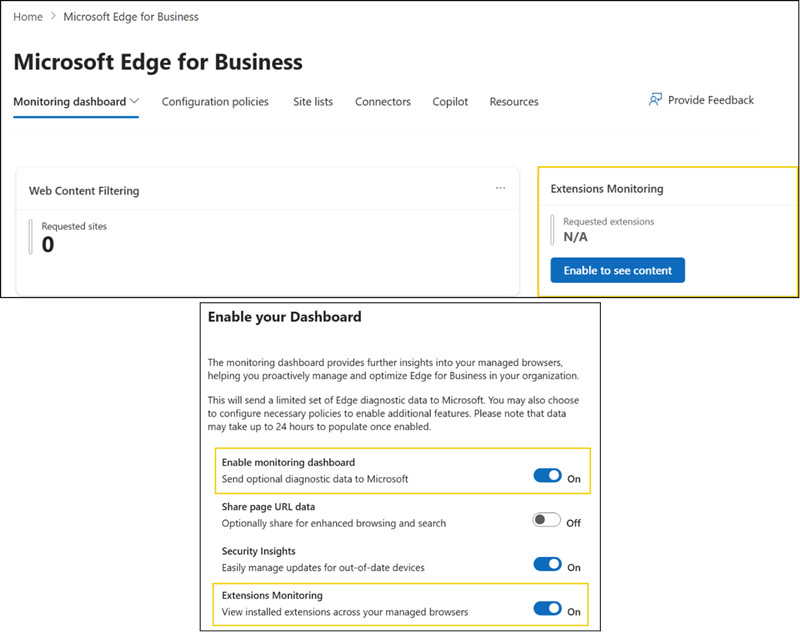
The Extension monitoring page consolidates information into a tenant-wide list of installed extensions and all active extension requests, each linked back to the configuration policy that originated it.
- The page only surfaces data; administrators still apply installation policy changes for individual extensions within their configuration policies, as they do today.
- This update does not change any extension installation policies already configured. It only adds visibility into existing extension data and a single place to manage extension requests.
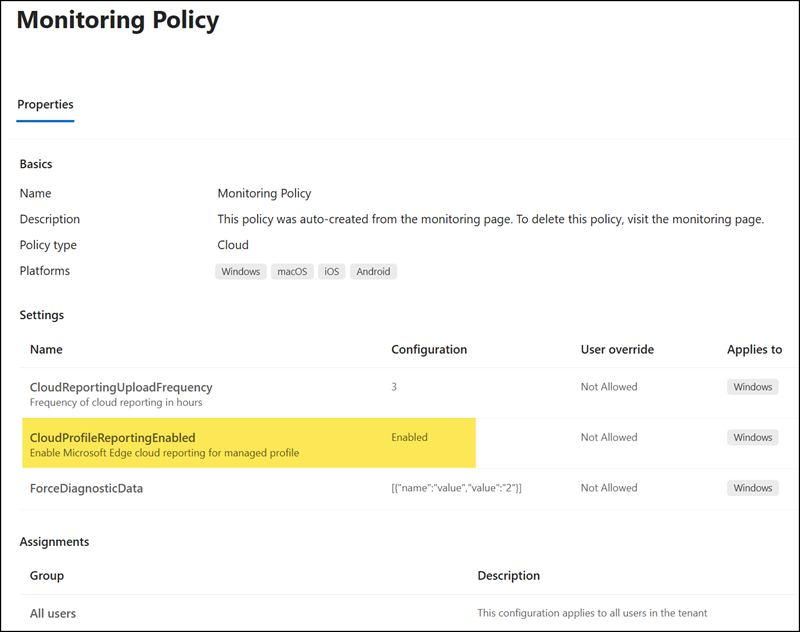
If Extension monitoring is enabled, Microsoft will update the Edge Monitoring Policy with the setting CloudProfileReportingEnabled, which is assigned to Windows devices and all users.
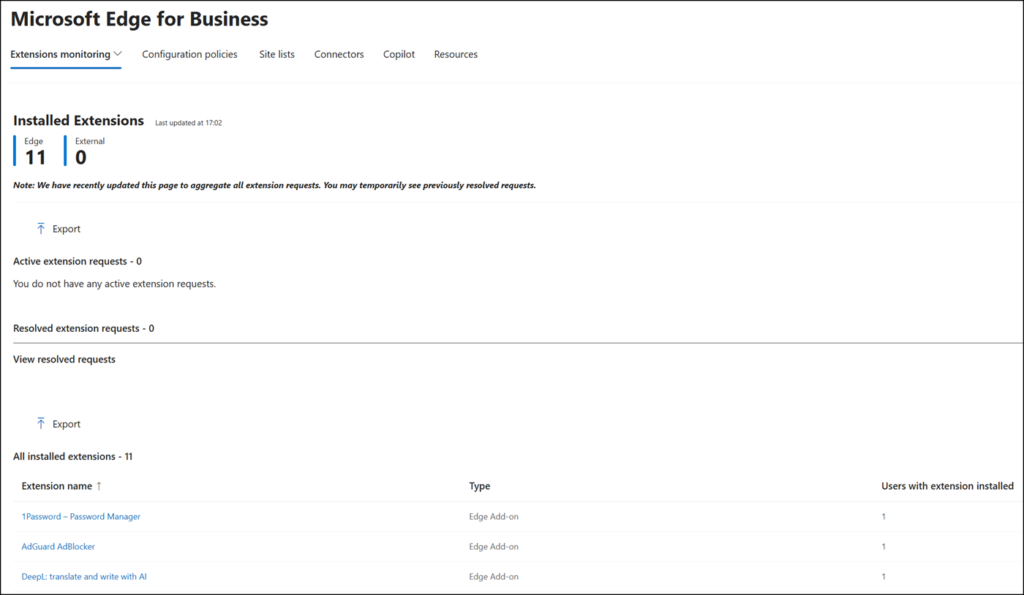
After a few hours, Edge administrators will see the number of installed Edge extensions on Windows clients for users logged in with their organization account, including active extension requests, if enabled. Administrators can now also mark extension requests as resolved or delete all requests with one click.
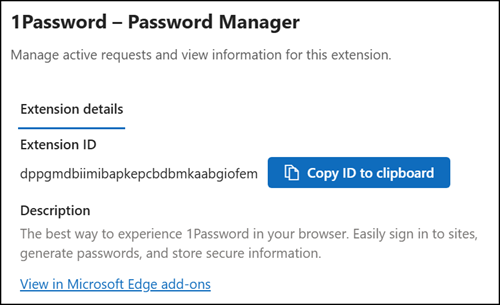
Each extension includes the Extension ID and extension description, which administrators can use in their configuration policies.