
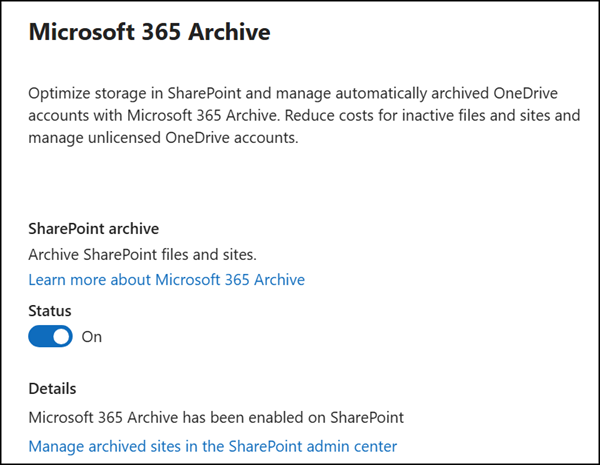
File-level archiving in Microsoft 365 Archive is now generally available and will be enabled by default for all SharePoint sites in tenants that already have Microsoft 365 Archive configured.
- This change applies specifically to existing customers who have previously enabled Microsoft 365 Archive.
- This change applies to all existing and newly created SharePoint sites unless a SharePoint administrator has updated the current tenant settings.
Timeline
Microsoft starts the opt-in on Monday, 6 July 2026; it should be completed by the end of July.
How does this affect your organization?
In April, I tested the SharePoint file-level archiving preview. Please read my post for details on configuring and using file-level archiving in SharePoint.
Currently, file-level archiving in SharePoint is an opt-in procedure, meaning a SharePoint admin must update the AllowFileArchive setting in the SharePoint tenant. It is currently set to False by default.
Starting on 6 July 2026, Microsoft will update AllowFileArchive to True in all SharePoint tenants, changing the default behavior from opt-in to opt-out. To prevent this, a SharePoint admin should actively set the value to False before 6 July. According to Microsoft, the system should respect the configuration if it has been updated.
Set-SPOTenant -AllowFileArchive $false -AllowFileArchiveOnNewSitesByDefault < $True | $False >AllowFileArchive (Tenant-level setting)
Controls whether file-level archiving is allowed at the tenant level. This setting can be overridden for specific sites by the site-level flag of the same name and has no effect unless Microsoft 365 Archive is enabled for your organization.
The valid values are:
- True (default from 6 July 2026)
Allows users to manually archive files on sites where file-level archiving is also enabled. Manual archiving is limited to internal users with write access to the file.- False (default before 6 July 2026)
Blocks manual archiving for all files, regardless of the site-level setting. Admin-defined policies can still archive files automatically.
There is also a second tenant-level setting AllowFileArchiveOnNewSitesByDefault, which is already set to True by default.

The SharePoint site-level setting AllowFileArchive is now also set to True by default. Set it to False to opt out of file-level archiving on a specific site. Do not mix this up with the tenant-level setting of the same name.
Set-SPOSite $Site -AllowFileArchive $false
Important:
The tenant-level setting takes precedence. A site-level setting of True has no effect if the tenant-level AllowFileArchive is False.

A new Archive action will appear in SharePoint sites for users with edit permissions, allowing them to move individual files to the Microsoft 365 Archive cold storage tier. Archived files must be reactivated before they can be accessed.
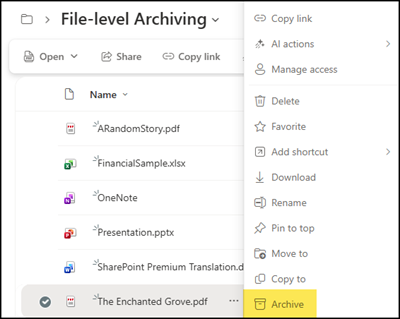
As mentioned in my April post, the practical benefit of Microsoft 365 Archive is cost, not capacity.
SharePoint reclassifies storage rather than reducing it. Archived files still count toward the tenant’s total storage, but are moved from the active storage tier to the archived storage tier. Active storage usage decreases by the same amount as archived storage increases. Archived storage is charged at $0.05/GB/month, compared to $0.20/GB/month for active SharePoint storage.
Archive storage is not charged as long as the combined storage (standard plus archive) stays within the standard storage quota. For more information, see Pricing model for Microsoft 365 Archive.
