
Microsoft is introducing a consumption-based billing option for SharePoint Online storage overages, allowing organizations to pay only for storage used above their included quota rather than pre-purchasing additional capacity.
Timeline
The rollout to public preview should be completed in June 2026. Education tenants are excluded from the rollout.
How does this affect your organization?
Billing admins can enable SharePoint Pay-as-you-go (PAYG) storage billing in the Microsoft 365 admin center at Billing > Pay-as-you-go.
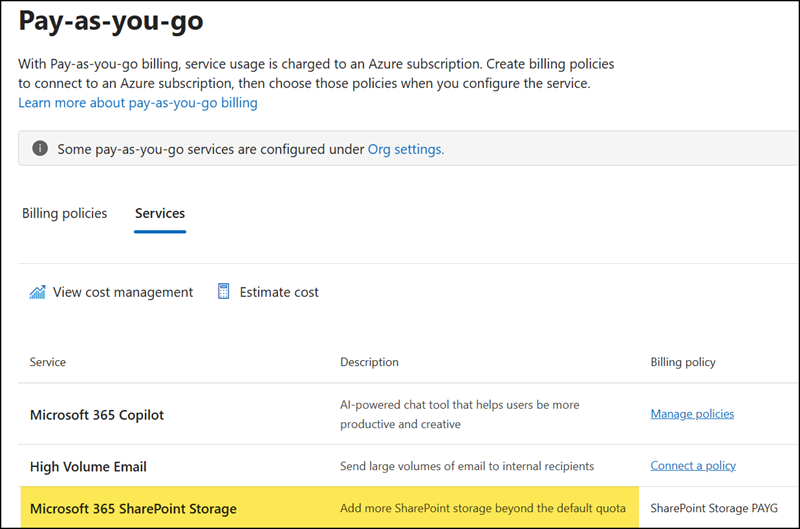
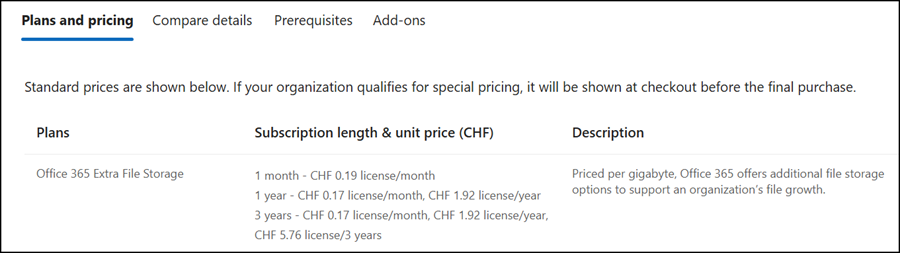
Once enabled, any storage consumed above the tenant’s included quota is automatically billed on a consumption basis. SharePoint PAYG Storage is off by default and must be connected to an Azure subscription first. The price is $0.20/GB/month, the same as the existing Office 365 Extra File Storage add-on.
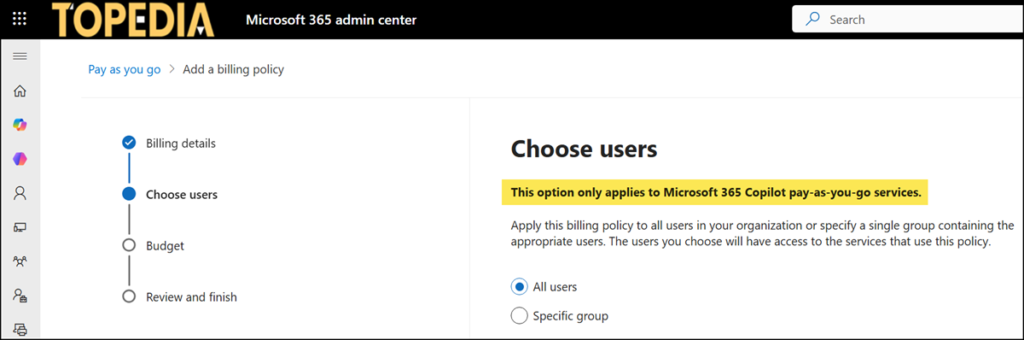
- When creating a PAYG policy, you choose the affected users. A SharePoint PAYG storage policy always applies to all users, regardless of the selection.
- While the tenant is enrolled in SharePoint PAYG Storage, admins will not receive quota-related notifications or banner alerts in the SharePoint admin center, because the tenant is considered within quota.
- SharePoint PAYG storage is not yet used for OneDrive. Soon, Microsoft will also provide OneDrive PAYG storage.
- The existing Office 365 Extra File Storage add-on remains available as an alternative for tenants that prefer to manually pre-purchase additional storage quota.
- SharePoint PAYG Storage has the same restrictions as the other PAYG services: no maximum limit, no usable reporting, and a cost overview delayed by 24 hours. As I described in January 2025, you can export the PAYG usage information with PowerShell.
Since you can still order the Office 365 Extra File Storage add-on, I see no benefit to SharePoint PAYG Storage. I expect Microsoft will discontinue the storage add-on in the future.
