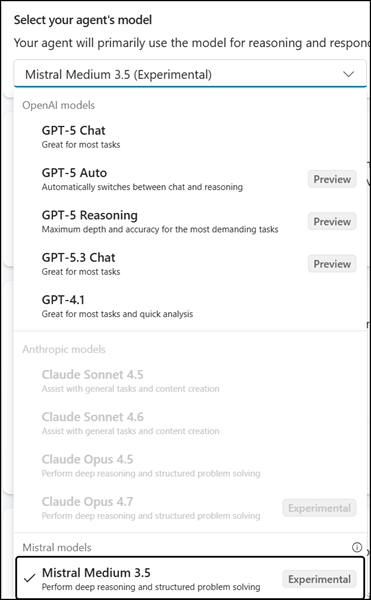
Microsoft added Mistral Medium 3.5 to Copilot Studio as a selectable model for agent orchestration and generative AI scenarios, providing organizations with greater flexibility in model selection.
- Mistral Medium 3.5 is currently in Public Preview and experimental for Copilot Studio.
- The new provider is disabled by default and requires admin opt-in at the tenant level.
- This update has no impact on existing users, agents, or workflows unless an administrator actively enables external models.
Timeline
The rollout to Public Preview started at the end of May 2026.
How does this affect your organization?
Mistral Medium 3.5 is now available as a selectable model within the multi-model selection experience in Copilot Studio. The model is disabled by default; administrators must explicitly enable external models at the tenant level before any maker can select or use it.
Administrators should first review the documentation, as Mistral has the same restrictions as Anthropic.
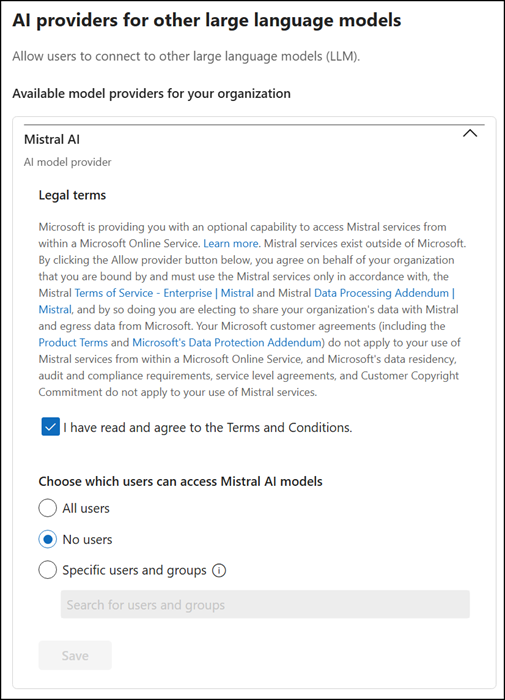
When your organization chooses to use an Mistral model, your organization is choosing to share your data with Mistral to power Copilot Studio features. This data is processed outside all Microsoft managed environments and audit controls, therefore Microsoft’s customer agreements, including the Product Terms and Data Processing Addendum (DPA) don’t apply. In addition, Microsoft’s data residency commitments, audit and compliance requirements, service level agreements, and Customer Copyright Commitment don’t apply to your use of Mistral’s services. Instead, use of Mistral’s services is governed by Mistral’s Terms of service and Data processing addendum.
To enable Mistral for Copilot Studio:
Open the Microsoft 365 admin center > Copilot > Settings > AI providers for other large language models and enable Mistral AI for specific users or groups, or all users.
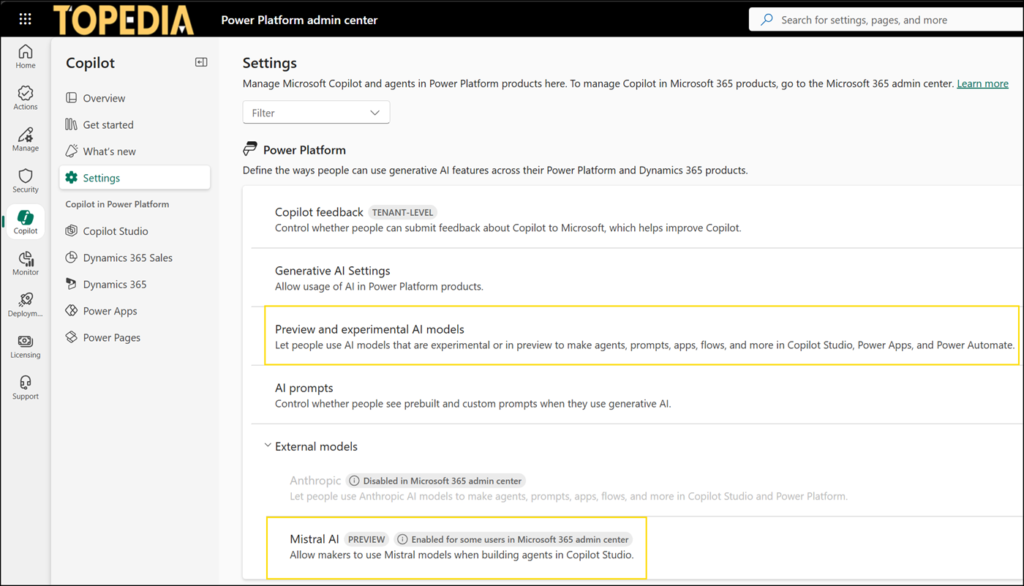
Next, a Power Platform administrator can enable Mistral AI at Copilot > Settings for an environment group or specific environments.
Important: Mistral Medium is an experimental model, so experimental AI models must also be enabled.
Once enabled, makers can choose Mistral Medium 3.5 when building or configuring agents in Copilot Studio. Existing governance controls, data access policies, and compliance settings continue to apply without modification.