
Registration Campaigns in Microsoft Entra now support Passkeys (FIDO2) as a targeted authentication method in both the Enabled and Microsoft-managed states.
- This update has direct implications for tenants using Registration Campaigns and the Passkeys (FIDO2) authentication method, and introduces configuration changes for those in the Microsoft-managed state that meet specific criteria.
- Tenants that are not in the Microsoft-managed state and do not meet the eligibility criteria are not affected by the automatic configuration changes.
Timeline
The rollout should be completed in June 2026.
How does this affect your organization?
Administrators can now configure Passkeys (FIDO2) for an Authentication Methods Registration Campaign in Microsoft Entra ID.
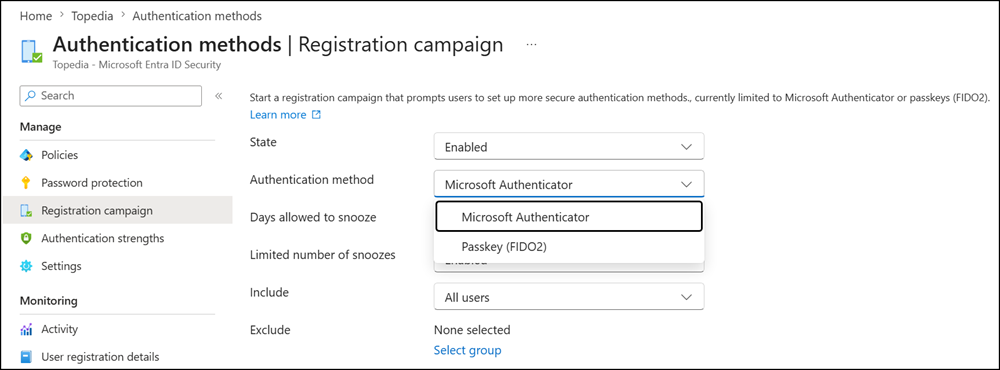
A Registration Campaign (also called a “nudge”) is a feature in Entra ID that prompts users to register a stronger authentication method during sign-in without blocking access.
After a user completes MFA using a weaker method, such as SMS or a voice call, Entra ID intercepts the sign-in and displays a prompt encouraging the user to register a preferred method, for example, Microsoft Authenticator or, with this update, a passkey. The user can either complete registration immediately or snooze the prompt and be reminded later.
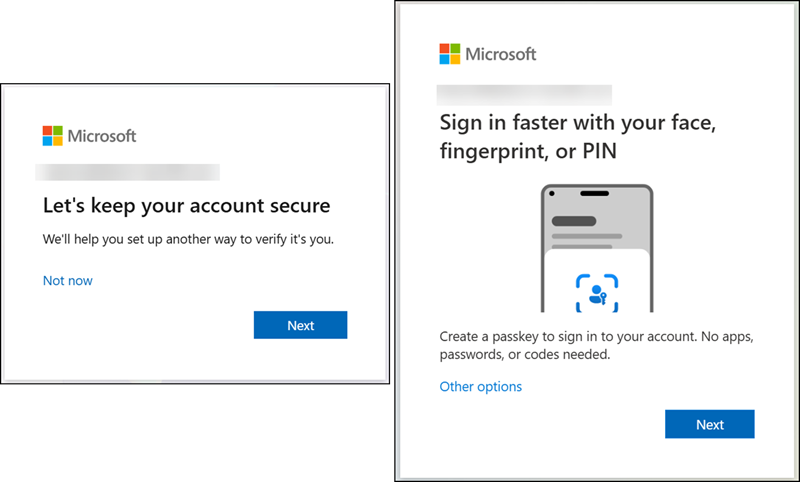
What to know for the updated Registration Campaign in Entra ID
This update supports passkeys for the registration campaigns with the state set to “Enabled” and “Microsoft-managed”. Users must be enabled to use a passkey as an authentication method.
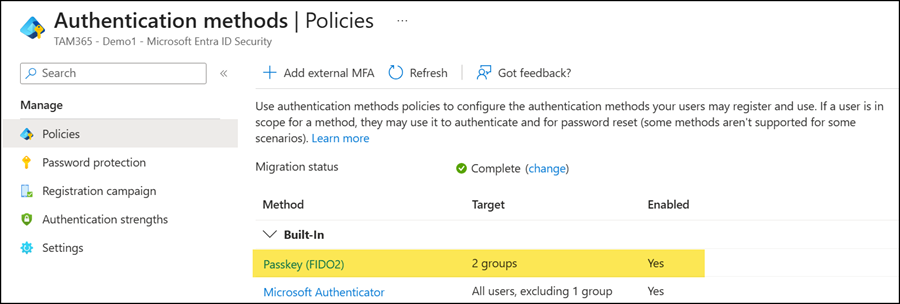
For the Enabled state
In the Enabled state, organizations can plan the campaign as needed. Passkeys (FIDO2) are now supported as the targeted authentication method for Registration Campaigns in the Enabled state.
The nudge logic that determines which passkey registration experience a user is guided through will be improved over time. In the initial release, the logic does not yet fully account for users with passkey profile restrictions, for example, where only device-bound passkeys are allowed. For those users, the registration prompt shown during sign-in may not match the passkey types they are permitted to use.
For the Microsoft-managed state
In this state, Passkeys (FIDO2) will be introduced as the default targeted authentication method for eligible tenants.
A tenant is in scope when all of the following conditions are met:
- The Authentication Methods Registration Campaign state is set to Microsoft-managed.
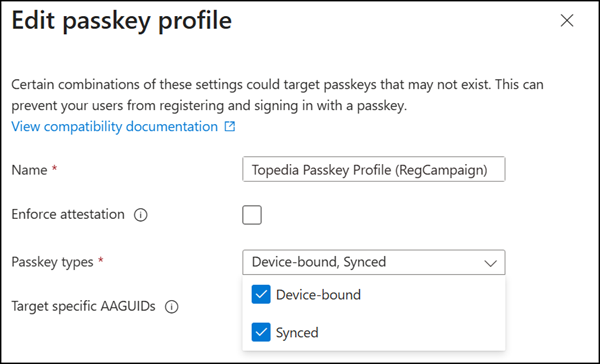
- The tenant has at least one user enabled for both synced passkeys and device-bound passkeys.
- Allow self-service setup is enabled in the assigned Passkey profile.
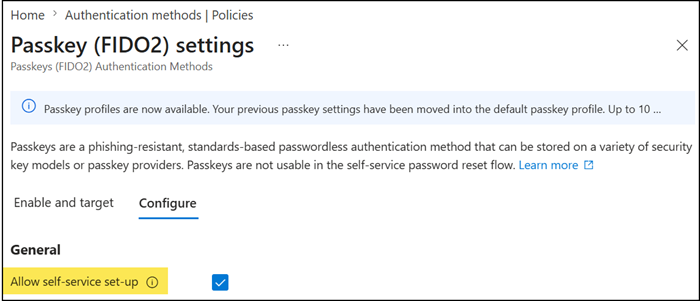
- Target-specific AAGUIDs is not selected (no AAGUID restrictions configured).
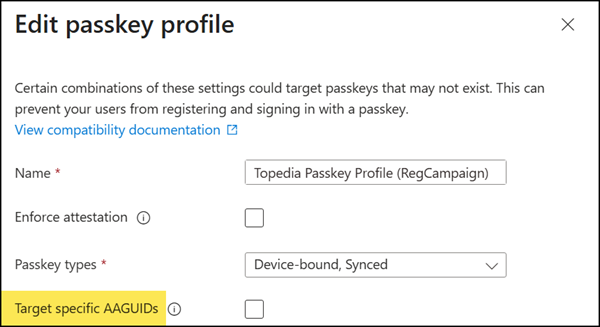
- Only users enabled for both synced and device-bound passkeys, with no passkey profile restrictions configured (e.g., no attestation enforcement or AAGUID restrictions), will receive a passkey registration nudge during sign-in.
- The Passkeys (FIDO2) authentication method policy is set to Enabled for all or specific users.
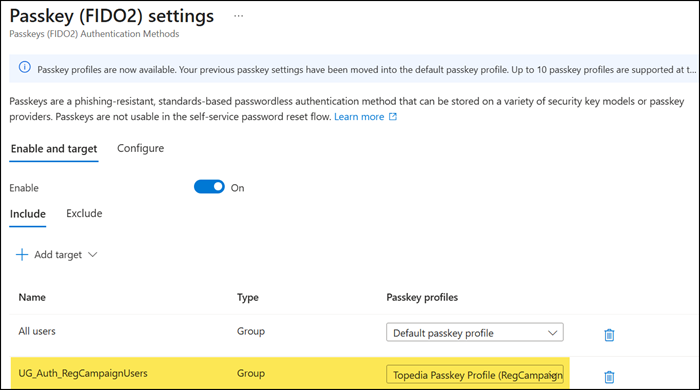
After these changes take effect, targeted users will begin receiving passkey registration nudges during sign-in after completing multifactor authentication.
In addition, Microsoft will also update the following Registration Campaign settings:
- Targeted authentication method changes from Microsoft Authenticator to Passkeys (FIDO2)
- Days allowed to snooze changes from 3 days to 1 day (no longer configurable)
- Limited number of snoozes changes from Enabled to Disabled (no longer configurable)
- Default user targeting changes from voice call or text message users to all MFA-capable users
