
The OneDrive sync client will change how cloud-initiated deletions are handled on local devices. When a locally downloaded file is deleted from the cloud, it is removed directly from the local disk without appearing in the local Recycle Bin on Windows or Trash on macOS.
Timeline
The rollout should be completed in May 2026, affecting all cloud environments.
How does this affect your organization?
This change affects all OneDrive users on Windows and macOS who have locally downloaded files.
Based on a recent test with the OneDrive Insider sync client, the change affects the green-marked sync states when someone deletes the file via OneDrive or SharePoint Web, or from another device.
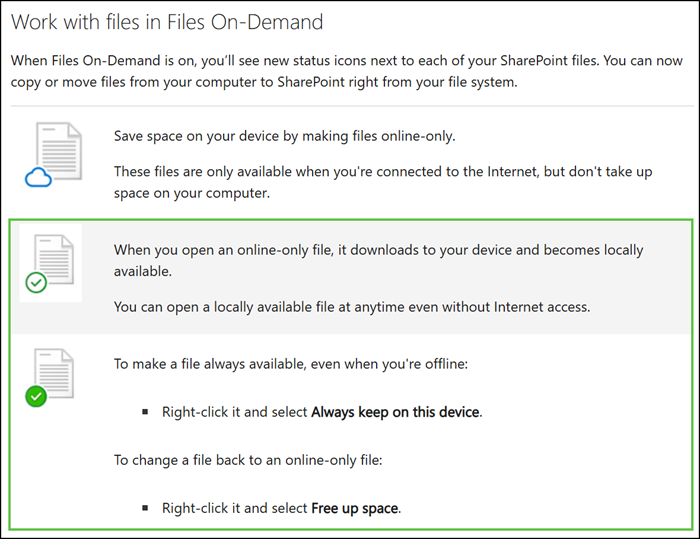
- The file is removed directly from the local disk and does not appear in the local Recycle Bin (Windows) or Trash (macOS). It can be recovered from the OneDrive or SharePoint web recycle bin for up to 93 days.
- Restoring a file should be handled based on where it was stored: OneDrive or SharePoint.
- Cloud-only files behave as before.
- No changes for files deleted locally on the device: they continue to appear in both the local Recycle Bin or Trash, and the web recycle bin, as before.
Organizations should inform users that cloud-initiated deletions of locally downloaded files will no longer surface in the local Recycle Bin or Trash. The web recycle bin remains the recovery point for those files.
