
Microsoft has announced the general availability of Enterprise App Insights in SharePoint for Enterprise organizations and Education tenants with the SharePoint Advanced Management add-on or at least one Microsoft 365 Copilot license.
Enterprise App Insights is a reporting feature that gives SharePoint administrators visibility into how non-Microsoft applications access content stored in SharePoint and OneDrive. The reports draw on Microsoft Purview audit data and show which third-party applications registered in Microsoft Entra have been reading, downloading, modifying, or uploading files, helping administrators understand and oversee external application activity in their environment. Internal applications with the required API permissions to access SharePoint content will also appear in the reports.
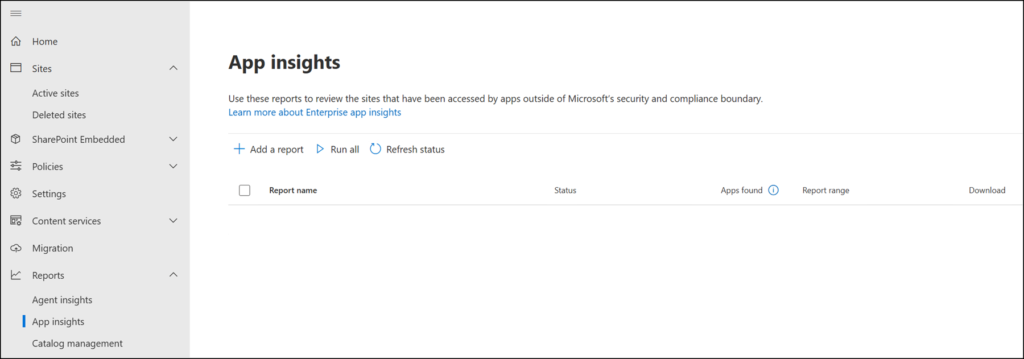
Reports can be generated directly in the SharePoint admin center under Reports > App Insights, where administrators can select a reporting period of 1, 7, 14, or 28 days.
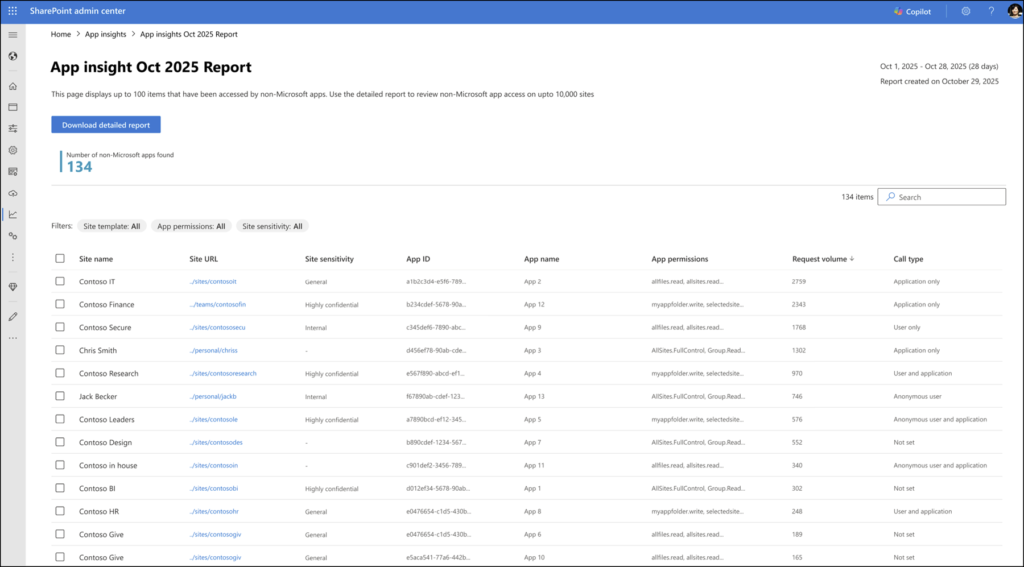
Each report displays up to 100 results on screen, with a detailed download option for up to 1 million rows. Reports can be filtered by application name, application permissions, and site sensitivity.
Only one report per time range is permitted, and reports can be rerun after 24 hours. Data is retained for 28 days.
For administrators who prefer working from the command line, the feature is also available through SharePoint Online PowerShell using the Start-SPOEnterpriseAppInsightsReport and Get-SPOEnterpriseAppInsightsReport cmdlets.
Enterprise App Insights is available to organizations with Enterprise or Education base licensing:
- Microsoft 365 E3, E5, or A5
- Office 365 E1, E3, E5, or A5
- + the SharePoint Advanced Management add-on or a Microsoft 365 Copilot license
Additional notes:
- At least one user in the organization must be assigned the Microsoft 365 Copilot license; it does not have to be the SharePoint admin account.
- SharePoint administrators automatically gain access to the Advanced Management features tied to Copilot deployment, including Enterprise App Insights.
- Administrators enabling data collection for the first time should note that the first report becomes available approximately 24 hours after collection is activated.
- In new or very large tenants, there may be an initial delay of up to 48 hours before data appears.
