
Microsoft is rolling out a new Publish to Web feature in the web versions of PowerPoint and Excel, with support for Word for the web following soon.
Publish to Web gives users a quick, one-click way to share a clean, finalized version of a document with external clients, partners, or stakeholders without exposing internal edits, comments, tracked changes, version history, or speaker notes.
You may also have surfaced such cases in Microsoft’s Post Incident Reports (PIR), where internal employees added comments to Word reports and forgot to clean them up before publishing.
When users publish a file via “Publish to Web”, the service generates a view-only web link to a polished version of the document. A Microsoft 365 subscription is not required to open the file, as the link opens in a browser.
“Publish to Web” is helpful in everyday situations, such as…
- sending a board-ready Excel report with internal tabs containing raw data and assumptions,
- distributing a finalized company announcement that went through several rounds of review,
- sharing a client presentation without internal speaker notes,
- or embedding a finalized document on a public website or intranet page.
Using the feature is straightforward.
Users open the file in PowerPoint or Excel for the web (soon in Word), go to File > Share > Publish to web,
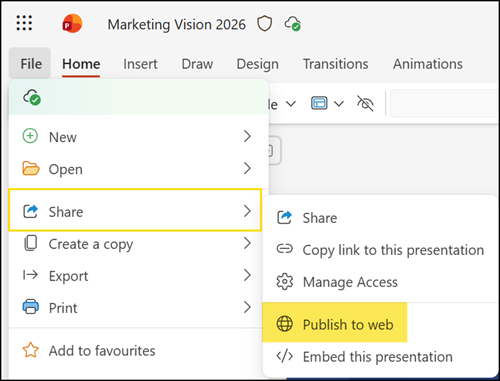
and confirm by selecting Publish.
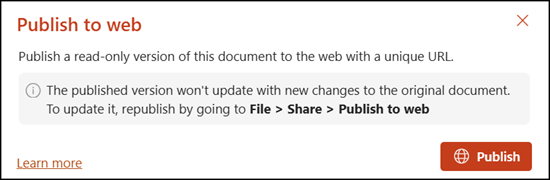
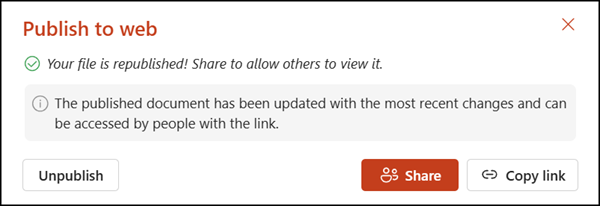
They can then copy the generated link and send it to the intended recipients. If the source document changes later, users can republish it so the public version reflects the latest content.
- Documents cannot be published from OneDrive. The document must be stored in a SharePoint document library.

- When users publish to web, the system creates a copy of the file in the Site Assets library.
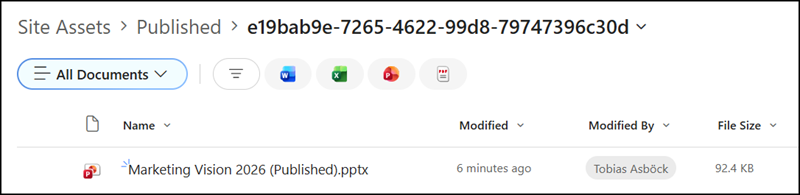
- Users should not edit the published document directly. Work on the original and republish it.
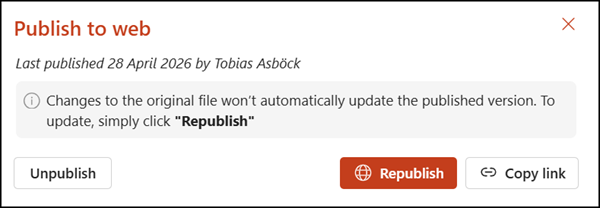
- To remove access, the Unpublish option immediately revokes the link, so there is no need to track down forwarded copies.
Publish to Web is rolling out in PowerPoint and Excel for the web, with Word for the web set to receive the same capability in the near future.
