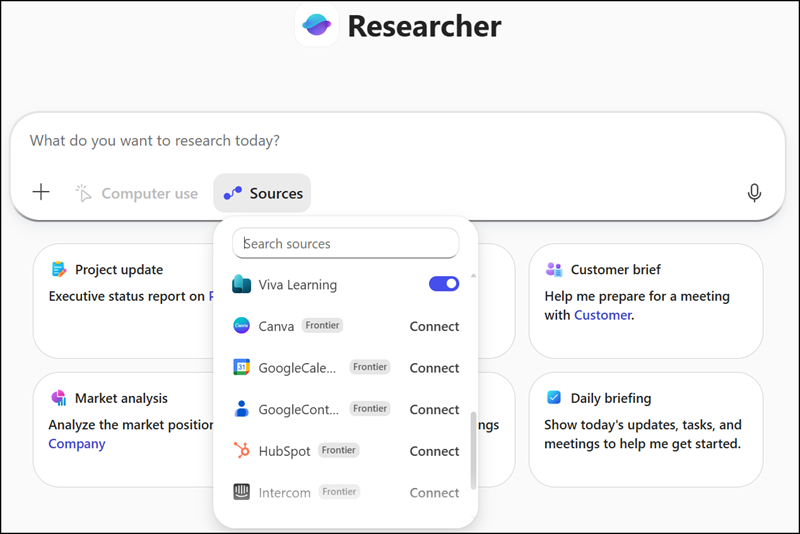
A few weeks ago, I posted that the Researcher agent includes new Federated Connectors, but users with the AI Administrator role cannot update them via the Microsoft 365 admin center.
Microsoft has now announced the General Availability (GA) of federated Copilot connectors for Microsoft 365 Copilot. These connectors use the Model Context Protocol (MCP) to securely bring real-time data from popular third-party sources into Copilot experiences without storing or indexing customer data in Microsoft services. Access occurs in real time under the user’s identity.
With GA, Microsoft is expanding federated Copilot connectors from the Researcher agent to Copilot Chat and Agent Mode in Excel, enabling users to work with external data directly in their Microsoft 365 workflows.
Timeline
- The rollout for admin configuration should be completed on 20 April 2026. Admins get a 7-day window to prepare these connectors.
As mentioned in my previous post, if an AI Administrator user is in targeted release mode, these options can already be configured. They are still missing in standard release mode. - The user rollout should start at the end of April 2026. As mentioned in my previous post, these federated connectors are already available in the Researcher agent, as they are enabled by default in the M365 admin center.
How does this affect your organization?
Microsoft-published federated Copilot connectors (connector type: MCP) will appear under Microsoft 365 admin center > Copilot > Connectors and are enabled by default.
Users with the AI Administrator role can view all Microsoft-published federated Copilot connectors in a single location and filter by connector type MCP to identify federated connectors. Staged rollout allows enabling specific connectors for selected users or groups. Connectors that don’t align with organizational policies can be disabled.
Admins should be able to bulk-disable all connectors via command line before selectively re-enabling individual ones in the admin center.
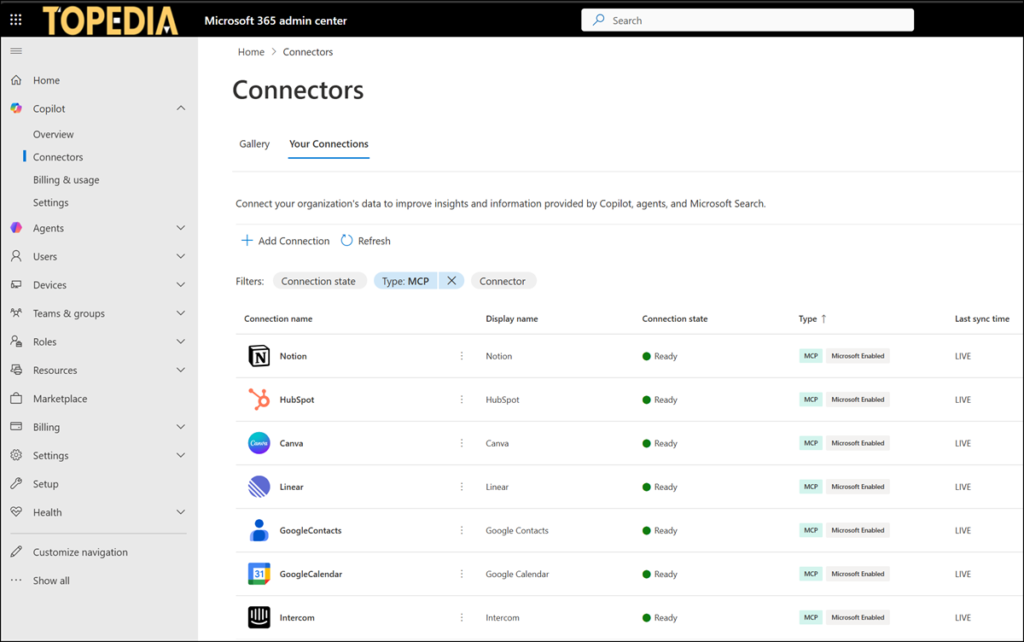
For users with the AI Administrator role:
Starting 20 April 2026, admins in standard release tenants should see the configuration to disable unwanted connectors before the user rollout. Admins get a 7-day review window to validate compliance, risk posture, and readiness before connectors become available to users. Plan a staged rollout strategy using Entra ID group targeting to gradually enable connectors.
Note:
Data from Federated Copilot connectors does not fall under the Microsoft Products and Services Data Protection Addendum (DPA), as these connectors do not store or index customer data in Microsoft services and access data in real time using the user’s identity. Review third-party provider agreements, including data residency and licensing terms, before enabling federated Copilot connectors.
For users with a Microsoft 365 Copilot license:
Starting on 27 April (and no later than May 2026), all Copilot-licensed users will be able to use non-disabled connectors in…
The following connectors will be available at launch, with additional Microsoft-published federated Copilot connectors should become available over time with prior notice.
- Canva
- HubSpot
- Linear
- Intercom
- Google Calendar
- Google Contacts
- Notion
- Moody’s
- LSEG