
Microsoft is retiring the noise suppression capability from the video playback controls for videos stored in OneDrive or SharePoint, released to general availability in June 2020.
- This change affects anyone who watches videos stored in OneDrive or SharePoint via the web browser.
- This change has no impact on video or audio files.
Timeline
The retirement starts in July 2026.
What is changing?
In November 2019, Microsoft introduced noise suppression in Microsoft Stream (now Clipchamp video player), which became generally available in June 2020.
Noise suppression helps both creators and viewers isolate speech from ambient noise, music, and other sounds, making voice more intelligible. Noise suppression significantly reduces ambient noise, bringing more clarity to speech in videos.
The noise suppression option is available as a global per-video setting for any video file stored in OneDrive or SharePoint.
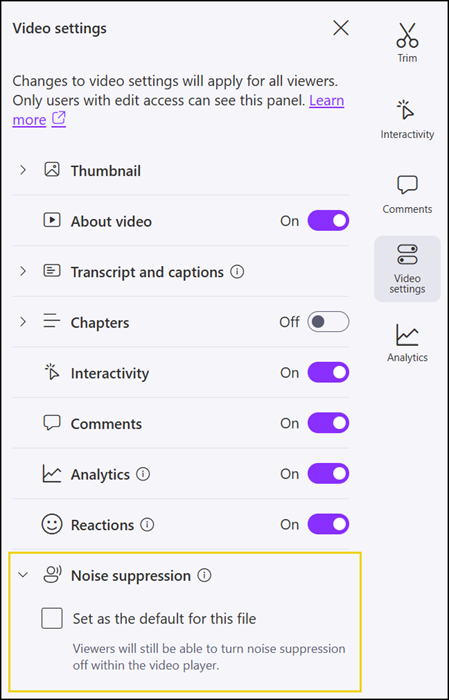
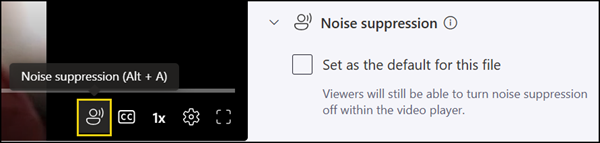
The noise suppression option is also available as an individual per-playback setting, configurable for each viewing session independently. Both settings will be removed starting in July 2026.
The retirement is based on usage data showing that noise suppression was rarely used. Feedback on the video playback experience or noise suppression can be submitted via a form published by Microsoft.
This change has no impact on video or audio files. Files will not be modified, re-encoded, or replaced, and there is no impact on storage, sharing permissions, or file integrity. All other playback features remain fully available, including playback speed controls, captions, and transcripts.
