
Upload email files in Microsoft 365 Copilot Chat

Microsoft 365 Copilot will soon support uploading email file formats such as .eml and .msg directly in Copilot Chat and the Microsoft 365 Copilot app. Users can attach saved email files to their prompts, giving Copilot more context and helping it generate more accurate, relevant responses.

Previously, users had to manually copy and paste email content into their prompts to provide that context.
If the rollout is not yet complete, users will see an error referencing the supported file formats.
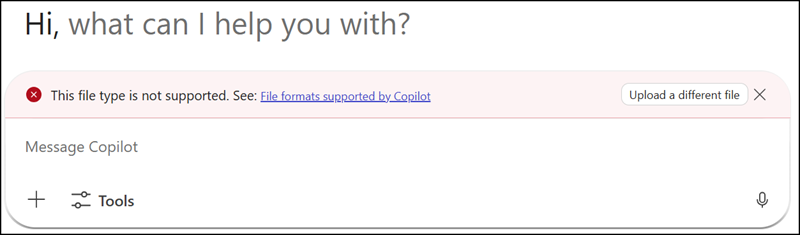
Rollout is still in progress

Once the rollout is complete, users can simply upload/attach the email file, making the process faster and more straightforward.
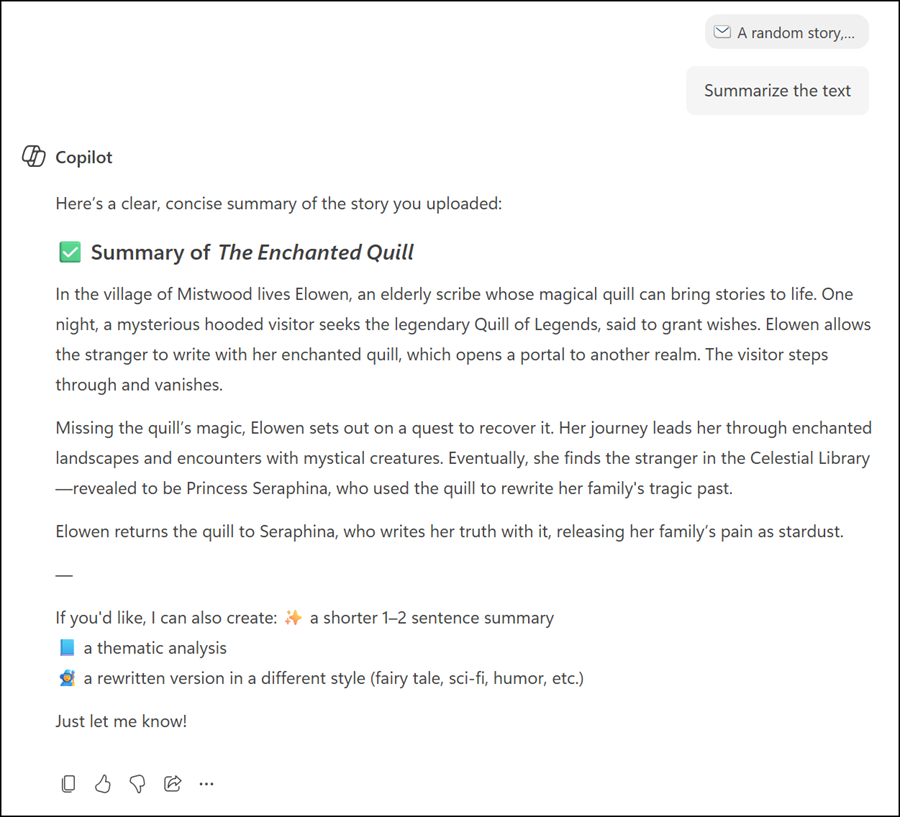
Just upload/attach your email file, instead of copying and pasting the email content

All uploaded email files are stored in OneDrive in the “Microsoft Copilot Chat Files” folder.
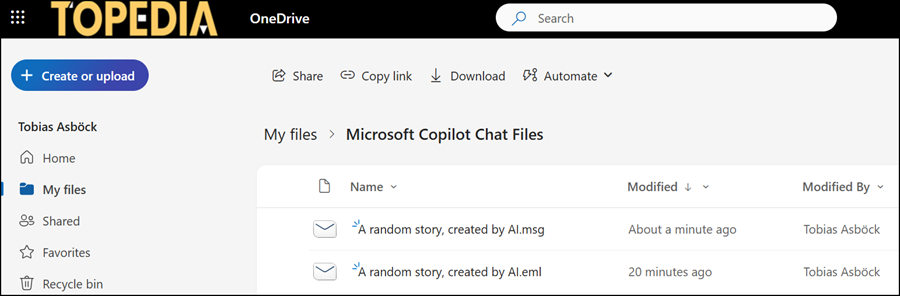
Uploaded email files are stored in the user's OneDrive
Uploaded email files are stored in the user’s OneDrive
  • This feature is available to all users with access to Microsoft 365 Copilot Chat or the Microsoft 365 Copilot app.
  • A Microsoft 365 Copilot license is not required, but users must have a OneDrive.
  • The rollout should be completed by late March 2026.

Share
Avatar photo

Tobias Asböck

Tobias is a Senior System Engineer with more than 10 years of professional experience with Microsoft 365 products such as SharePoint Online, SharePoint Premium, OneDrive for Business, Teams Collaboration, Entra ID, Information Protection, Universal Print, and Microsoft 365 Licensing. He also has 15+ years of experience planning, administering, and operating SharePoint Server environments. Tobias is a PowerShell Scripter with certifications for Microsoft 365 products. In his spare time, Tobias is busy with updates in the Microsoft 365 world or on the road with his road bike and other sports activities. If you have additional questions, please contact me via LinkedIn or [email protected].

Leave a Reply

Your email address will not be published. Required fields are marked *