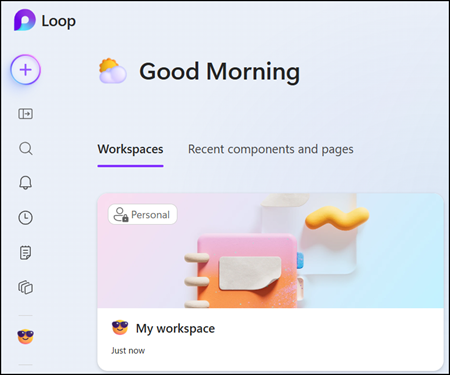
As Microsoft communicated in January, all users with a SharePoint or OneDrive service plan now have access to all Loop Workspaces capabilities.
This includes:
- Create new Loop workspaces
- Add members to a workspace
- Remove members from a workspace
I was able to test this with users on a Frontline (F) license who previously could not create their own Loop workspace containers. These users can now create workspaces, and when they open Loop on the web for the first time, Loop will automatically create their personal workspace.
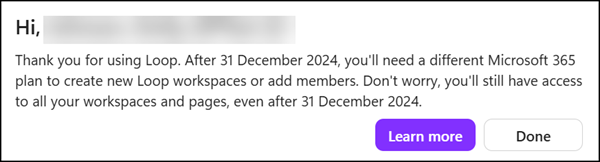
The “Microsoft Loop” service plan, included in various licenses, no longer controls who has full capabilities in Loop Workspaces.
You should not be surprised. The system still notifies users without a “Microsoft Loop” service plan about the missing plan, even though this information has been outdated for a long time.
Note:
SharePoint/OneDrive is not included in Exchange Online Kiosk, Plan 1, or Plan 2. Users with these licenses will continue to face the three limitations mentioned above.
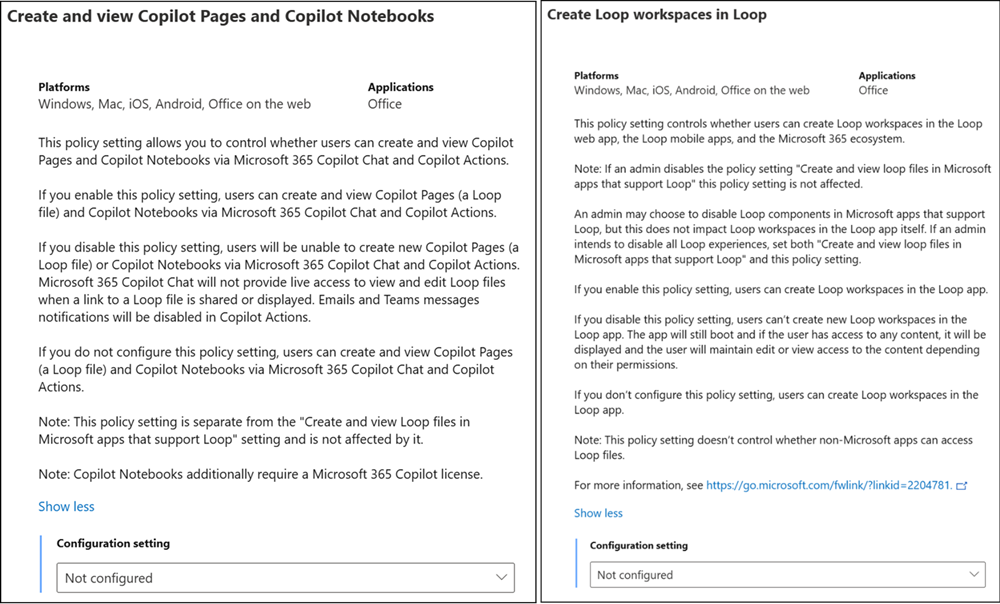
By default, all users with an assigned SharePoint or OneDrive service plan have permission to create Loop Workspaces. As Microsoft recommended in January, organizations should update their Office Cloud policies to control who can create Loop workspaces.
Organizations must now disable two Office Cloud policies, or the system will create the personal container.
- Create and view Copilot Pages and Copilot Notebooks
- Create Loop workspaces in Loop