Microsoft retires Skills Agent and People Agent in Microsoft 365 Copilot
8. March 2026
Microsoft is retiring the Skills Agent and People Agent in Microsoft 365 Copilot to streamline its skills experiences. Both agents are currently available in Frontier mode.
As Microsoft acknowledges, neither agent was designed for productive use. They served to learn what users value most and how they want to experience Microsoft 365 Copilot. Microsoft now recommends two other Frontier agents as alternatives. I wouldn’t count on those sticking around for long either.
Timeline
Both the Skills Agent and the People Agent will be retired in March 2026.
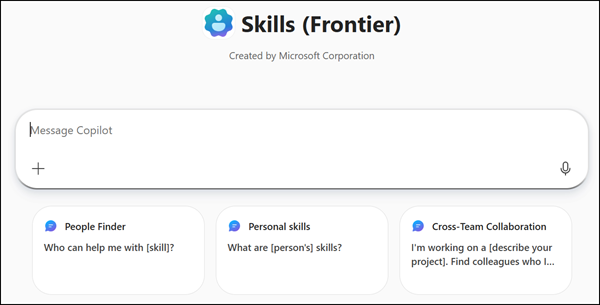
The Skills agent in Microsoft 365 Copilot provides tailored skills information for both individuals and leaders. Individuals can identify areas of growth to develop their expertise, and easily find colleagues with specific skills while learning more about them with a more complete overview of their capabilities. Leaders can gain a clear vision to inform their strategic workforce planning, identify skill gaps and surpluses across the organization, and make more informed decisions regarding career development and talent management.
Skills Agent will be retired
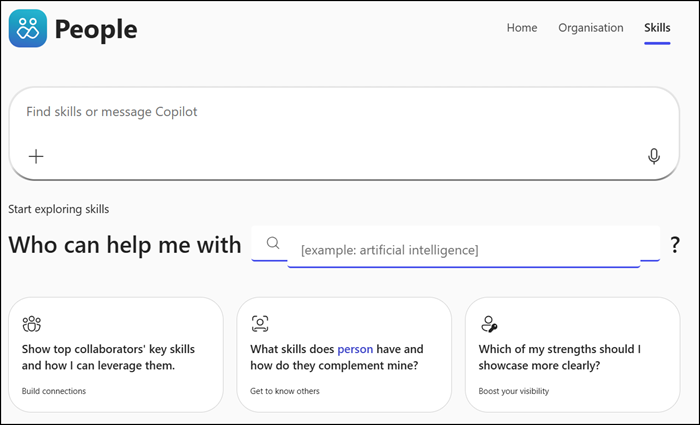
In November 2025, Microsoft introduced the People Agent, which includes a People Skills section when configured in the tenant. The fact that People Skills was already available to this new agent made it clear the standalone Skills Agent had no future. Now the People Agent itself is being retired as well.
Spend less time searching and more time building relationships that move work forward. People agent for Microsoft 365 Copilot helps you find the right colleagues, work more efficiently, and prepare for meaningful interactions. It brings together skills, collaboration history, and organizational context so you can stay connected and ahead of what’s next.
Key features:
Get tailored insights: Personalized prompts and summaries based on your interactions.
Keep track of tasks: See what you owe and what others owe you.
Stay prepared: View org charts, reporting lines, and collaboration history before meetings.
Find expertise fast: Locate people with the skills you need to unblock projects.
People Agent will be retired
Going forward, Microsoft plans to surface skills discovery and people search natively within Microsoft 365 Copilot Chat as a built-in experience, ensuring a consistent feel across Microsoft 365.
Alternative Frontier Agents
Microsoft recommends switching to the Workforce Insights agent, another Frontier agent introduced in November 2025. Note that you need at least 50 paid Copilot licenses in your tenant to access the Workforce Insights features.
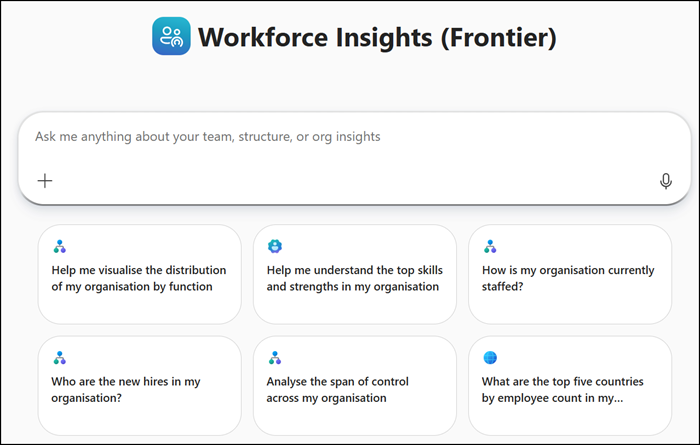
Workforce Insights (Frontier) The Workforce Insights agent for Microsoft 365 Copilot gives leaders and their delegates a real-time, comprehensive view of their organization—across role, tenure, location, function and other attributes—to enable faster, more informed workforce decisions. Whether planning a reorg, monitoring hiring trends, or identifying opportunities to improve org hygiene, Workforce Insights surfaces the insights you need with just a question.
Workforce Insights agent in Frontier mode
As a second option, Microsoft recommends the Learning Agent, also in Frontier mode and likewise introduced during the November 2025 agent wave.
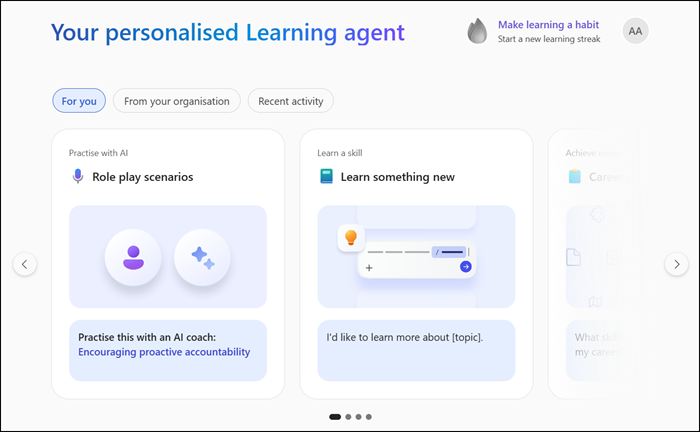
Learning (Frontier) Learning agent helps you build AI and other critical skills on the job. It provides both quick and deeper learning opportunities that are personalized based on your role, current skills, and work activity in Microsoft 365.
Key features
Personalized suggestions: Learning content based on your role, skills profile, and recent work activity in Microsoft 365
Copilot upskilling: Dynamic tips and contextual, task-based prompts to help boost your Copilot skills
LinkedIn role play: Practice workplace scenarios with an AI coach
Bite-sized and structured opportunities: Learn in quick chat conversations or in a longer form, course-like structures
Adaptive learning: Test your knowledge with skill assessments and get customized learning plans to grow and achieve more
Enterprise content integration: Suggestions include organizational resources like SharePoint sites to provide the most relevant content
Gamification: Features like learning streaks make learning more fun and rewarding
Learning agent in Frontier mode
Don’t count on these recommended Frontier agents being around for the next 12 months either. Relying on a Frontier agent for production use cases is a risk. Frontier is an early-stage development to gather user insights, not a commitment to long-term availability.
Tobias is a Senior System Engineer with more than 10 years of professional experience with Microsoft 365 products such as SharePoint Online, SharePoint Premium, OneDrive for Business, Teams Collaboration, Entra ID, Information Protection, Universal Print, and Microsoft 365 Licensing. He also has 15+ years of experience planning, administering, and operating SharePoint Server environments. Tobias is a PowerShell Scripter with certifications for Microsoft 365 products. In his spare time, Tobias is busy with updates in the Microsoft 365 world or on the road with his road bike and other sports activities. If you have additional questions, please contact me via LinkedIn or [email protected].