
Microsoft has enabled the announced “What’s New” webpage in Edge for Business.
The Edge browser now informs users about the latest capabilities in Edge and Microsoft 365 Copilot after a major browser version update. Google Chrome has offered a similar experience since April 2024.
Following a major version update, the new page opens automatically in a separate tab the first time the updated browser launches. This one-time experience highlights new features so users can explore what has changed, or they can simply close the tab and continue working.
This change applies to Edge for Business profiles signed in with Microsoft Entra ID accounts.
Timeline
Starting with the Edge 145 stable release.
How does this affect your users?
Starting with Edge 145 (released 14 February), Edge displays the new “What’s New” page after a major browser update, unless an Edge administrator disables it. The page is enabled by default and appears only once per major update cycle.
Announcement page on update experience. Starting in Edge 145, Edge for Business will show a “What’s New” page the first time the browser is launched following a major update. The page will help your users understand new features and how to use them for maximum productivity.
The page currently links to www.microsoft.com/en-us/edge/update/145.
Users receive an overview of Edge 145 updates in five steps and can close the tab at any time if they prefer not to review the details.
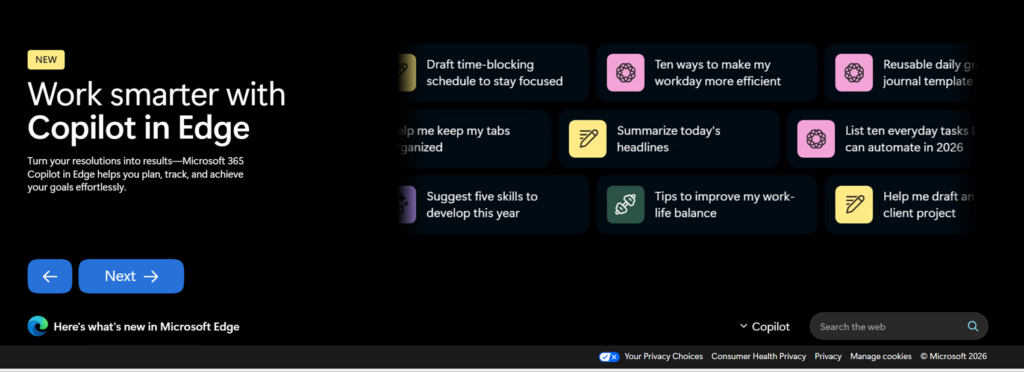
Edge administrators can disable the What’s New page by configuring the policy WhatsNewPageForEntraProfilesEnabled.
WhatsNewPageForEntraProfilesEnabled
If you enable this policy or do not configure it, Microsoft Edge shows the informational page by default. If you disable this policy, Microsoft Edge does not show the informational page to users.
