
Following the introduction of dark themes for SharePoint sites, Microsoft is now bringing dark mode support to the SharePoint Admin Center. This update improves visual comfort and aligns with accessibility preferences, delivering a consistent dark-themed experience in line with other Microsoft 365 admin portals.
Timeline
The rollout should be completed in February 2026.
What is changing?
Microsoft recently introduced dark themes for SharePoint sites.
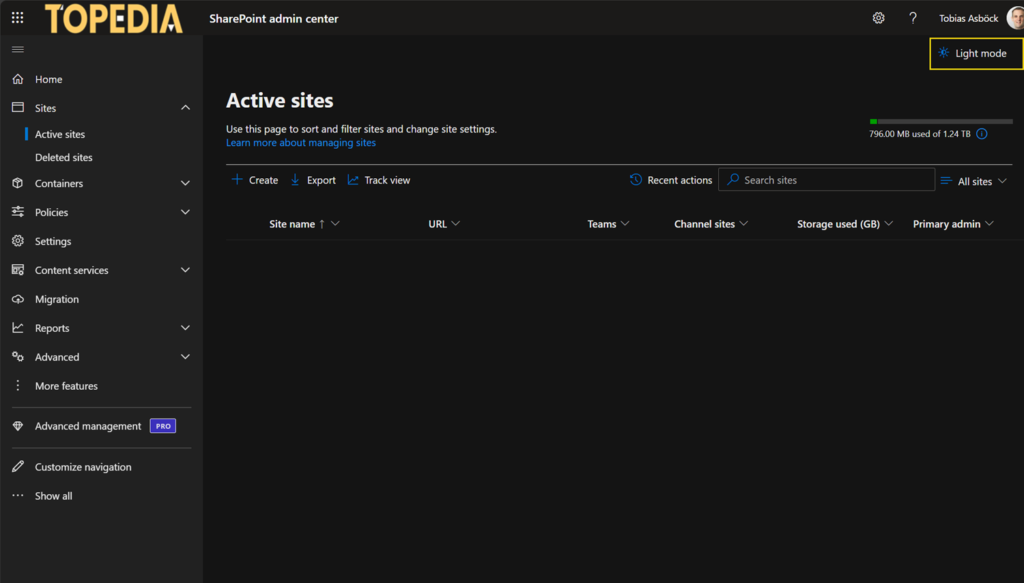
SharePoint admins can now also enable dark mode directly in the SharePoint admin center. Just as in other Microsoft admin portals, such as Microsoft Defender, admins can toggle between light and dark themes.
Dark mode in the SharePoint admin center is independent of your browser appearance settings; it is a manual, opt-in experience. No settings or controls are removed, and there is no impact on SharePoint end users.
To switch themes, look for the Dark mode / Light mode toggle in the top-right corner of the SharePoint admin center. Unlike the Defender admin portal, this toggle is not limited to the start page and is accessible throughout the admin center.
Note that SharePoint classic sections within the SharePoint admin center, such as User Profile Services, SharePoint Search, SharePoint Apps, and other classic SharePoint settings dating back to 2007/2010, are not supported in dark mode.
