
Edge Workspaces is transitioning to a new architecture designed to improve reliability and performance. As part of this change, workspace data will migrate from OneDrive to the Edge Sync service. Consequently, the collaboration and sharing functionality in Edge Workspaces will be retired.
- This change may affect your organization if you have not disabled the EdgeWorkspacesEnabled policy, which is enabled by default. Microsoft introduced Edge Workspaces in April 2023.
- Organizations should notify their users that the collaborative sharing feature will no longer be available.
Timeline
The rollout is already underway.
How does this affect your users?
Unless disabled by the organization, users can currently create a new Edge Workspace and share it with colleagues to collaborate within a shared browser session. Sensitive information, such as passwords, is not included in the shared session.
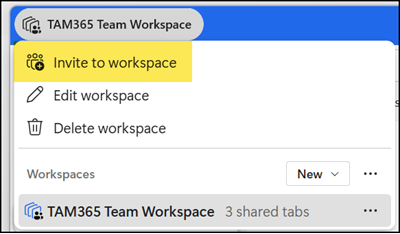
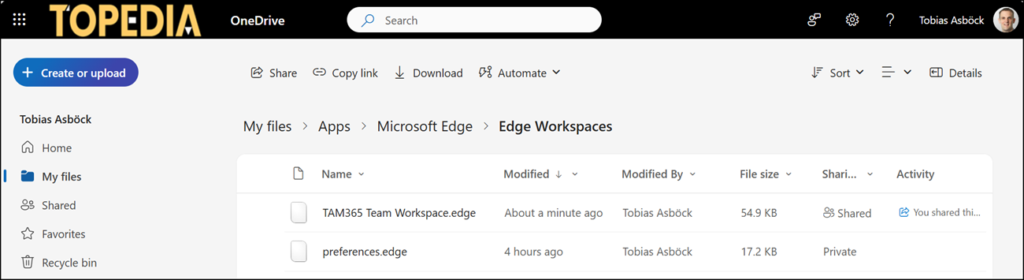
Workspaces are stored in the creator’s OneDrive under Apps > Microsoft Edge > Edge Workspaces. When a user is invited, the workspace is shared via OneDrive.
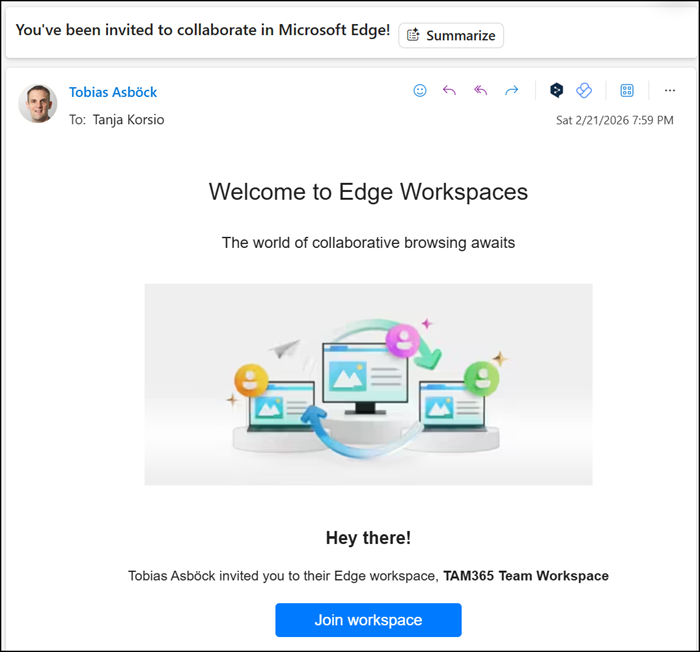
Invited users receive an invitation and can then join the shared browser session.
Microsoft will retire the collaborative functionality in Edge Workspaces. Saved workspace data will migrate from OneDrive to the Edge Sync service.
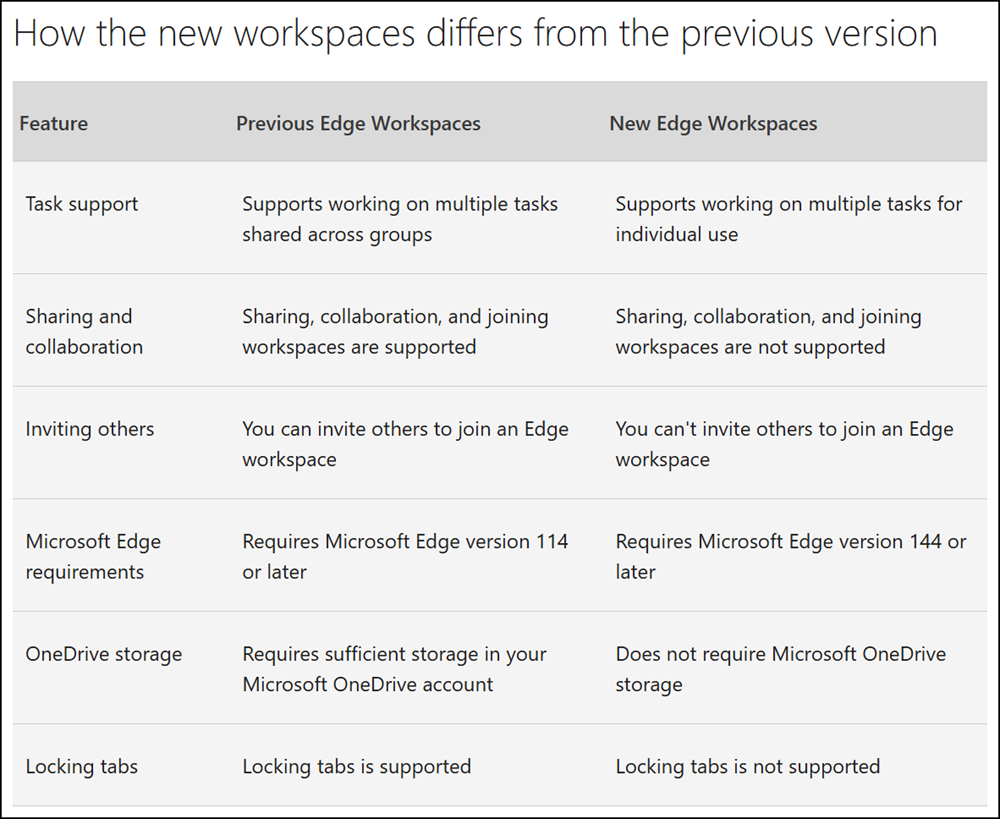
A comparison table of the previous and new Edge Workspaces is available.
Organizations with the EdgeWorkspacesEnabled policy disabled will not have workspace data migrated.
If Edge Sync is disabled via policy, existing workspaces created under the current architecture will still be migrated. However, new workspaces created after migration will not sync across devices and will remain local to each device.
Microsoft recommends the following alternatives to replace the collaborative Edge Workspaces functionality:
- Microsoft Teams tabs
Pin a website or SharePoint page as a channel tab to centralize shared links and resources for your team. - Microsoft Loop
Use Loop tables or link trackers to co-author and manage shared URLs in real time. - SharePoint pages
Publish a team or project page that aggregates key links and resources in one place.
