
Microsoft is expanding Loop Workspaces to all users with a SharePoint or OneDrive for Business service plan.
As Loop Workspaces relies on SharePoint storage, a SharePoint or OneDrive service plan becomes the key requirement. This change also enables users with Frontline (F) and Office 365 Enterprise licenses to create new Loop workspaces.
- This change does not affect your Office Cloud Policy that controls the creation of Loop workspaces. This policy is the Microsoft-recommended method to manage who can create new Loop workspace containers.
- This change removes the “Microsoft Loop” service plan requirement from licenses. If your organization currently controls Loop Workspace availability only via the service plan, action is required.
Timeline
The rollout should be completed in February 2026.
How does this affect your organization?
Currently, Loop Workspaces is available to users with one of these license plans:
- Microsoft 365 Business Standard
- Microsoft 365 Business Premium
- Microsoft 365 E3, A3, and E3 Extra Features
- Microsoft 365 E5, A5, and E5 Extra Features
- Microsoft 365 Copilot
Frontline (F) and Office 365 Enterprise licenses are missing.
This update removes the “Microsoft Loop” service plan requirement, effectively making Loop Workspaces a core Microsoft 365 service.
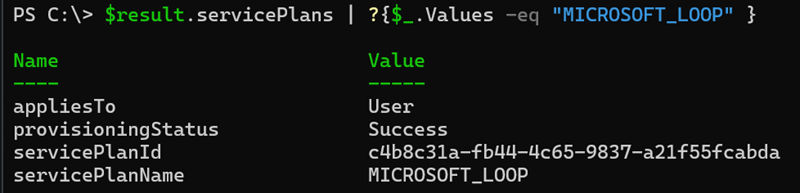
As a result, all users with a SharePoint or OneDrive for Business service plan (for example, included in Microsoft 365 F1/F3 and Office 365 E1/E3/E5 license plans) will be able to…
(1) create new Loop workspaces,
(2) add members to a workspace, and
(3) remove members from a workspace.
Previously, these capabilities were restricted to users with the Microsoft Loop service plan.
Note:
SharePoint storage is not included in Exchange Online Kiosk, Plan 1, or Plan 2. Users with the licenses will continue to face these three limitations.
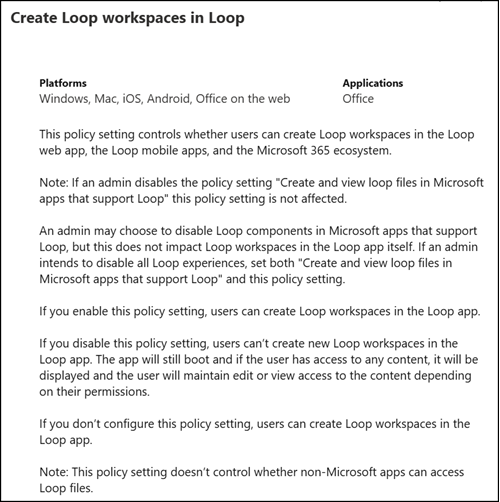
Microsoft recommends reviewing and updating your Office Cloud Policy to control who can create Loop workspaces. The relevant policy is “Create Loop workspaces in Loop”.
This change follows Microsoft’s announcement one month ago to cancel license enforcement for Loop Workspaces indefinitely.
I expect the “Microsoft Loop” service plan to be retired soon, as it is no longer in use following this change.
