If you are managing Copilot Agents in Agent 365 (via the M365 Admin Center), you may have noticed some agents showing the message “This app was pre-acquired by your organization for the assigned users based on the terms of the license” in the users’ availability tab. This post will give you insights into the cause of this message.
Content
Copilot agents released to general availability
If you open Copilot Agents in Agent 365 and select Users > Available to, you may see this message along with a link to the license overview at admin.cloud.microsoft/?#/licenses.
- For Copilot agents, this link points you in the wrong direction. Ignore it.
- You see this message in some Microsoft pre-built agents.
Examples include the Researcher and Analyst agents. In these cases, the options to change availability are disabled.
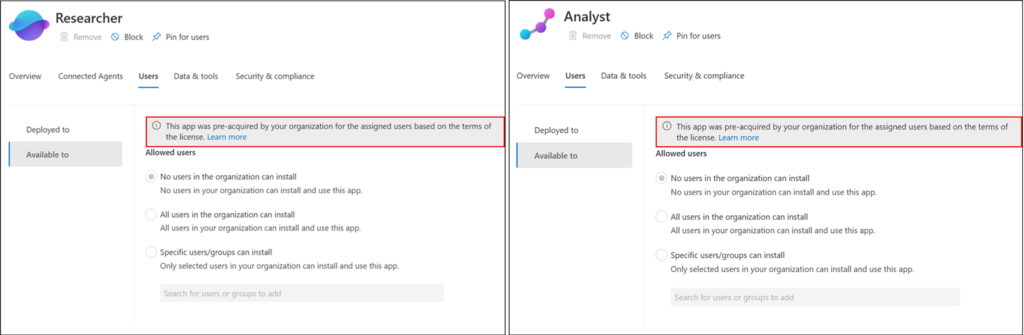
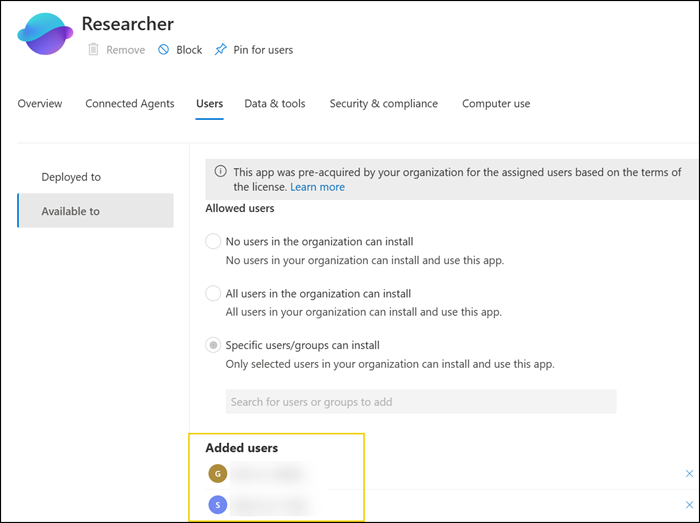
These availability options were active when Microsoft first released Researcher and Analyst in June 2025. You may therefore have users or groups assigned to these agents, but you can no longer change those assignments.
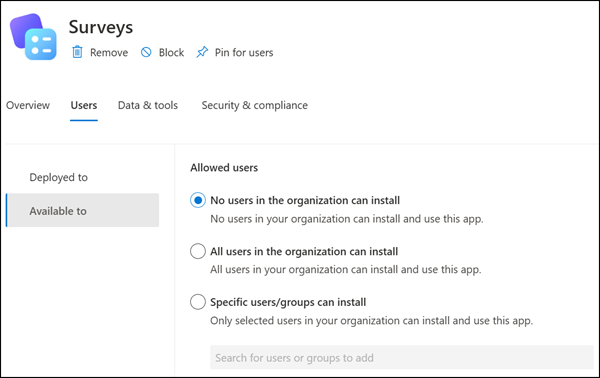
Another example is the Surveys agent, which does not show this message. In this case, an AI Administrator can change the user availability.
Copilot agents released to the Frontier program
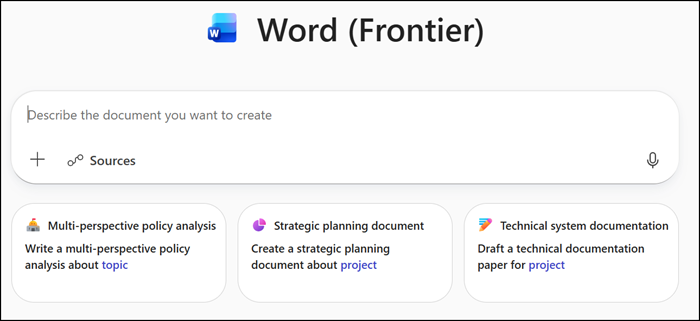
You can observe the same behavior for some Frontier agents (but not all), such as the Word, Excel, and PowerPoint agents.
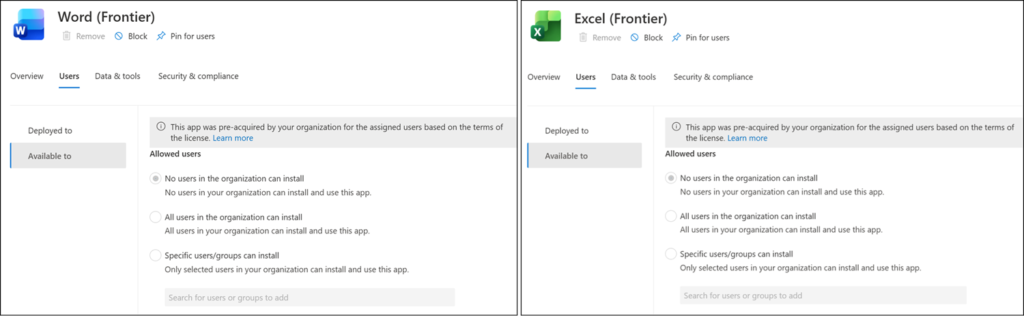
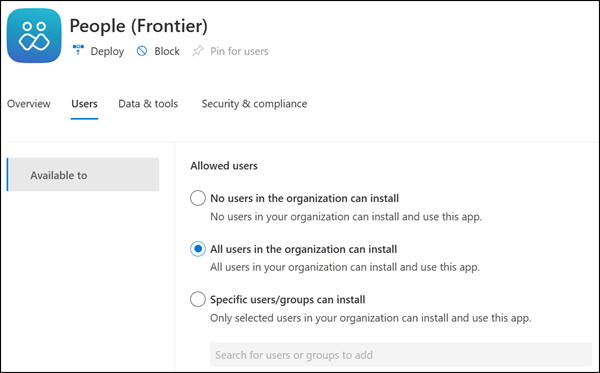
Another Frontier example is the People agent, which does not show the message. An AI Administrator can change the user availability.
Root cause for Microsoft pre-built agents
For several months, I assumed this behavior was a bug that Microsoft would eventually fix.
Recently, I opened a support case because I could not find any public guidance on updating user availability when the options are disabled.
Microsoft Support clarified this behavior is not a bug.
All agents displaying the message “This app was pre-acquired by your organization for the assigned users based on the terms of the license” are predeployed by Microsoft. User availability is disabled because agent availability is managed by Microsoft. Additional prerequisites must be met before users can access these agents.
All agents showing this message have one thing in common: they are predeployed to all users by default.
Below is an example from the Researcher agent.
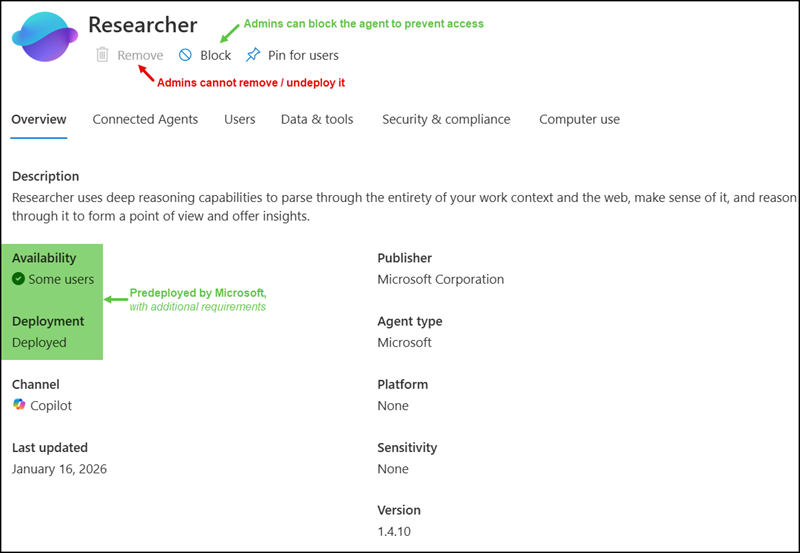
Microsoft explained all predeployed agents have additional requirements and can be blocked to prevent global access.
These agents are not automatically usable by all users; only users who meet the requirements can access them. An organization should remove the corresponding prerequisite to restrict availability for specific users or block the agent to restrict availability for all users.
Microsoft predeployed agents
Microsoft may predeploy Copilot agents to all Copilot-licensed users, as is now the case with the Researcher and Analyst agents. An AI Administrator cannot remove / undeploy these agents.
All users with a Microsoft 365 Copilot license can use these two agents. Microsoft considers both agents to be core agents for Copilot-licensed users, as documented here. These two agents are also pinned by default.
While Researcher and Analyst coexist with agents and abide by all the agent-related governance capabilities, Researcher and Analyst are part of the core Copilot chat experience and will not fall under any agent-related settings.
Note:
Users with the AI Administrator role still retain control over additional Researcher settings, such as Connected Agents and Computer Use.
Admin configured agents
Some Microsoft pre-built agents are not predeployed (at least not yet), like the Surveys agents. An AI Administrator can control user availability and deployment for these agents. Users require a Microsoft 365 Copilot license.
Frontier agents
AI administrators can often manage user availability for Frontier agents, such as the People agent. The agent is not available to Copilot-licensed users in the Frontier program if user availability is not assigned.
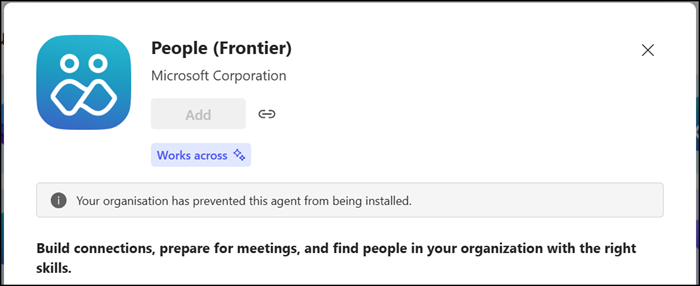
In other cases, some Frontier agents, including Word, Excel, and PowerPoint, are predeployed by Microsoft and require additional prerequisites. These three agents have two prerequisites.
First, users must have access to the Copilot Frontier program, which is configured in the Copilot Control System (via the M365 Admin Center).
Users in the Frontier program will find the Word, Excel, and PowerPoint agents, but they will not yet be able to use them.

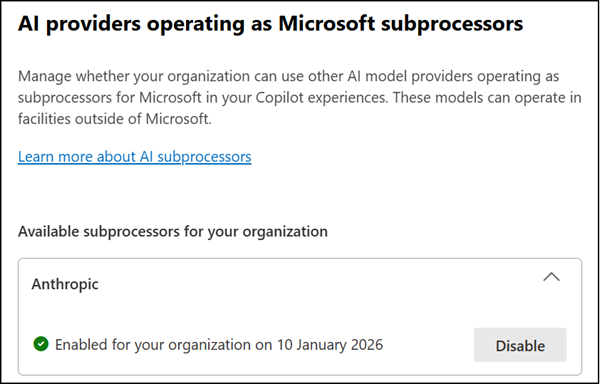
Second, Anthropic must be enabled as a subprocessor in Copilot Control System, as mentioned in MC1187671 (November 2025).
To provide access to Word, Excel, and PowerPoint Agents, you must connect to Anthropic’s Claude model.
Reminder:
Anthropic models are currently (January 2026) excluded from the EU Data Boundary and in-country processing commitments. This may be required by some organizations.
The Word, Excel, and PowerPoint Frontier agents become available within a few hours of fulfilling all prerequisites.