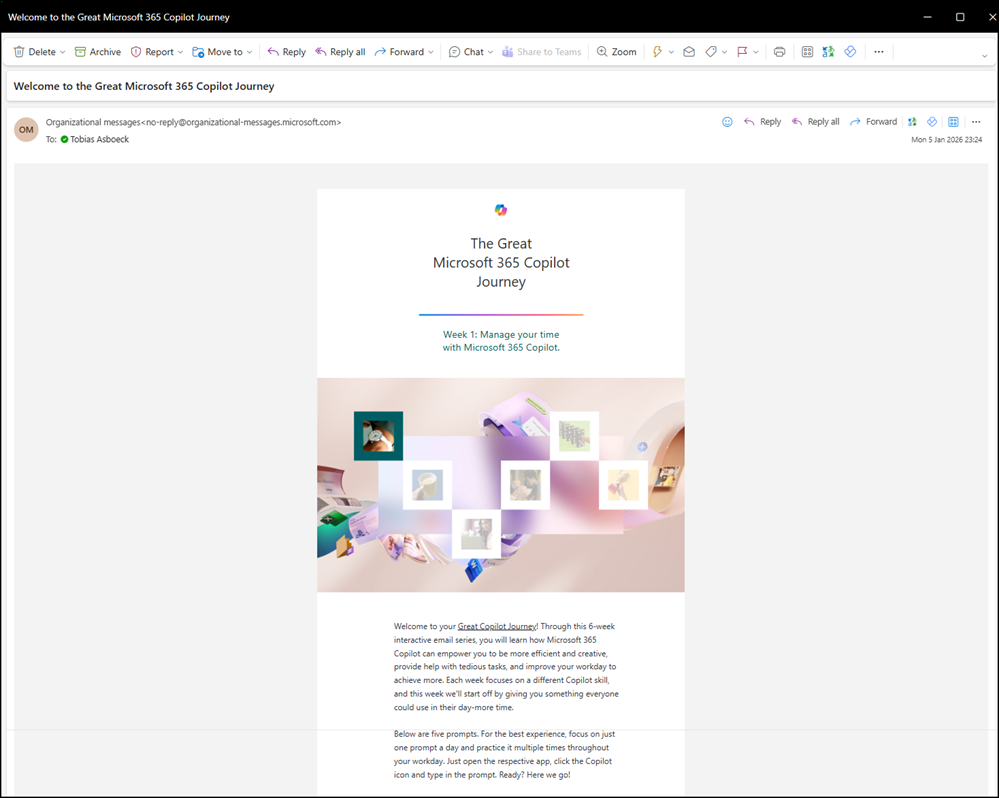
Organizational Messages in Microsoft 365 are adding email as a delivery channel, extending existing channels such as Windows Taskbar, Windows Notifications, Windows Spotlight, and Teams popovers. This enhancement allows admins to reach users through a familiar communication channel to support Copilot adoption, onboarding, and training.
It’s important to mention that the email delivery channel currently supports Copilot only. If you are not interested in more Copilot-related content, or if you operate in a multilingual organization (not just English), you can skip the rest of this post.
Timeline
- Public Preview rollout should be completed in January 2026.
General Availability is scheduled for April 2026.
Updated 3 April 2026:
General Availability is scheduled for May 2026.
How does this affect your organization?
Until now, Organizational Messages in Microsoft 365 supported the delivery channels Windows Taskbar, Windows Notifications, Windows Spotlight, and Teams popovers, depending on the message objective.
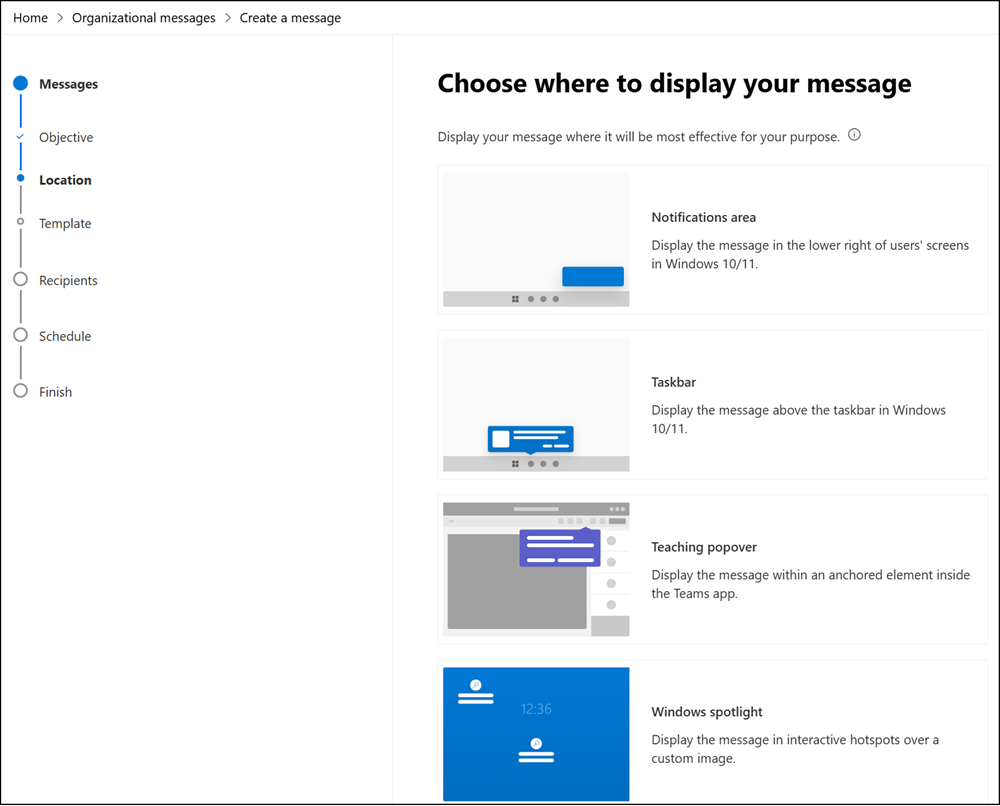
With the current Preview, a new delivery option is available: Email.
Email is supported for the following three objectives, but only for scheduled messages. Email is not available for urgent messages.
- Adoption
- Onboarding
- Training
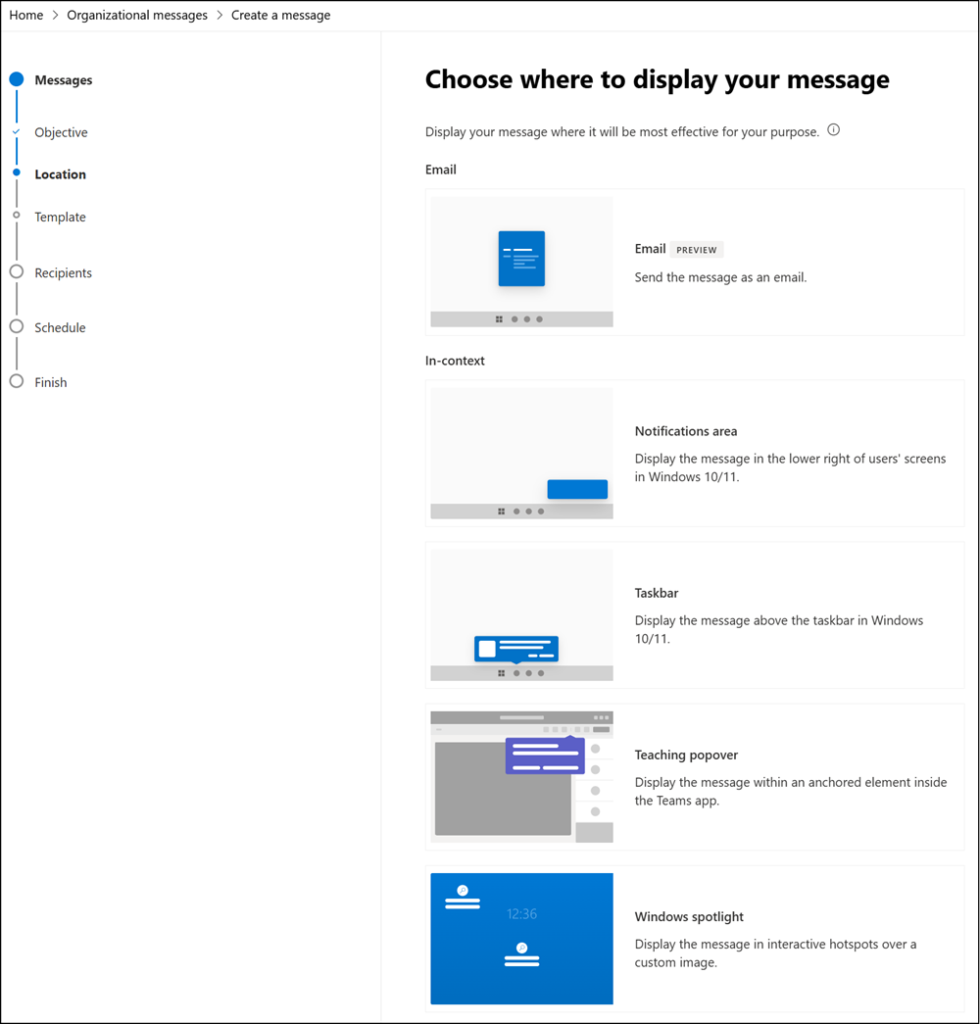
Email as a delivery channel is a great addition to Organizational Messages, but not with the current setup. Currently, the Email channel supports only one product: Copilot.
- For the initial Public Preview, eight prebuilt email templates are available: two welcome messages for Welcome to Copilot and Welcome to Copilot Chat, plus six templates from the Great M365 Copilot Journey that highlight features and best practices to support Copilot onboarding and adoption.
- All templates are predefined by Microsoft and cannot be modified, even with licenses for advanced features in Organizational Messages.
- Unlike other delivery channels, Copilot templates do not yet support multilingual emails. All messages are sent in English only, using predefined Microsoft content.
- Message analytics are not yet available for Email.
This Email capability follows Microsoft’s predefined Copilot content strategy and provides a set of ready-to-use templates to help organizations get started with Copilot.
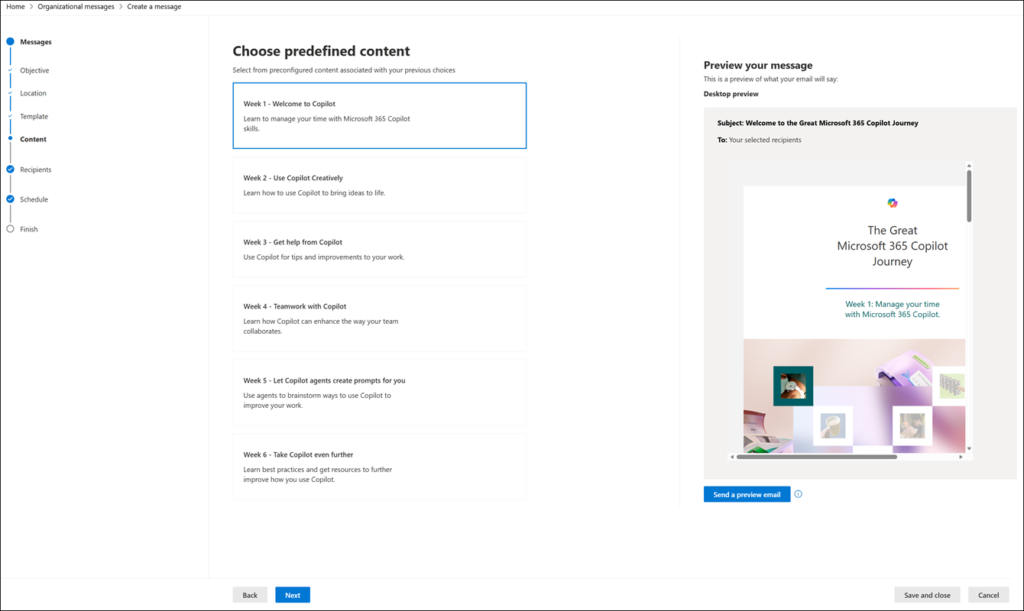
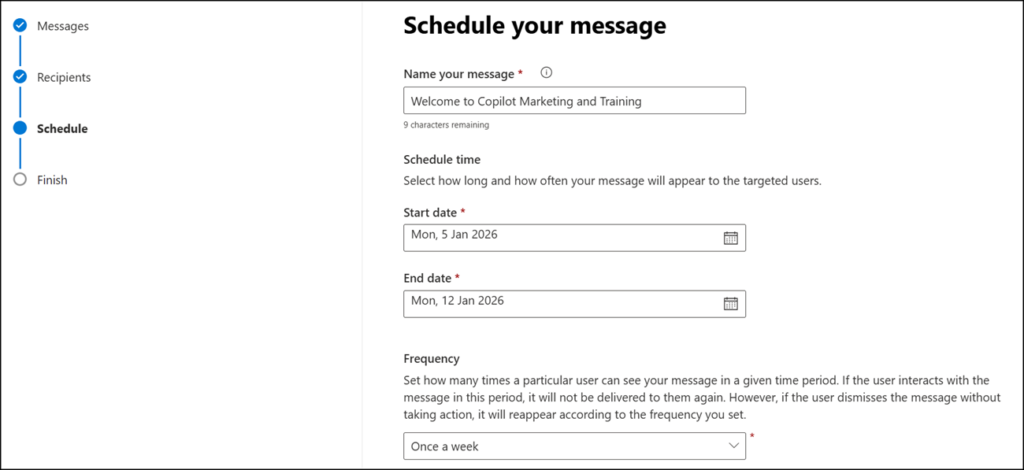
Users with permissions to prepare Organizational Messages can select a template, define an internal message name, schedule the timing and frequency, and specify a group of users who should receive the emails. Users can also start a Copilot email series.
- The name is not used as the email subject; it serves only as an internal description. All email content, including the subject, is predefined.
- The target group is an Entra group. All members of the group receive the email. Extended targeting filters from advanced features are not supported.
- The system does not verify whether recipients have a (full) Copilot license. You should review group membership and message content before sending the emails.
Recipients receive these emails from the external sender “Organizational messages.” The messages are marked as external. From a user perspective, this can be problematic, as the emails offer neither an unsubscribe option nor an explanation of what constitutes an organizational message. Personally, I would be inclined to mark such messages as Junk.