Microsoft is rolling out three new Entra admin roles for Microsoft Purview to strengthen security when Purview interacts with Microsoft 365 services such as Exchange, SharePoint, OneDrive, and Teams.
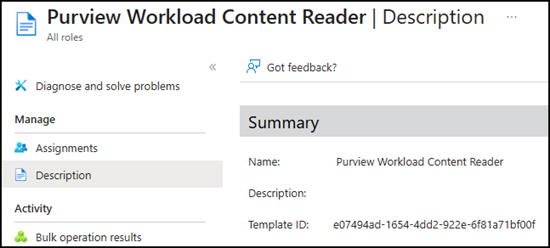
- Purview Workload Content Reader
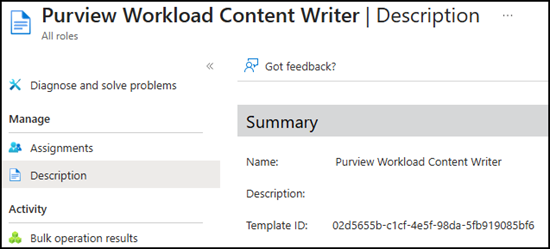
- Purview Workload Content Writer
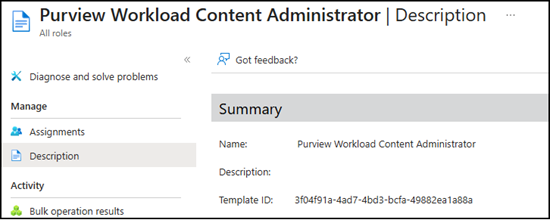
- Purview Workload Content Administrator
The key point of these new roles is that Microsoft explicitly notes an admin should not directly assign them to users. These roles are managed through Purview role assignments. Any manual assignment in Entra will be overwritten by Purview.
Do not manually assign these roles in Entra; Purview will overwrite changes.
After the rollout, specific Microsoft Purview roles are linked to these three Entra admin roles (see the table below). It is important to understand the Entra role itself is not linked to Purview; instead, the account assigned to a Purview role receives the corresponding Entra role.
This is particularly interesting because, if you are already using Purview roles, you may have noticed role permission updates usually take up to 24 hours. For the new Entra roles, Microsoft notes new assignments should sync from Purview to Entra within 15 minutes.
Timeline
These new admin roles should be available by the end of March 2026, although you may already find them in Entra.
Purview role mapping with Entra admin roles
Microsoft has published a Purview role mapping table. The Purview roles are listed and described here.
As an example, if your account has the Purview role “Privacy Management Investigation”, you will automatically receive the Purview Workload Content Writer role in Entra. If an account has multiple Purview roles, it will receive the highest privilege Entra role in the following order: Administrator > Writer > Reader.
| Purview role | Mapped Entra role | Entra role description | Entra role template ID |
|---|---|---|---|
| Insider Risk Management Analysis | Purview Workload Content Reader | Members can read data from Microsoft 365 (such as SharePoint, Teams, OneDrive, or Exchange) when accessing from the Microsoft Purview portal. | e07494ad-1654-4dd2-922e-6f81a71bf00f |
| Insider Risk Management Investigation | |||
| Compliance Search | |||
| Export | |||
| Privacy Management Admin | |||
| Privacy Management Analysis | |||
| Privacy Management Investigation | |||
| Privacy Management Permanent Contribution | |||
| Privacy Management Temporary Contribution | |||
| Privacy Management Viewer | |||
| Hold | Purview Workload Content Writer | Members can read and edit Microsoft 365 data (such as SharePoint, Teams, OneDrive, or Exchange) when accessing from the Microsoft Purview portal. | 02d5655b-c1cf-4e5f-98da-5fb919085bf6 |
| Privacy Management Investigation | |||
| Search and Purge | Purview Workload Content Administrator | Members can manage or purge Microsoft 365 data (such as SharePoint, Teams, OneDrive, or Exchange) when accessing from the Microsoft Purview portal. | 3f04f91a-4ad7-4bd3-bcfa-49882ea1a88a |
| Export + Search And Purge (both roles together) |