Microsoft is improving the administrative capabilities for People Skills in the Microsoft 365 Admin Center.
This update introduces a new control to turn on/off People Skills user experiences for specific accounts, a dedicated feature access management interface in the Microsoft 365 Admin Center, and the ability to import a custom skills library from a local device.
Timeline
The rollout should be completed in December 2025.
What is changing?
Accounts with the AI Administrator or Knowledge Administrator role now have access to three new People Skills capabilities in the Microsoft 365 Admin Center.
1) Turn off People Skills user experiences
Previously, once an admin enabled People Skills, the service could not be disabled again. With the new “People Skills user experiences” feature, admins can now enable or disable People Skills for specific accounts. This enhancement is useful for running pilots with a limited group of users.
When People Skills is disabled for a user, the People Skills user experience is removed for that account. See Where does People Skills data appear? for a list of affected applications.
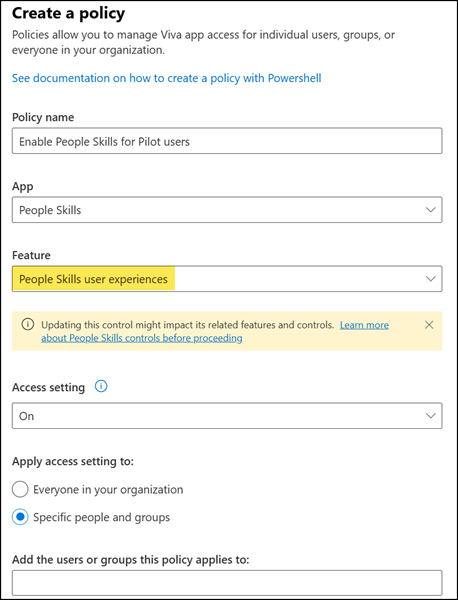
This setting maps to the SkillsUserExperienceControl feature in Exchange Online PowerShell.
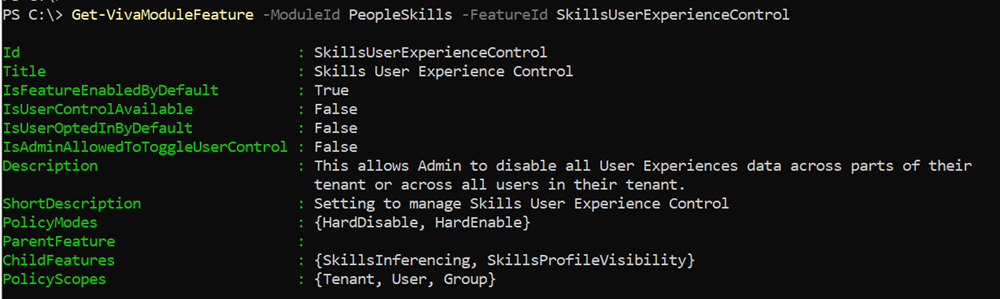
2) Viva Feature access management for People Skills settings
Admins can now configure People Skills directly in the Microsoft 365 Admin Center using Viva Feature access management, as shown above for the People Skills user experiences setting. Previously, admins had to use PowerShell to configure all People Skills settings.
Available settings include:
- People Skills user experiences control
Turn all People Skills user experiences on or off for selected users. - People Skills AI inferencing control
Allow or prevent AI from generating skills for users and adding them to profiles. - People Skills profile visibility control
Control whether skills, AI-generated, confirmed, or imported, appear on the Microsoft 365 profile card. - Show AI Skills control
Show or hide AI-generated skills on user profiles. - Show Imported Skills control
Allow or restrict organization-imported skills from appearing on profiles.
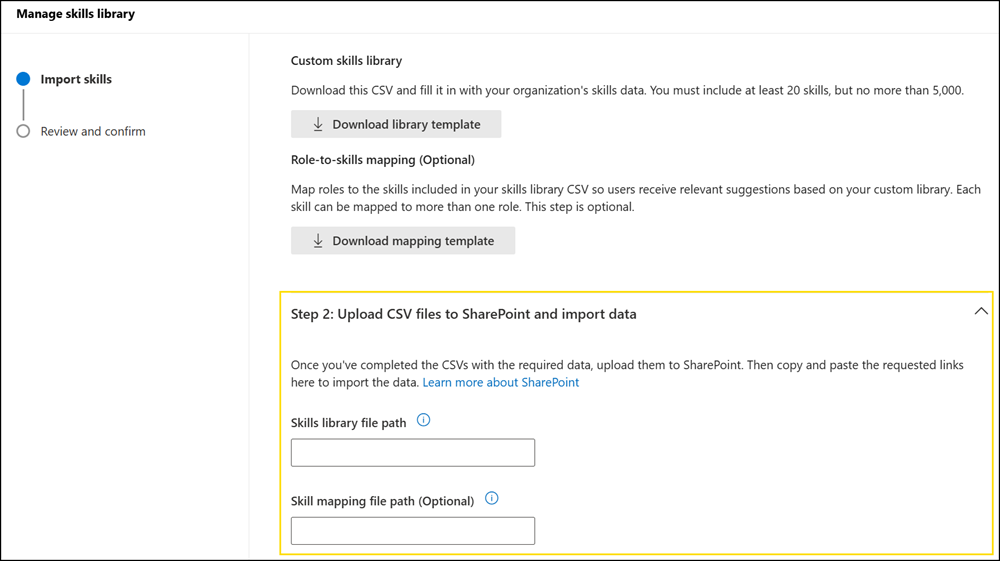
3) Import a custom skills library from a local device
Previously, admins had to prepare an import file in a SharePoint document library to upload custom organizational skills. With this update, admins will also be able to upload the import file directly from a local device, providing more flexibility when managing organization skills. This capability is still pending and not yet available.