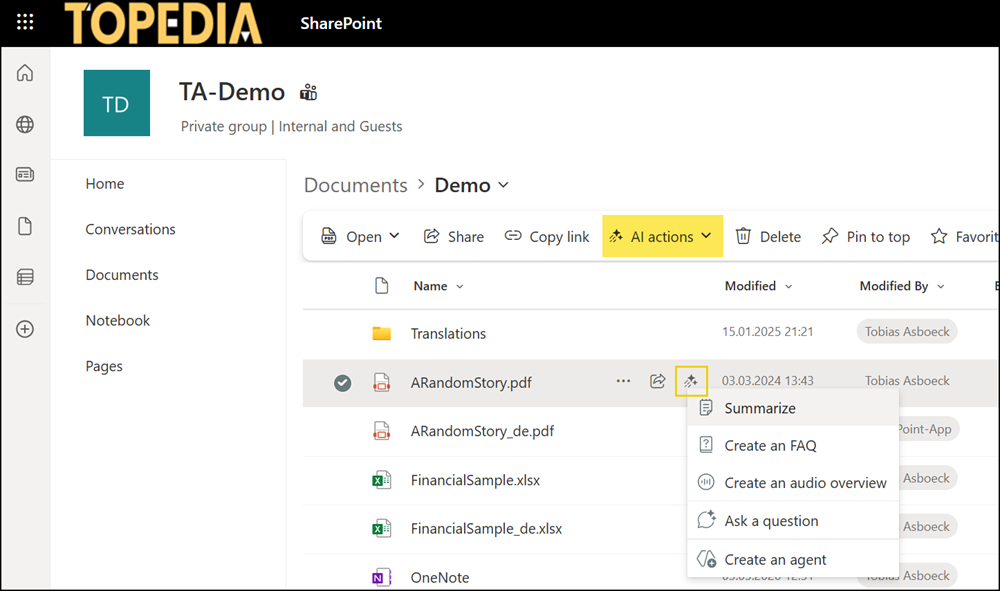
AI (file) actions, already available in OneDrive, are rolling out to SharePoint document libraries. These AI actions include summarization, file comparison, FAQ generation, Q&A, and audio overview creation, all directly within the document library experience.
Timeline
The rollout should be completed in December 2025.
How does this affect your users?
Users now see a new AI Action button next to supported files and in the SharePoint document library toolbar.
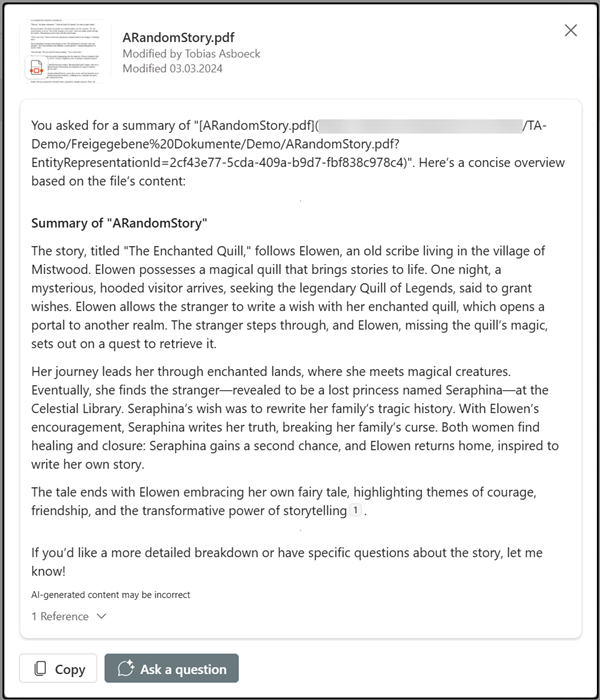
AI Actions allow users to work with files using natural language: summarize content, compare versions, generate FAQs, ask questions grounded in the document, or create audio overviews.
AI Actions are available by default.
Microsoft states AI Actions require a Microsoft 365 Copilot license, yet my tenant has no Copilot licenses. Despite this, the features are visible and working (at least for now).
- AI Actions in OneDrive and SharePoint document libraries are available for users with a Microsoft 365 Copilot license.
- AI Actions in SharePoint are also available for users with a Pay-as-you-go (PAYG) configuration for SharePoint Agents.
- AI Actions in OneDrive are not available for users with a SharePoint Agent PAYG configuration.
It is unclear whether Microsoft unintentionally enabled AI Actions for SharePoint PAYG scenarios.
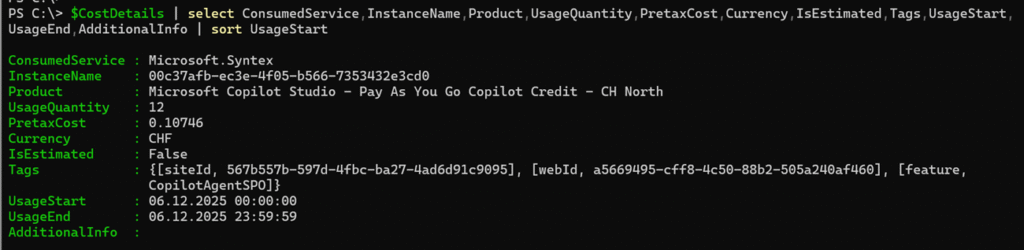
I checked my PAYG billing subscription to see whether AI Actions produce new billing entries, as described in my January post. Indeed, AI Actions are billed through SharePoint Agent PAYG for users without a Microsoft 365 Copilot license.